Google Pixel November 2026 Update: Every New Feature, Security Fix and Supported Device
The Solo Toolbox · Software Help for One-Person Businesses
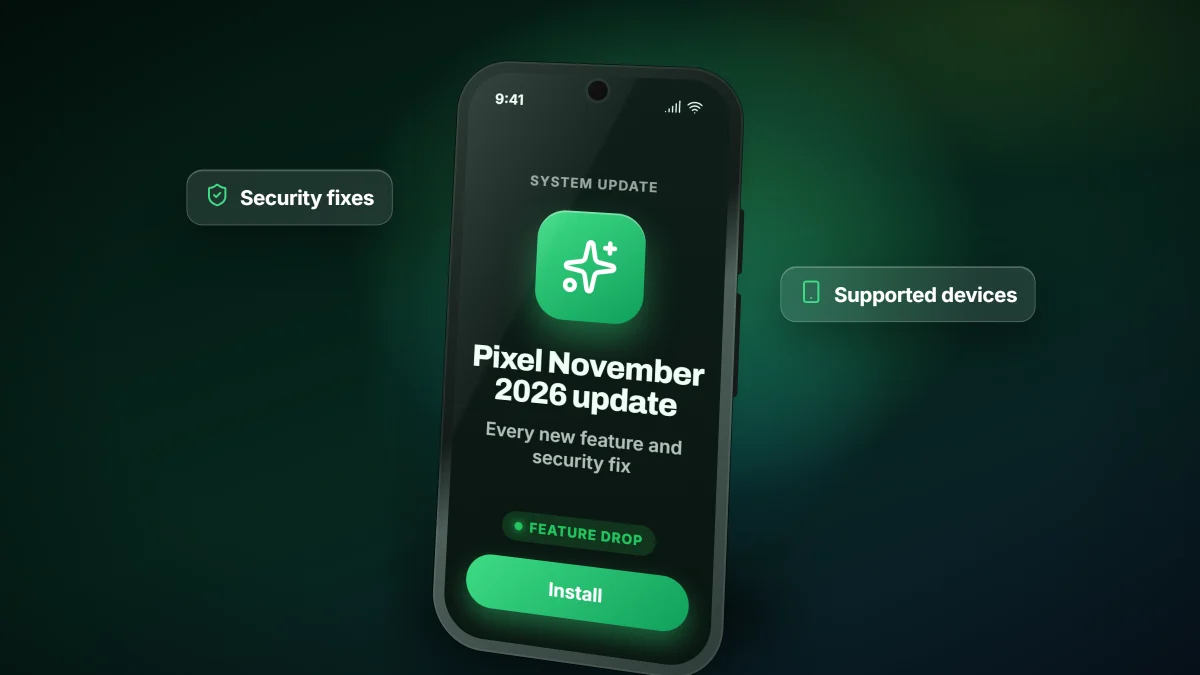
Google’s November 2026 Pixel update started rolling out on Tuesday, November 10, about a week later than usual. It is the biggest Pixel release since Android 17 arrived in June. In one download you get Android 17 QPR2 (a full month ahead of the normal quarterly schedule), the November Pixel Drop, the 2026-11-05 security patch and 33 bug fixes.
The headline is that the Pixel 10 series now gets most of the Gemini Intelligence features Google launched on the Pixel 11 in August. Older Pixels down to the Pixel 6a get new icon styles, a better system-wide search and the full set of security fixes. The Pixel 6 and Pixel 6 Pro are not on the list this month. Below is everything that changes, which phones get what, and what to do if the update hasn’t reached you yet.
November 2026 Pixel update at a glance
| Rollout start | November 10, 2026 (staged over the following weeks) |
| Android version | Android 17 QPR2 |
| Security patch level | 2026-11-05 |
| Build number | CP4A.261105.040.A1 (Pixel 6a to Pixel 10a); CP4A.261105.040.D1 (Pixel 11 series); CP4A.261105.040.B2 (Pixel 11 series in Canada) |
| Pixel-specific security fixes | 166, of which 43 are rated Critical |
| Bug fixes | 33 |
| Phones dropped | Pixel 6 and Pixel 6 Pro |
What’s new in the November 2026 Pixel update
This month’s release has three layers, and they don’t all reach the same phones. Android 17 QPR2 is the system update every supported Pixel gets. The November Pixel Drop is Google’s bundle of features, many of them limited to newer models or certain countries. The security patch is the same everywhere.
Android 17 QPR2 changes for every supported Pixel
For the most part, these are small changes you’ll notice in Settings and the Quick Settings panel, according to 9to5Google’s walkthrough of the release:
- Pick any accent color. Wallpaper & style > Color now has a slider, so you’re no longer stuck with presets taken from your wallpaper. There are also four theme styles: Neutral, Soft, Bright and Bold.
- Status bar control. Under Settings > System you can show all notification icons, priority ones only, or none. There’s also a new Mute icon.
- A single Battery & charging menu. This is the layout that debuted on the Pixel 11. The battery icon in Quick Settings also gets an outline while charging or in Battery Saver.
- New Quick Settings tiles for Audio streams and Voice broadcast.
- Notification intelligence. Notification summaries, the notification organizer and notification cooldown now sit together in one place under Notifications.
- Two new privacy screens. One is a Private Compute Core log (Security & privacy > Privacy dashboard > Data logging). The other is an Agents dashboard (Security & privacy > Privacy controls > Agents).
Of these, the Agents dashboard is the one to watch. Gemini can now do multi-step tasks inside other apps, so you need a single place to see and limit what an AI agent can touch. It’s a sensible addition, and it arrives just as those abilities spread to more phones.
Custom icon styles and Pixel search (Pixel 6a and newer)
In addition, two Pixel Drop features reach every phone still getting updates, in all regions and languages. Custom icon styles adds 10 looks that use Google’s Nano Banana image model to redraw your app icons so they match. Pixel search lets one search box look through your apps, messages, photos, email and device settings. If you’ve ever had to remember which app a conversation happened in, this is the bigger time-saver.
Pixel 11-only additions
- Gemini-powered Call Screen. When an unknown number calls, Gemini can now have a more natural back-and-forth with the caller while you read a live transcript. It works on the Pixel 11, 11 Pro, 11 Pro XL and 11 Pro Fold, in the U.S. only.
- HiLight for Google Messages. The light on the back of the Pixel 11 Pro, Pro XL and Pro Fold can now blink for messages from favorite contacts, not only calls and Gemini status. It’s off by default. Turn it on under Settings > System > HiLight. It works with Google Messages only, not WhatsApp or Telegram.
Gemini AI improvements: Pixel 10 gets Gemini Intelligence
This is the main reason the November drop matters. When Google launched the Pixel 11 at Made by Google in August, Gemini Intelligence was its main selling point. Three months later, the Pixel 10 series gets most of it. Here’s what Google confirmed in its official Pixel Drop post:
What the Pixel 10 series gets
- Rambler is voice typing that tidies up as you talk. You can speak the way you think, with “ums,” false starts and corrections, and it produces clean text. A quick example: say “tell Sam I’ll be there at six, no, half six, and I’ll bring the charger.” You get a clean message with the corrected time, not your stream of consciousness. Google lists it for the Pixel 10.
- Proactive suggestions appear when Gemini sees something you can act on. If a friend texts asking when you’ll arrive while you’re navigating in Google Maps, the phone can suggest an answer. It needs a Pixel 10 or newer, and the Pixel 10a is excluded.
- Personalized widgets (shown as Create My Widget) build a home screen widget from a plain-English description. One example is “my next three meetings and the chance of rain this afternoon.” It works on the Pixel 10, 10 Pro, 10 Pro XL, 10 Pro Fold and the Pixel 11 series in select markets. Again, no Pixel 10a.
- Multi-step tasks let Gemini handle jobs like ordering groceries, booking a ride or reserving a table. They now work in Japan, the UK and India.
- Conversation summaries add German, French, Spanish, Italian, Hindi and Traditional Chinese. They need a Pixel 9, 10 or 11, but not the 9a or 10a.
What it means for Pixel 10 and Pixel 10a owners
The pattern is clear: the “a” models get the security patch and the system changes, but not the heaviest on-device AI. If you bought a Pixel 10a mainly for Gemini features, this drop confirms where its limits are. If you own a standard Pixel 10, most of the reason to upgrade to a Pixel 11 has just gone away.
Some of these features read your messages, calendar and screen to work. If that bothers you, the new Agents dashboard and Private Compute Core log above are where to check what’s happening. Our guide to controlling whether Gemini trains on your chats covers the account-level settings.
Which Pixel devices get the November 2026 update?
Google is shipping the update to 23 devices:
| Pixel line | Models getting the update |
|---|---|
| 6 series | 6a only |
| 7 series | 7, 7 Pro, 7a |
| Fold and Tablet | Pixel Fold, Pixel Tablet |
| 8 series | 8, 8 Pro, 8a |
| 9 series | 9, 9 Pro, 9 Pro XL, 9 Pro Fold, 9a |
| 10 series | 10, 10 Pro, 10 Pro XL, 10 Pro Fold, 10a |
| 11 series | 11, 11 Pro, 11 Pro XL, 11 Pro Fold |
The Pixel 6 and Pixel 6 Pro are no longer supported. Their five-year update guarantee has run out, and Google left them off this month’s release. The Pixel 6a launched later and stays on the list for now. If you own a Pixel 6 or 6 Pro, your phone will keep working. But from this month on, every new security hole that’s found stays open on it. For a phone you bank or shop on, that’s the point to start planning a replacement.
Security fixes in the November 2026 Pixel update
Security fixes for Pixels come from two bulletins. The November 2026 Android Security Bulletin, published November 2, covers flaws that affect every Android phone. That includes CVE-2026-58868, a Critical bug in the Framework component that could let an attacker run code with no action from you. The Pixel Update Bulletin, published November 10, adds 166 fixes specific to Google’s hardware and firmware. 43 of them are rated Critical.
What the Pixel-specific fixes cover
Most of the Pixel bulletin is about the parts of the phone you never see but rely on most:
- The bootloader and Trusty. These are the code that starts the phone and the walled-off secure area that holds your keys. Bugs here are serious because everything else trusts them.
- KeyMint, fingerprint and face unlock. These are the systems that guard your PIN-protected keys and biometric unlock.
- The modem and IMS stack. These handle calls, texts, VoLTE and Wi-Fi Calling. Bugs here can sometimes be reached over the cellular network.
- Video codec firmware. This is a large group of fixes in the chips that decode video. Media decoders are a common target because a booby-trapped file can reach them.
- NFC, Bluetooth, Wi-Fi and satellite connectivity, plus the GPU and Tensor’s AI hardware.
Is anyone exploiting these bugs?
Neither bulletin says any of these bugs is being exploited in real attacks. Google uses the phrase “limited, targeted exploitation” when it knows of attacks, and that wording is absent this month. That’s reassuring, but it isn’t a reason to wait. Details of a bug usually come out after the patch ships, and phones that haven’t updated become easy targets.
One gap to be aware of: reports so far indicate that the November update does not fix GhostMap. That’s the Android bug Bitdefender disclosed on November 5, which can trap a phone in a crash loop after a malicious app is installed. Our GhostMap guide explains how to protect yourself until Google ships a fix. If you want more detail on the two Android patch levels (2026-11-01 vs 2026-11-05), see our Android November 2026 security update explainer.
Bug fixes and performance changes
Google’s changelog lists 33 fixes. Nearly all apply to every supported Pixel. The ones you’re most likely to notice:
- Smoother scrolling: fixes an occasional stutter in animations when scrolling across apps.
- Notification shade: fixes the shade sometimes not opening on a swipe down, snooze options not expanding, and hard-to-read text after certain theme colors.
- Keyboard: fixes the on-screen keyboard sometimes not appearing in search fields.
- Bluetooth: improves connection reliability and background stability with accessories.
- Audio: fixes media volume jumping during voice commands. On the Pixel 6a, 7 series, Fold and Tablet, it also fixes ringtone distortion on some VoIP calls.
- Battery: fixes a charging indicator showing with no charger connected. On the Pixel 11 series, it fixes background battery drain tied to sensor services.
- Pixel 11 camera: fixes photos sometimes not saving properly.
- Gestures: fixes Quick Switch not working while Circle to Search is open, and app thumbnails getting stuck in Overview.
- Telephony: fixes the Wi-Fi Calling status notification sometimes not appearing after a restart on certain carriers.
Pixel 11 owners also get faster restart and startup times. The full list is in 9to5Google’s copy of the changelog.
How to download and install the November Pixel update
- Connect to Wi-Fi and charge your phone to at least 50%. One reader reported a 1.11 GB download on a Pixel 7a, so don’t do this on a metered connection.
- Open Settings > System > System update (on some versions the path is Settings > System > Software updates > System update).
- Tap Check for update, then Download and install.
- Tap Restart now when it’s done. The restart takes a few minutes while the phone finishes optimizing.
- Confirm it worked: go to Settings > About phone > Android version and check that Android security update reads November 5, 2026.
While you’re there, it’s worth checking the separate Google Play system update too. Our guide on how to check your Google Play system update walks you through it.
What to do if the update isn’t available yet
Keep in mind that Google rolls updates out in stages. Its bulletin notes it can take around a week and a half for an update to reach every device, and some carriers add their own delay. If “Check for update” says you’re up to date, it doesn’t mean your phone was skipped. Try these in order:
- Check your model is on the list above. If you have a Pixel 6 or 6 Pro, no November update is coming.
- Wait a few days and check again. This is the normal answer, and it’s safe.
- Leaving the Android Beta? If you were testing Android 17 QPR2, you’ll get a small update to the final build. To switch back to stable releases, opt out on Google’s Android Beta page first.
- Sideload it yourself (advanced). Google posts full OTA files on its Full OTA Images page. They install over USB with ADB and don’t require wiping your phone or unlocking the bootloader. Make sure you pick the right build for your model and region. Back up your phone first, just in case.
Is the November 2026 Pixel update worth installing?
Yes, and for most people, today. There are 166 Pixel-specific security fixes, 43 of them Critical, plus a zero-click Framework flaw in the Android bulletin. That alone justifies the restart, even if you never touch a new feature. The bug fixes target things people complain about every day, like a stubborn notification shade, a keyboard that won’t appear and Bluetooth dropouts.
How excited you should be depends on your phone. Pixel 10 owners get the biggest upgrade, with Rambler, proactive suggestions and Create My Widget. If you have a Pixel 10a, you get the security and system changes but miss the main Gemini features. Meanwhile, owners of the Pixel 6a through Pixel 9 mostly get custom icons, Pixel search and the Android 17 QPR2 polish. That’s a smaller update, but it’s still the one that keeps the phone safe.
That said, the usual caution applies. A big platform update shipped early can bring new bugs of its own. If your phone runs something critical, such as two-factor authentication for work or a medical app, you can wait a few days and watch for reports first. However, waiting weeks costs more than it saves.
Frequently asked questions
When was the Pixel November 2026 update released?
Google began rolling it out on Tuesday, November 10, 2026, the same day it published the November Pixel Update Bulletin. It will continue reaching phones over the following weeks.
Why was the November Pixel update late?
Google didn’t give a reason. Pixel updates usually land on the first Tuesday of the month, which would have been November 3. This one came a week later and included Android 17 QPR2 a month early, which may explain the wait.
What security patch level does the November 2026 Pixel update install?
2026-11-05. That level covers everything in both the November Android Security Bulletin and the Pixel Update Bulletin.
Does the Pixel 6 get the November 2026 update?
No. The Pixel 6 and Pixel 6 Pro have reached the end of Google’s support window and are not included. The Pixel 6a still gets it.
Does the Pixel 10a get Gemini Intelligence?
Not the main features. Google’s footnotes exclude the Pixel 10a from proactive suggestions, personalized widgets and conversation summaries. It does get the security patch, the bug fixes, Android 17 QPR2, custom icon styles and Pixel search.
Will installing the update erase my data?
No. A normal over-the-air update keeps your apps, photos and settings. Leaving the beta program via the stable OTA also doesn’t wipe the phone. Backing up before any major update is still a good habit.
Does the November update fix the GhostMap boot-loop bug?
Not according to reports so far. GhostMap isn’t listed in either November bulletin, so keep following the precautions in our GhostMap guide.
Related guides
Sources
- Google: November 2026 Pixel Drop
- Android Open Source Project: Pixel Update Bulletin, November 2026
- Android Open Source Project: Android Security Bulletin, November 2026
- Google Developers: Full OTA Images for Pixel devices
- 9to5Google: Android 17 QPR2 November update changelog
- 9to5Google: What’s new in Android 17 QPR2
- Android Central: November 2026 Pixel Drop