Is Your Android TV Box Infected? How to Check for XCPE Malware
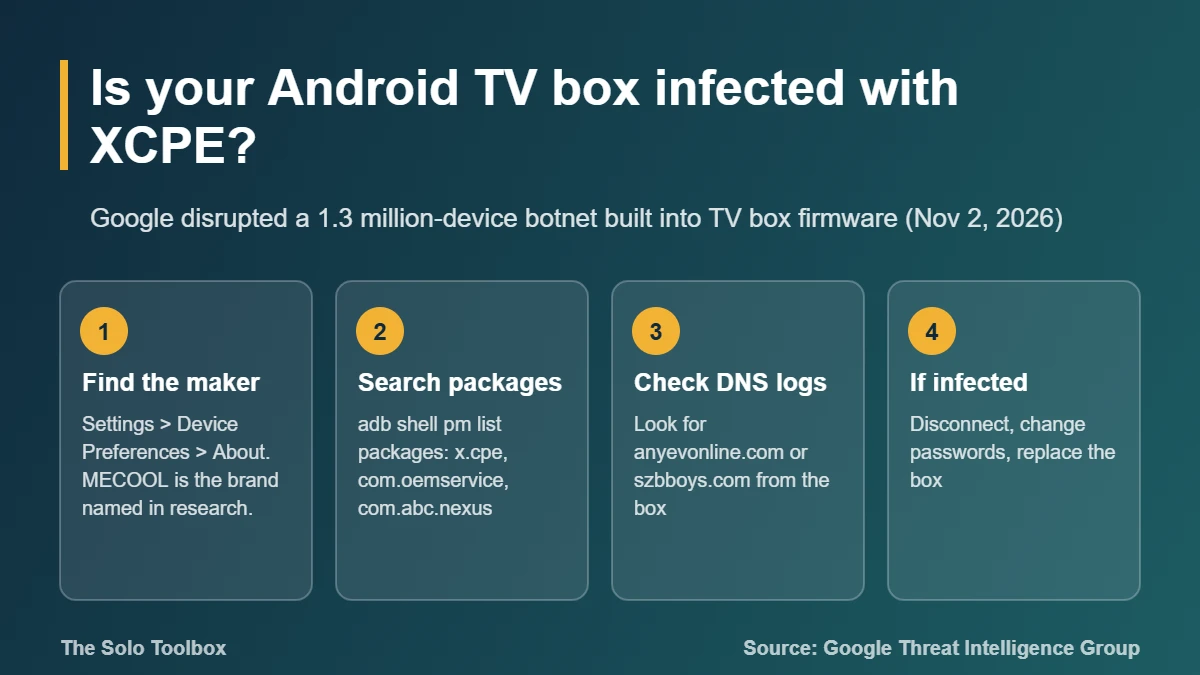
If your Android TV box came from an unknown or budget brand, check its maker and installed packages today. On November 2, 2026, Google said a Chinese manufacturer, Videostrong Technology Co., built a backdoor called XCPE into the firmware of more than 1.3 million set-top boxes and sold access to criminal groups. A factory reset will not remove it, because the malware reinstalls itself from a protected part of the firmware.
This guide shows how to find out who made your box, how to look for the specific package names Google published, what to do if you find them, and what Google has and has not disclosed. Facts were checked against Google’s threat report and BleepingComputer’s coverage on November 2, 2026.
Before you start
- Who should check: anyone using an Android-based TV box, streaming stick or “smart” box sold under a lesser-known brand, especially MECOOL models or boxes bought on marketplaces.
- Probably not affected: Google’s report does not name any Google-made device, such as Google TV Streamer or Chromecast, or TVs with Android TV built in from major TV makers.
- What you need: the box’s remote, 10 minutes, and optionally a computer with ADB (Android Debug Bridge) for the most reliable check.
- Limitation: Google has not published a full list of affected brands and models.
What Google found
Google’s Threat Intelligence Group published its report, “Shutting the Door on the XCPE Botnet,” on November 2, 2026. The key points:
- Scale: more than 1.3 million set-top boxes were enrolled in the XCPE botnet. Taking down the related command servers also cut off access to at least 10 million more devices infected through other channels.
- Who: Google says it has “high confidence” that Videostrong developed and ran the backdoor for profit, not a rogue employee.
- How it works: a system app called
x.cpe(namedcom.oemservicein some builds) ships in the firmware with system-level privileges. If you uninstall it, it reinstalls from the box’s/oem/partition on the next reboot. - What it did: it could silently install apps, turn off Google Play Protect, run shell commands, take screenshots, inject key presses and collect account details and app lists.
- Who paid: Videostrong sold access to other operators, whose modules turned boxes into residential proxy exit nodes (Linkfog, AppSalt/Honeygain, GaGaNode, NetNut, Traffmonetizer), ran ad fraud, or loaded more backdoors (Moyu, Spirit, Bird).
Google took legal action against the command domains, banned Videostrong from making certified Android devices, and changed its certification review. Security firm Synthient, one of Google’s partners, traced the malware after finding it preinstalled on a MECOOL KM9PRO Max box bought in late 2025, according to BleepingComputer.
What the takedown does and does not fix
The takedown cuts the link between infected boxes and the people running them. It does not clean the boxes. BleepingComputer notes that the backdoor is still on infected devices and that removing it requires clean firmware or taking the device offline. If the operators register new servers, a box with the backdoor could be reached again.
How to check your Android TV box
1. Find the manufacturer and model
- On Android TV, open Settings > Device Preferences > About. On Google TV, open Settings > System > About.
- Note the Model and, if shown, the build or firmware name.
- Compare it with the box’s packaging or sticker. MECOOL is the brand linked to Videostrong in the published research. White-label boxes may not show the real maker, so treat an unknown brand with the same caution.
2. Check Play Protect certification
If your box has the Google Play Store, open it, go to its Settings, and look for Play Protect certification under About. “Device is certified” alone does not clear a Videostrong box, because Google says the company passed certification by loading the malicious code after first boot. “Device is not certified” on a box that has Google apps is a stronger warning sign.
3. Look for the packages Google named
The most reliable check uses ADB from a computer on the same network:
- On the box, open Settings > Device Preferences > About and select Build seven times to turn on Developer options.
- In Developer options, turn on USB debugging (some boxes label it ADB debugging or Network debugging).
- On your computer, install Android’s platform tools, then connect:
adb connect BOX-IP-ADDRESS. - Run the command below and approve the prompt on the TV.
adb shell pm list packages | grep -E "x.cpe|oemservice|abc.nexus|system.ntp|sso.auth.handler"On Windows Command Prompt, replace grep -E with findstr and search for each name separately. When you’re done, turn debugging off again.
| Package name | Role in Google’s report |
|---|---|
| x.cpe | Main backdoor, preloaded in firmware |
| com.oemservice | Name used for the backdoor in some builds |
| com.abc.nexus | Loader that ran the paid modules (late 2024 onward) |
| com.android.system.ntp | Dropper disguised as a system app (since August 2026) |
| com.android.sso.auth.handler | Dropper that installed the AppSalt proxy module |
Any match is a strong sign the box is compromised. No match does not prove the box is clean, because Google says the operators kept renaming and replacing components.
4. Check your router or DNS logs
If your router, Pi-hole or NextDNS keeps query logs, filter by the box’s IP address and look for anyevonline.com or szbboys.com. Google lists both as XCPE command domains. Blocking them at the DNS level is a sensible extra layer, but it does not remove the backdoor.
What to do if your box is infected
- Disconnect it. Unplug the Ethernet cable or remove the box from your Wi-Fi network.
- Change passwords for every account you signed in to on the box: Google, Netflix, YouTube, IPTV services. Change the Wi-Fi password if the box knew it, then sign out all other sessions.
- Turn on two-step verification for your Google account if it isn’t on already. Our guide to two-step verification for Google and Microsoft walks through it.
- Replace the box. Firmware from the same manufacturer cannot be trusted, and third-party “clean” ROMs are hard to verify. Buy a device from a brand on Google’s Android TV partner list.
- Recycle it rather than reselling it, so the backdoor doesn’t move to another home.
Why a hacked TV box matters
A residential proxy module rents out your internet connection to strangers, so their traffic, including fraud or scraping, appears to come from your home IP address. That can get your IP blocked by websites, trigger CAPTCHAs, or draw abuse complaints to your internet provider. The box also sits on the same network as your laptops and phones, and Google says operators ran network reconnaissance from infected devices. While you’re in the TV settings, it’s worth reviewing ACR tracking on your smart TV too.
What we could not verify
Google did not publish a list of affected brands or models. Only the MECOOL KM9PRO Max has been named publicly, in Synthient’s research as reported by BleepingComputer. Videostrong had not publicly responded in the sources we reviewed. Menu names above are Google’s standard Android TV and Google TV paths; some budget boxes use custom launchers with different labels.
FAQ
Will a factory reset remove the XCPE malware?
No. The backdoor lives in the firmware’s system and /oem/ partitions, which a factory reset does not erase. It reinstalls on reboot.
Is my Google TV Streamer or Chromecast affected?
Google’s report does not name any Google-made device. The backdoor was built into boxes made by Videostrong, which supplied multiple brands.
Can antivirus apps remove it?
They may detect it, but they cannot remove a system-level app from read-only firmware partitions without root access, and Google says the malware disabled Play Protect.
How do I know a TV box is safe to buy?
Buy from a brand listed on Google’s Android TV partner page, check for “Device is certified” in the Play Store, and avoid boxes advertised with preloaded paid channels or “free” premium apps.
Next step
Run the ADB check or the router log check tonight. If you find a match, disconnect the box first, then change passwords from a different, trusted device. For other Android apps on your phone, see how to spot fake apps on Google Play.
Related guides
- Broadcom WPS flaw (WPSplinter): is your router affected?
- Refrigeration Controller Hack: How to Check If Yours Is Exposed
- Google Home Speaker using too much data? What to check now
Sources
- Google Threat Intelligence Group: Shutting the Door on the XCPE Botnet (November 2, 2026)
- BleepingComputer: Google disrupts million-device XCPE Android malware botnet (November 2, 2026)
- 9to5Google: Google shuts down malware backdoor on Android TV boxes (November 2, 2026)
- Android TV: official site and partner list