Tailscale SSH vulnerability (Tailworm): what to do now
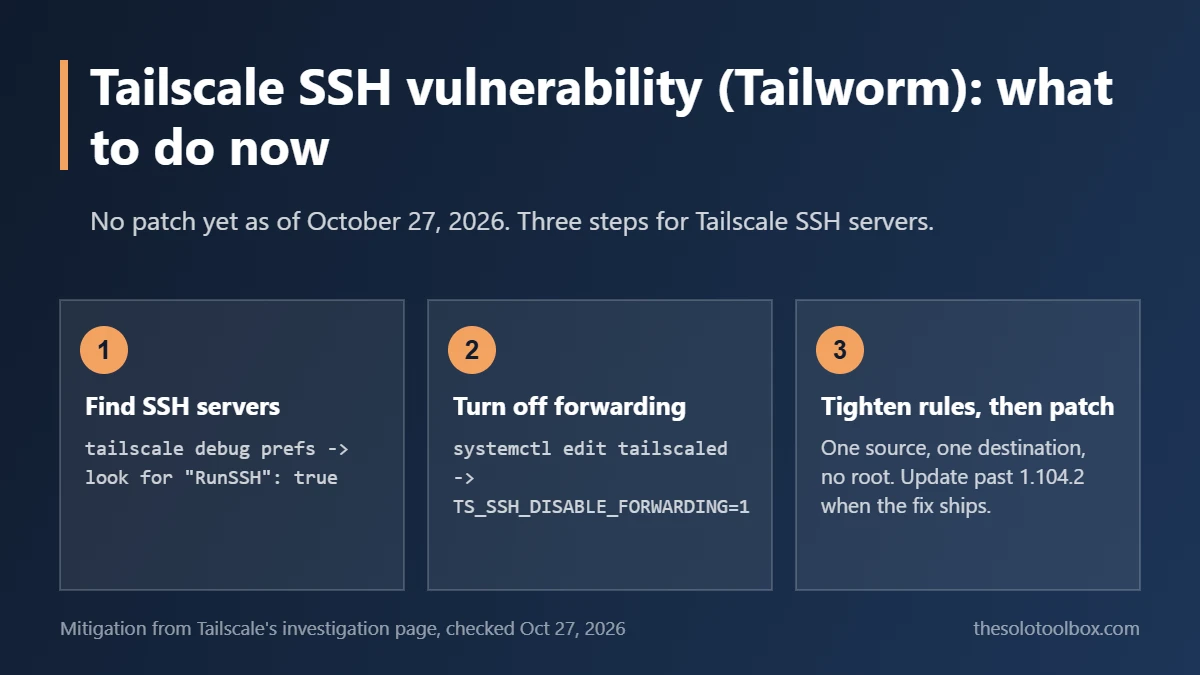
If you use Tailscale SSH, set TS_SSH_DISABLE_FORWARDING=1 on every server that accepts Tailscale SSH connections, narrow your SSH access rules, and install Tailscale’s patched client as soon as it ships. A researcher published 11 flaws under the name “Tailworm” on October 25 without warning Tailscale first, and when we checked on the afternoon of October 27, no fixed version was out yet. If you only use Tailscale as a VPN between your own devices, the most serious findings depend on features you would have had to turn on yourself.
Below: what the report found, how to tell whether your tailnet is exposed, the exact steps for Tailscale’s recommended mitigation on Linux, and what to do once the patch lands. We checked Tailscale’s investigation page, its changelog and SSH documentation, and BleepingComputer’s report on October 27, 2026.
Before you start
- Most at risk: Linux and macOS servers that accept Tailscale SSH (macOS only with the open-source
tailscaled) - Also affected: experimental app connectors,
tailscale serveforwards to a Unix socket, self-hosted headscale servers - Versions tested by the researcher: Tailscale 1.104.2 and headscale 0.29.5
- Patch status: none released when we checked on October 27; Tailscale said it was aiming for “within the next 24 hours”
- Watch out: before you turn off Tailscale SSH on a remote machine, make sure you have another way in, such as regular OpenSSH or a provider console
What Tailworm is and what’s confirmed
Cyberdione Labs audited unmodified Tailscale 1.104.2 (released October 21) and headscale 0.29.5 between October 22 and 24, then published its findings on October 25. They reached Hacker News the same day, before Tailscale had a fix. Tailscale responded with an investigation page calling the issues serious and saying exploitation “depends on factors” such as the connecting user’s permissions and the system’s configuration. It also said it was still verifying which configurations are affected.
As of October 27 there were no CVE numbers and no Tailscale security bulletin for these findings. The newest bulletin, TS-2026-013 from October 21, covers an unrelated TLS certificate change. BleepingComputer’s summary of the report breaks the flaws into five areas:
| Component | What an attacker needs first | Worst reported outcome |
|---|---|---|
| Tailscale SSH socket forwarding | An approved device in your tailnet plus one SSH rule that lets it connect | Root code execution, theft of enrollment keys, deletion of root-owned files |
| App connectors (experimental) | A device granted the connector capability | Reaching cloud metadata endpoints, internal networks and Kubernetes cluster services |
tailscale serve forward to a Unix socket | A forward an admin set up, or winning a race in per-mount authorization | Access to the node’s admin API; some requests skip app authorization |
| headscale control server | Network access, no account | Memory exhaustion, crash loop, new devices can’t join |
| DERP relay client | The client talking to a malicious relay | The Tailscale client runs out of memory |
The SSH chain, the one rated most critical, does not start from the open internet. It starts from a device that is already in your tailnet: a stolen laptop, a compromised build runner, a contractor’s machine. From there, an ordinary SSH session can abuse forwarding code that runs as root. That is why Tailscale’s advice focuses on who can SSH where.
Check whether you’re exposed
- Find machines running Tailscale SSH. On each Linux or macOS server, run
tailscale debug prefsand look for"RunSSH": true. Only Linux and the open-source macOS client can act as a Tailscale SSH server; Windows, iOS and Android devices can connect out but can’t be targets. - Read your SSH rules. In the admin console, open Access controls and find the
"ssh"section of the tailnet policy file. Broad sources such asautogroup:member, tag-wide rules, and"users"lists that includerootgive an attacker the most room. - List your serve forwards. Run
tailscale serve statuson machines where you use serve. Any TCP forward whose target is aunix:path falls into the affected group. - Note any app connectors. If you never set up the experimental app connector feature, skip this. If you did, write down which devices carry it.
- Check headscale. If you self-host the control server, run
headscale version. The 0.29.6 release from October 24 does not mention these findings.
Turn off SSH forwarding now
Tailscale’s interim mitigation is a single environment variable for the tailscaled service. It blocks SSH port and socket forwarding (the ssh -L and ssh -R style tunnels) but keeps normal Tailscale SSH logins working. Tailscale says this mitigates several of the more serious findings. On Linux with systemd:
- Run
sudo systemctl edit tailscaled. This opens an override file that package upgrades won’t overwrite. - Add these two lines in the space the editor marks for your changes, then save and close:
[Service]
Environment="TS_SSH_DISABLE_FORWARDING=1"
Then restart the service with sudo systemctl restart tailscaled and confirm the setting took effect with sudo systemctl show tailscaled --property=Environment. The output should include TS_SSH_DISABLE_FORWARDING=1.
The restart briefly drops Tailscale connections to that machine. If you’re logged in over Tailscale SSH, your session will close; reconnect after a few seconds. If you run the open-source tailscaled on macOS, add the variable to the environment of whatever launches it, such as the EnvironmentVariables key in its launchd plist, and restart it.
If you rely on SSH tunnels to reach a database or admin panel on that server, they will stop working. Use a direct tailnet connection to the service’s port instead until the patch is out.
Tighten your SSH access rules
Tailscale also recommends limiting SSH to the people and devices that need it. The safest pattern is one named source, one named destination and a non-root login, using the check action so users must re-authenticate in the browser:
"ssh": [
  {
    "action": "check",
    "src": ["user:alex@example.com"],
    "dst": ["tag:web-server"],
    "users": ["deploy"],
    "checkPeriod": "1h"
  }
]
According to Tailscale’s SSH documentation, checkPeriod defaults to 12 hours and can be set from one minute up to 168 hours. Use autogroup:nonroot in users when you want any account except root. The researcher’s write-up also suggests denying forwarding inside each rule; Tailscale’s SSH documentation we read on October 27 doesn’t describe a field for that, so the environment variable above is the documented route.
On a server that doesn’t need Tailscale SSH at all, run sudo tailscale set --ssh=false. Port 22 on its Tailscale address then goes back to whatever regular SSH server you run. On laptops that never accept incoming connections, tailscale set --shields-up blocks all incoming tailnet traffic, including SSH. Tailscale does not recommend switching off Tailscale SSH for everyone.
If you think a device was compromised
Removing a machine’s software isn’t enough, because keys already copied off it keep working. Do these from the admin console:
- Remove the device from the Machines page so its node key is no longer accepted.
- Revoke and reissue auth keys under Settings > Keys. The SSH flaw can expose enrollment keys, which let an attacker add new devices.
- Keep key expiry on for servers. Many people disable it for convenience; turning it back on limits how long a stolen key stays useful.
- Rotate Tailnet Lock if you use it and a signing node was involved.
We’ve covered the same clean-up order for other leaked credentials, such as checking whether your UpdraftCentral key was compromised and rotating API keys after the OpenCode breach.
What to do when the patch ships
- Watch Tailscale’s changelog and its SSH investigation page. Look for a client release newer than 1.104.2 and a linked security bulletin.
- Check what each machine runs with
tailscale version. - Update. On Linux,
sudo tailscale updateworks on many installs that came from Tailscale’s package repositories; on Debian and Ubuntu you can also runsudo apt update && sudo apt install tailscale. Desktop and mobile apps update through their usual app stores or installers. - Read the bulletin before you remove
TS_SSH_DISABLE_FORWARDING. If you don’t use SSH tunnels, there’s no reason to remove it. - headscale operators should watch the project’s GitHub releases. Until a fix lands, the report suggests a memory limit such as
MemoryMaxin the systemd unit, automatic restarts, rate limiting and keeping the server off the open internet where you can.
FAQ
Is Tailscale safe to use right now?
For a standard setup used as a VPN between your own devices, the serious findings need opt-in features (Tailscale SSH, app connectors, serve forwards to sockets) or a malicious relay. If you use Tailscale SSH, apply the forwarding mitigation today. Also make sure your tailnet login itself is protected with two-step verification on your Google or Microsoft account, since that account controls who can add devices.
Should I turn off Tailscale SSH completely?
Only on machines that don’t need it. Tailscale’s guidance is to disable forwarding and tighten access rules, not to switch the feature off everywhere.
Are there CVE numbers for Tailworm?
Not as of October 27, 2026. Tailscale said it will publish a security advisory once fixes are available and link it from its investigation page.
Does this affect Tailscale on Windows, iPhone or Android?
Those devices can’t act as Tailscale SSH servers, so they can’t be the root-level target of the SSH chain. They can still be the “approved device” an attacker starts from if stolen or infected, and the relay memory issue applies to every client.
Your next step
Tonight, run tailscale debug prefs on each server, add the forwarding variable wherever RunSSH is true, and cut any SSH rule that uses a broad source or allows root. Then check Tailscale’s changelog tomorrow morning for the patched release.
Sources
- Tailscale: SSH investigation update (checked October 27, 2026)
- BleepingComputer: Tailscale warns of SSH flaws allowing root privilege escalation (October 27, 2026)
- Tailscale docs: Tailscale SSH (checked October 27, 2026)
- Tailscale changelog (checked October 27, 2026; latest client 1.104.2, October 21)
- Brandefense: Tailworm, who is exposed (October 26, 2026)