Windows Paint CVE-2026-83844: Check Your Version and Update
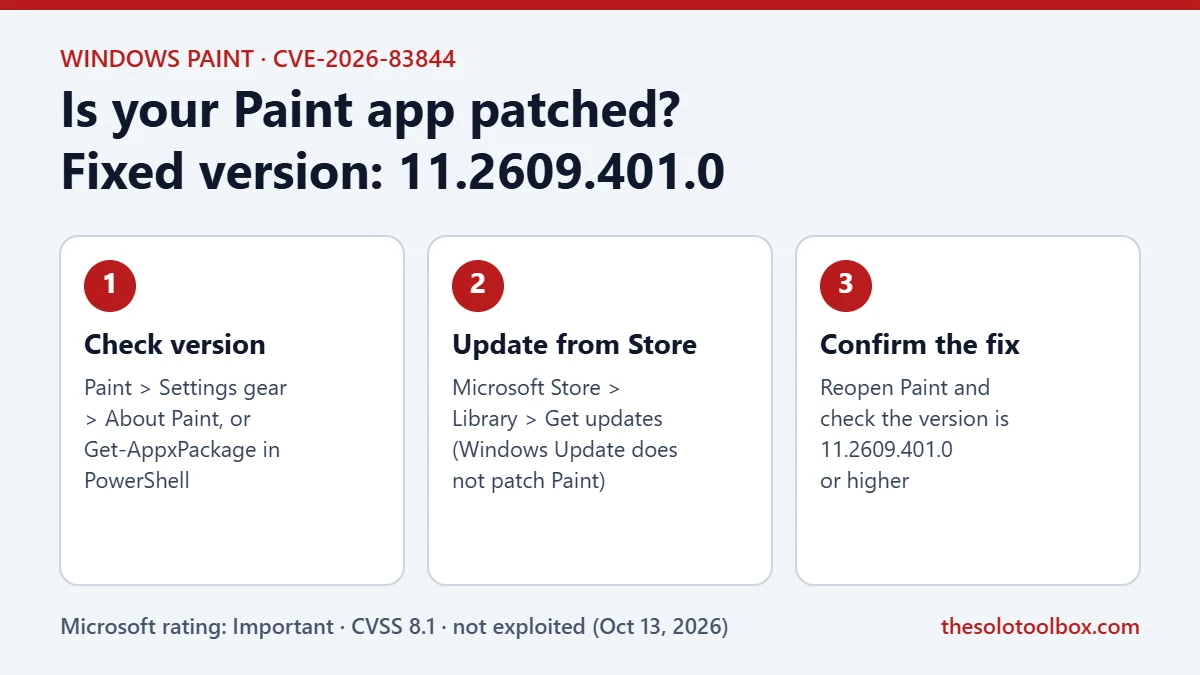
Microsoft fixed CVE-2026-83844, a remote code execution flaw in Windows Paint, in Paint version 11.2609.401.0. The fix ships through the Microsoft Store, not Windows Update, so a PC that is fully patched through Windows Update can still run a vulnerable Paint. Check your Paint version, and if it is lower than 11.2609.401.0, pull the update from the Store yourself.
This guide explains what Microsoft has published about the bug, how to check your Paint version in under a minute, and how to force the update on home and managed PCs.
Before you start
- Who this is for: anyone running the built-in Paint app on Windows 11, and IT admins who manage Windows 11 PCs.
- What you need: a Microsoft account signed in to the Microsoft Store, or winget for managed or Store-restricted PCs.
- Time: about 5 minutes. No restart is usually needed, though Microsoft lists the reboot requirement as “Maybe”.
What CVE-2026-83844 is
Microsoft published CVE-2026-83844 on October 13, 2026, as part of October Patch Tuesday. The Security Update Guide entry describes it as an out-of-bounds read (CWE-125) in Windows Paint that “allows an unauthorized attacker to execute code over a network.”
| Detail | What Microsoft lists |
|---|---|
| Product | Microsoft Paint (Store app) |
| Impact | Remote code execution |
| Severity | Important |
| CVSS 3.1 base score | 8.1 (temporal 7.1) |
| Attack complexity | High |
| Privileges or user interaction needed | None |
| Publicly disclosed / exploited | No / No |
| Exploitability assessment | Exploitation Less Likely |
| Fixed version | 11.2609.401.0 |
Microsoft’s FAQ says an unauthenticated attacker could exploit the bug “by sending a specially crafted packet to an affected service over the network,” with no user interaction. That is why some coverage calls it a no-click bug. Microsoft does not explain which network-facing component in Paint is involved, and the high attack complexity rating means exploitation depends on specific conditions on the target PC.
Why your PC may still be vulnerable
Paint is an inbox app that Microsoft updates through the Microsoft Store. Monthly cumulative updates from Windows Update do not replace it. Windows Latest reported on November 5, 2026, that a test PC with Store auto-updates turned on was still running Paint 11.2603.251.0, and the Store did not offer the fixed build until it was requested manually.
Store updates can stall for several reasons: the Store has not checked for updates recently, the PC has been offline or on a metered connection, or an organization has blocked the Store. Any of these leaves Paint on an older build while Windows itself looks current.
How to check your Paint version
Use either method. Both take less than a minute.
Method 1: From inside Paint
- Open Paint from the Start menu.
- Select the Settings gear icon in the top-right corner.
- Look under About Paint for the version number.
Method 2: With PowerShell
- Right-click the Start button and choose Terminal or Windows PowerShell.
- Run:
Get-AppxPackage -Name Microsoft.Paint | Select-Object Name, Version - Compare the Version value with 11.2609.401.0.
If the number is 11.2609.401.0 or higher, you already have the fix. Compare the middle number first: 2603 is lower than 2609, so 11.2603.251.0 is older than the fixed build.
How to update Paint from the Microsoft Store
- Open the Microsoft Store app.
- Select Library in the lower-left corner.
- Select Get updates and wait for the Store to finish checking.
- If Paint appears in the list, let it update, or select Update next to it.
- Close and reopen Paint, then check the version again using one of the methods above.
If Paint does not appear, open the Paint listing on the Microsoft Store and select Update or Get. That is the same Store link Microsoft attaches to the CVE as the security update.
How to update Paint with winget
On PCs where the Store app is hidden but the msstore source is allowed, winget can install the update from a terminal:
winget upgrade --id 9PCFS5B6T72H --source msstore
Run it from a normal (non-admin) Terminal window under the user who uses Paint, then confirm the version with the PowerShell command above. If your organization blocks the Store entirely, the update has to come through your management tool (for example, Intune’s Microsoft Store app deployment) instead.
What admins should do
- Inventory Paint versions with
Get-AppxPackage -AllUsers -Name Microsoft.Painton a sample of devices before assuming coverage. - Treat Store app updates as a separate patch stream from cumulative updates in your reporting. Vulnerability scanners may flag Paint even on PCs that show the November cumulative update as installed.
- If you do not need Paint on servers or kiosk images, removing the app removes the exposure entirely.
Limits of what we could confirm
Microsoft’s Security Update Guide lists only the Paint Store app (version 11.x) as affected. We could not confirm from Microsoft’s documentation whether the older Paint that ships with Windows 10 is affected. Microsoft has not published technical details of the bug, and as of November 5, 2026, it reports no public disclosure or exploitation.
FAQ
Is CVE-2026-83844 being exploited?
No. Microsoft marks it as not publicly disclosed and not exploited, and rates exploitation as “Less Likely” for the latest software release.
Does Windows Update install the Paint fix?
No. The fix is a Microsoft Store app update. Windows Update keeps Windows itself patched but does not update Paint.
Do I need to restart after updating Paint?
Usually not. Close Paint before updating and reopen it afterward. Microsoft lists the reboot requirement as “Maybe”, so restart if the version number does not change.
Is it safe to keep using Paint until I update?
Microsoft rates the risk as Important, not Critical, and the attack complexity is high. Updating takes a few minutes, so there is little reason to wait.
Related guides
- Windows 11 26H2 Known Issues: Is It Safe to Update Now?
- How to Stop Fake Virus Notifications in Microsoft Edge
- Chrome 157 Update: 7 Critical Fixes and How to Install It
Next step: run the PowerShell version check on every Windows 11 PC you use, then update any that report a version below 11.2609.401.0.
Sources
How we checked: on November 5, 2026, we read Microsoft’s Security Update Guide data for CVE-2026-83844, including the affected product, fixed build and FAQ, and compared it with Windows Latest’s November 5 report and Action1’s vulnerability database. Menu labels in the Store and Paint can change between app versions.
- Microsoft Security Response Center: CVE-2026-83844, Windows Paint Remote Code Execution Vulnerability
- CVE.org record: CVE-2026-83844
- Microsoft Store: Paint
- Windows Latest: Windows 11’s Paint has a no-click hacking bug (November 5, 2026)