How to Use Tasks in Gemini (Now Free): Setup, Payments and Limits
The Solo Toolbox · Software Help for One-Person Businesses
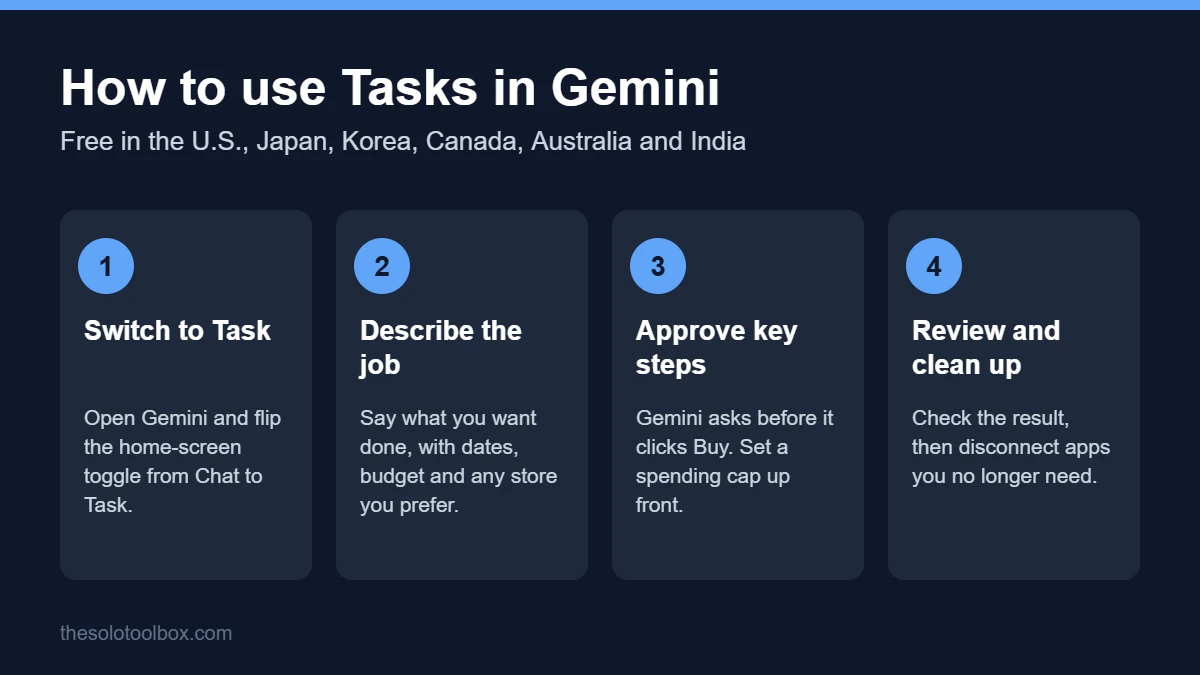
To use Tasks in Gemini, open the Gemini app and flip the toggle on the home screen from Chat to Task, then describe what you want done, such as booking a table, filling a grocery order or calling a shop. Google made Tasks free on November 17, 2026 in the U.S., Japan, Korea, Canada, Australia and India, running on its new Gemini 4 Hydrogen model. Gemini is designed to ask for your approval before it clicks “Buy”, and you can set a hard spending cap before it starts.
This guide covers where Tasks is available, how to start one, the text and email shortcuts, how payments and confirmations work, and the settings to check before you let an AI agent spend money for you.
Before you start
- You’ll need: the Gemini app on Android or iPhone, a personal Google account, and a U.S. phone number on an eligible carrier if you want to text Gemini.
- Applies to: free Gemini users in the six launch countries. Some advanced features are U.S.-only for now.
- How we checked this: on November 23, 2026 we read Google’s announcement “Put Gemini to work for you” (November 17, 2026) by Josh Woodward. Google hasn’t published a dedicated Tasks help page that we could find, so menu labels may differ slightly on your device as the rollout continues.
What Tasks in Gemini does
A task is a job Gemini carries out on websites and apps for you, rather than a chat reply. Google’s examples include ordering groceries through Instacart, booking with services linked through its Connected Apps Platform (more than 60 apps, according to Google), checking your Calendar and Gmail for context, and calling local businesses found in Google Maps. You can step in with extra instructions at any point while it works.
Each task runs in a hardware-isolated virtual machine dedicated to your account on Google Cloud, and Google says prompt-injection filters and Safe Browsing limit which links it will open.
Where Tasks is free and what’s U.S.-only
| Feature | Availability |
|---|---|
| Tasks mode (Chat to Task toggle) | Free in the U.S., Japan, Korea, Canada, Australia and India |
| Text with Gemini | Android and iOS; needs a U.S. phone number on an eligible carrier |
| Forward emails to gemini@google.com | Starting in the U.S. |
| Calling businesses through Google Maps | U.S., except Indiana, Louisiana, Minnesota, Montana and Nebraska |
| Payments | Google Pay with tokenized Visa and Mastercard cards; American Express “coming soon” |
How to start a task in Gemini
- Update the Gemini app from Google Play or the App Store. The rollout is gradual, so the toggle may appear a few days later on some accounts.
- Open Gemini and switch the home-screen toggle from Chat to Task.
- Describe the job in one message. Include the details a person would need: date and time, budget, quantity, the store or service you prefer, and anything to avoid. “Reorder last week’s Instacart groceries but swap whole milk for oat milk, under $90” works better than “get groceries”.
- Answer clarifying questions. If your request is ambiguous, Gemini asks before guessing.
- Approve the final step. Gemini asks for confirmation or pre-approval before clicking “Buy”. On some sites it gets most of the way and hands the screen back to you for the last click.
How to text or email Gemini a task
Text setup, per Google’s instructions:
- Open Gemini and tap Settings.
- Tap Channels.
- Under Text with Gemini, tap Set up.
- Verify your phone number.
For email, forward a message (a booking confirmation, a quote, a list from a colleague) to gemini@google.com with a note about what you want done. This starts in the U.S. Only forward mail from the Google account you use with Gemini, and don’t forward anything containing passwords or one-time codes.
Payments, approvals and spending caps
Purchases go through Google Pay and Google Wallet, using digital tokens for supported Visa and Mastercard cards rather than your card number. Google also says it uses its Agent Payments Protocol (AP2) for agent checkouts. Three controls matter most:
- Spending cap. Google says you can set a hard cap up front. It doesn’t say where the setting lives, so mention a limit in your request too (“don’t spend more than $60”).
- Confirmation before Buy. On by design. Read the order summary on screen before you approve, not the chat summary.
- “Always allow”. You can let routine actions run without asking. Use it for low-risk steps like checking availability, not for payments.
Before handing any AI agent access to money, read our rules for letting AI agents near your bank account.
Privacy settings to check
Google says you can adjust task settings, disconnect Google and third-party apps, or delete chat history at any time. After a task finishes:
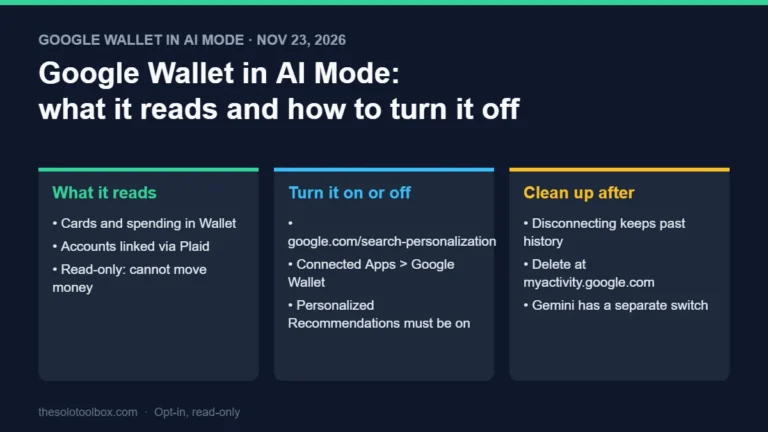
- Disconnect any store or service you linked for a one-off job. Our Google Connected Apps guide shows where linked stores appear and how to remove them.
- Delete the task’s chat if it contained addresses, order numbers or personal details you don’t want kept.
- If you don’t want your chats used to improve Google’s models, review the activity setting in Gemini’s settings; our guide to stopping AI training on your chats covers Gemini.
When Gemini calls a business for you, Google says the business can opt out of AI calls through its Business Profile settings. The author of Google’s post says Gemini disclosed it was an AI at the start of his test calls, but Google doesn’t state this as a rule in the post.
Limits to know before you rely on it
- Google hasn’t published a daily task limit or said how long Tasks stays free.
- Some sites block automation or need a final tap from you.
- Text and email channels are tied to the U.S. for now, even where Tasks mode is free.
- If a task goes wrong, use the thumbs-down on the response and check the merchant’s own order page or receipt before trying again.
Frequently asked questions
Is Tasks in Gemini free?
Yes, in the U.S., Japan, Korea, Canada, Australia and India as of November 17, 2026. Google hasn’t said whether usage limits will apply later.
Why don’t I see the Task toggle?
The rollout is gradual. Update the app, make sure you’re signed in with a personal Google account in a launch country, and check again over the next few days. Work and school accounts may follow different rules set by the admin.
Can Gemini buy things without asking?
It is designed to ask for confirmation or pre-approval before clicking “Buy”. Don’t use “Always allow” for purchases, and set a spending cap.
Does Gemini see my card number?
Google says payments use tokenized cards through Google Pay, so merchants receive a token rather than your card number.
What to do next
Start with a task that costs nothing, such as checking opening hours for three shops or drafting a calendar plan, before you try one that spends money. When you do try a purchase, set a cap in your request and check the receipt in the merchant’s app.
Related guides
Sources
- Google: Put Gemini to work for you (November 17, 2026)
- Google Business Profile Help: opting out of calls from Google
- Google: How Gemini’s defense-in-depth approach works
Last checked: November 23, 2026. If something here is out of date, let us know.