Google Connected Apps: How to Order Groceries in Search and Gemini
The Solo Toolbox · Software Help for One-Person Businesses
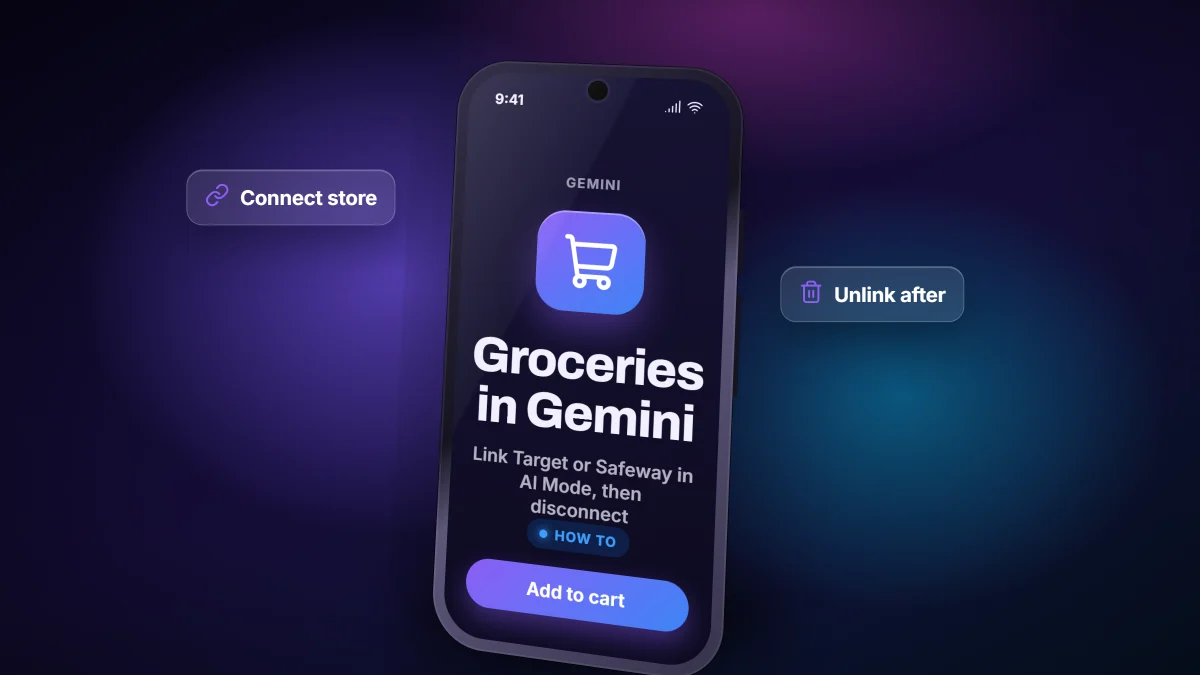
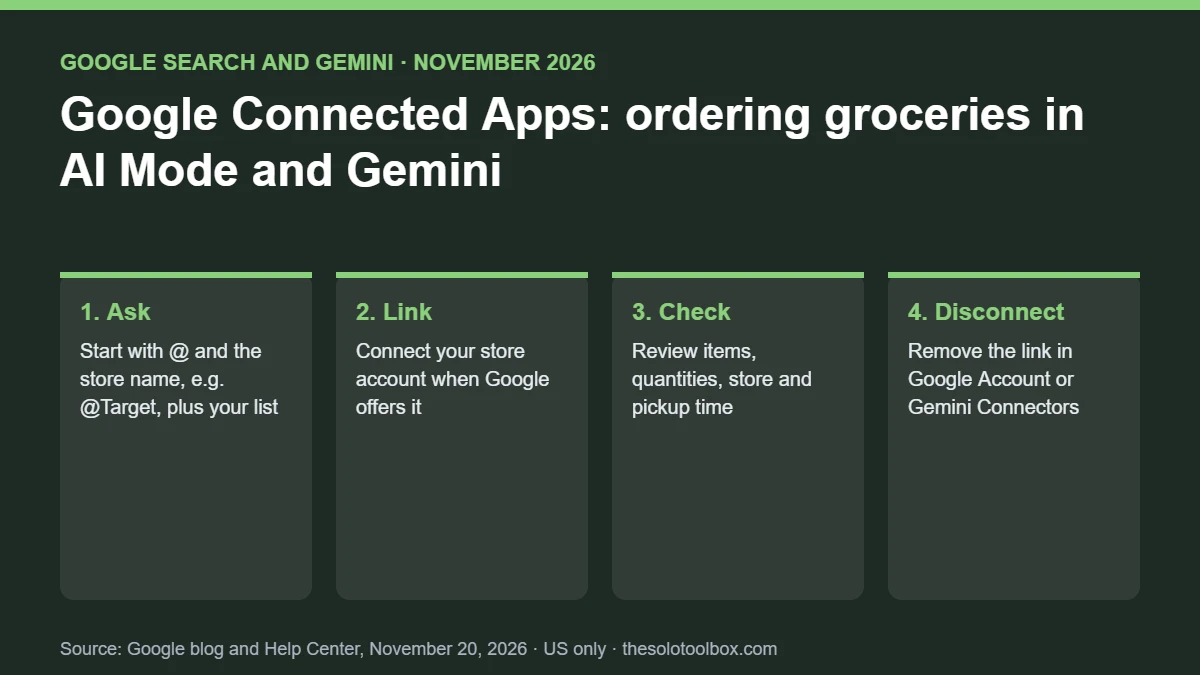
Google’s Connected Apps can now build a grocery order with Target, Albertsons, Safeway or Shaw’s from inside AI Mode in Google Search or the Gemini app. Start your request with an @ and the store name, such as “@Target”, link your store account when Google offers to, and review the cart it fills before you check out. Google announced the grocery apps on November 20, 2026, and they are available in the US only.
This guide covers which apps were added, the steps in AI Mode and in Gemini, what to check before you pay, and how to disconnect a store afterward.
Before you start
- You’ll need: a signed-in Google account, an account with the store you want to order from, and a US location.
- Applies to: AI Mode in Google Search on the web, Android and iPhone, and the Gemini app. Google’s Gemini instructions are for personal accounts; work and school accounts have separate rules.
- How we checked this: on November 22, 2026 we read Google’s November 20 blog post “Get your year-end tasks done with new Connected Apps”, the Search Help page “Use & manage Connected Apps in Search”, the Gemini Help page “Use & manage Connected Apps in Gemini”, and coverage from PPC Land and Android Headlines. Google’s Search help pages carry a notice that settings are being updated, so some labels may differ on your screen. We did not place an order.
What Google added on November 20
| Connected App | What it does | Where | Status |
|---|---|---|---|
| Target, Albertsons, Safeway, Shaw’s | Builds a grocery order and checks out | Search and the Gemini app | Rolling out in the US |
| Experian | Checks your credit and shops for a personal loan | Gemini app now; rolling out to Search | US |
| H&R Block | Calculates taxes and estimates your refund | Search | US |
| Angi, Thumbtack | Hires local pros for home jobs | Search | “In the coming weeks” |
Google’s list of grocery apps says “including”, so more stores may appear. Earlier Connected Apps in Search include Instacart, Canva, Adobe, YouTube Music, Yahoo Fantasy Football, Sleeper Fantasy Football, Calm and Peloton, according to Google’s help page. Google says the grocery checkout is “powered by the Universal Commerce Protocol,” its system for letting AI tools complete purchases with retailers.
How to order groceries in AI Mode
- Go to google.com and select AI Mode, or go straight to google.com/ai. Make sure you’re signed in to your Google account.
- In the Ask anything box, start with the store: for example, “@Target pickup order for taco night for six: 12 tortillas, 2 lb ground beef, shredded cheddar, mild salsa.” Google’s help page says putting “@” and the app name at the start of the request works best.
- If the store isn’t connected yet, Google offers to connect it. Select Link and sign in to your store account to finish linking.
- Review the cart AI Mode builds. Google’s help says you may be sent to the store’s app or site to finish the order.
- Confirm the store location, pickup or delivery time, and payment in the store’s checkout.
Be specific about quantities and sizes. PPC Land noted that in Google’s own Target example, item quantities were chosen without asking the user first.
How to use Connected Apps in the Gemini app
- Open gemini.google.com or the Gemini app and type “@” in the prompt box.
- Pick the store from the list. If it isn’t connected, Gemini connects it or asks your permission first.
- Type your grocery list and review the order Gemini prepares.
Gemini’s help page says Connected Apps don’t work on gemini.google.com or iPhone when your Gemini history is turned off. On Android with history off, only a few device apps (such as Phone, Messages and WhatsApp) stay available.
To see what’s connected on the web, open the sidebar, select Customize (or More if you don’t see it), then open the Connectors tab. Google doesn’t document the matching labels in the mobile app.
Before you pay: what to check
- Quantities and sizes. Make sure “milk” became the gallon you wanted, not the quart.
- Substitutions. Out-of-stock rules are set by the store. Check them in the store’s own app before you confirm.
- Store and time slot. Confirm the pickup store, especially if you’ve shopped at more than one location.
- Final total. Compare the cart in AI Mode with the total on the store’s checkout page, which is where fees and taxes are applied.
- What you’re sharing. Google’s November 20 post doesn’t explain what data passes between Google and each retailer. Linking an account lets Google work with that account until you remove the link.
How to disconnect a store
In Google Search
- Go to myaccount.google.com/connections. Google’s help calls this list both “Linked apps” and “Linked Account”.
- Select the store.
- Choose Delete all to remove the links and stop sharing Google account data with that app. Google warns that it then loses access to your account on that app.
In the Gemini app
- On gemini.google.com, open Customize (or More), then Connectors.
- Next to the store, select More options, then Disconnect.
Disconnecting doesn’t delete your earlier requests. To clear those, see our guide to deleting your AI Mode history in the new Google sidebar, and if you’d rather your Gemini chats weren’t used to improve Google’s models, our guide to stopping AI training on your chats covers the setting.
Frequently asked questions
Are the grocery Connected Apps available outside the US?
No. Google’s announcement lists the grocery, credit, tax and home-services apps for US users, and it gave no date for other countries.
Does Walmart or Kroger work?
Neither is in Google’s November 20 list. Instacart, which was added to AI Mode in July 2026, covers other stores through its own service.
Will Gemini buy groceries without asking me?
Google hasn’t said it completes purchases on its own. Its Search help says you may be sent to the store’s app to finalize the order, so review the cart and checkout before you confirm.
Do I need an account with the store?
Yes, in most cases. Google’s help page says many apps need an account with that service linked to your Google account first.
What to do next
Try a small pickup order first, with exact quantities, and check the store’s checkout page before you confirm. If you use Gemini for other tasks, our guide to editing files in a Gemini chat shows another way to keep work inside the app.
Related guides
Sources
- Google: Get your year-end tasks done with new Connected Apps (November 20, 2026)
- Google Search Help: Use & manage Connected Apps in Search
- Gemini Apps Help: Use & manage Connected Apps in Gemini
- Google: Connect more of your apps to Search (July 16, 2026)
- PPC Land: Google puts Target and Albertsons grocery carts inside Search and Gemini (November 21, 2026)
- Android Headlines: You Can Now Order Target Groceries, Estimate Taxes, and Book Plumbers Inside Google Search and Gemini (November 20, 2026)
Last checked: November 22, 2026. If something here is out of date, let us know.