Google Wallet in AI Mode: What It Reads and How to Turn It Off
The Solo Toolbox · Software Help for One-Person Businesses
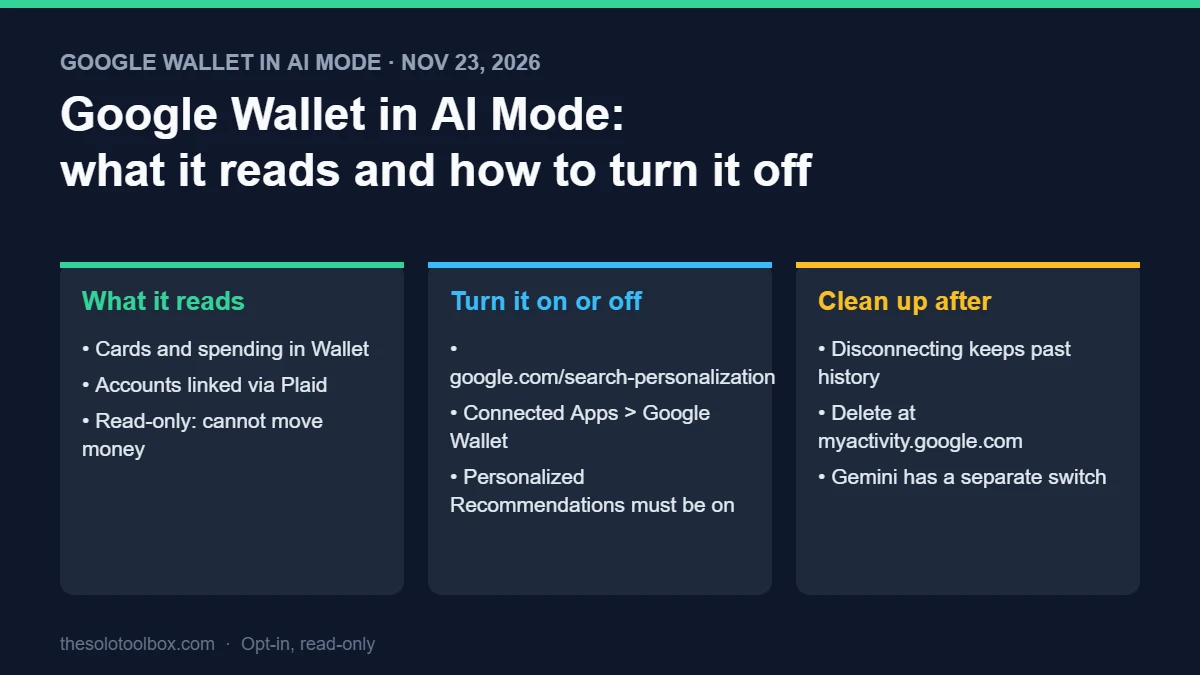
Google started rolling out a Google Wallet connection for AI Mode in Search on November 23, 2026. If you opt in, AI Mode can read the spending and payment cards linked to your Wallet and use them to answer questions such as which card earns the most cash back at a grocery store. It’s off unless you turn it on, and Google says AI Mode can only read this data: it can’t move, manage or invest your money.
This guide covers what the connection reads, who can use it, how to turn it on or off, and what Google’s policies say about training, human review and ads.
Before you start
- Applies to: AI Mode in Google Search with a personal Google Account. Google’s help pages say connected apps in Search need you to be 18 or older; work and school accounts aren’t covered.
- You’ll need: Google Wallet with at least one card, and Personalized Recommendations turned on in Search.
- How we checked this: on November 23, 2026 we read Google’s announcement “A more tailored Google Search that’s uniquely yours” (published that day), the Search Help pages for connected content apps and Personal Intelligence, the Gemini Help page on Connected Apps, Google’s November 13 post on Wallet in Gemini, and coverage from PPC Land. Google’s Search help pages carry a notice that settings are being updated, and none of them listed Wallet yet when we checked, so labels on your screen may differ. We did not connect a Wallet account ourselves.
What changed on November 23
Personal Intelligence is the part of AI Mode that tailors answers using your own Google data. Until now that meant Gmail, Google Calendar and Google Photos. Google’s November 23 post adds Wallet, “starting to roll out today”, and says Google Drive and the Gemini app will follow “in the coming weeks”. Google also says a Personalization icon will soon appear under tailored answers to show which of your data AI Mode used.
The Gemini app got its own Wallet connection on November 13, 2026, rolling out to all Gemini app users in the US. The AI Mode version is a separate opt-in: connecting Wallet in Gemini doesn’t connect it in Search, and the reverse.
| AI Mode in Search | Gemini app | |
|---|---|---|
| Wallet connection launched | November 23, 2026 (rolling out) | November 13, 2026 |
| Where you turn it on | Search Personalization > Connected Apps | Personal Intelligence settings > Connected Apps |
| Countries named by Google | Not stated | US |
| Can it move money? | No, read-only | No, read-only |
What AI Mode can read from Google Wallet
Google’s examples are questions about spending, card perks and reward points: which card to use for a purchase, what travel benefits a card includes, how much you’ve spent in a category. Google’s Gemini Help page describes the Wallet data its assistant can use as payment methods, data from Google services saved in Wallet, and financial account information linked through services such as Plaid. If you linked a bank or credit card account to Wallet through Plaid, its transactions are in scope.
Google hasn’t published a Search-specific list of Wallet fields yet. Until it does, assume AI Mode sees roughly what Gemini sees.
How to connect Google Wallet to AI Mode
- Sign in to your Google Account and go to google.com/search-personalization.
- Make sure Personalized Recommendations is on. Connected apps don’t work without it.
- Select Connected Apps. On the current help page this list sits under Additional Personal Intelligence > Connected Content Apps.
- Find Google Wallet and select Connect. If Wallet isn’t listed, the rollout hasn’t reached your account yet.
- Open AI Mode at google.com/ai and ask a question about your cards or spending.
How to turn off the Wallet connection
- Go back to google.com/search-personalization.
- Open Connected Apps (or Connected Content Apps).
- Turn off or disconnect Google Wallet. Google says you can turn connections “on or off at any time”.
- To stop AI Mode personalizing answers at all, turn off Personalized Recommendations on the same page.
Disconnecting stops new access, but it doesn’t erase what’s already in your history. Google’s Search Help says disconnecting an app or deleting data in it doesn’t delete your Search Services History. To remove past AI Mode questions about your money, delete them at myactivity.google.com or from AI Mode history.
Training, human review and ads: what Google says
Google hasn’t published Wallet-specific privacy terms for Search. Its existing policies for connected apps set the pattern:
- Training: Search Help says Google doesn’t train generative AI models directly on content such as your Gmail inbox or Photos library, but does train on summaries, excerpts and inferences drawn from it, plus your questions and the answers. The Gemini Help page applies the same rule to Wallet: no direct training on Wallet and payments data, but inferences from your transactions may be used.
- Human review: Gemini Help says reviewers can see interactions, summaries, excerpts and inferences from your Wallet and payments information. Search Help says a subset of connected-app data is reviewed by people, including trained service providers.
- Ads: Google’s Search privacy notice, effective October 16, 2026, says Search “may process some of the data that you allow Search to access to personalize content, including ads.”
In practice, a question like “how much did I spend at pharmacies this year” can produce an inference that sits in your history and may be seen by a reviewer. If that bothers you, don’t connect Wallet, or ask finance questions only in a Temporary thread after checking our guide to deleting AI Mode history.
Should you connect it?
- Worth trying if you juggle several rewards cards and want quick answers on which one to use. A one-person business with a personal Google Account can use it to spot recurring charges.
- Skip it if you share a computer, if your Google Account isn’t protected with 2-Step Verification or a passkey, or if your Wallet holds a business card whose statements belong to a client or employer.
- Check first which accounts you linked through Plaid in the Wallet app. Remove any you don’t want AI Mode to read before you connect.
Connecting Wallet adds to what someone who gets into your Google Account can ask about. Our guide to turning on two-step verification covers the minimum protection to have in place first.
Frequently asked questions
Can AI Mode make payments from my Google Wallet?
No. Google says AI Mode “can only read information from your accounts; it can’t move, manage, or invest your money.” Purchases through other Connected Apps, such as grocery stores, are a separate feature with their own checkout.
Is the Wallet connection available outside the US?
Google’s November 23 post doesn’t name countries. The Gemini app version launched for US users only, so expect the US first. If Wallet doesn’t appear in Connected Apps, it isn’t available to your account yet.
Does connecting Wallet in Gemini also connect it in Search?
No. Gemini uses its own Personal Intelligence settings at gemini.google.com/personalization-settings. Turn each one on or off separately.
Will Google use my spending to show me ads?
Google’s Search privacy notice allows data you let Search access to be used to personalize content, including ads. Google hasn’t said how Wallet data specifically affects ads.
What to do next
If you plan to connect Wallet, open the Wallet app first and remove any linked bank accounts or cards you don’t want read, then connect it in Search Personalization and test it with one question. If you already use other Connected Apps, our Google Connected Apps guide explains how to review and disconnect them, and our guide to stopping AI training on your chats covers the history settings that limit what Google keeps.
Related guides
Sources
- Google: A more tailored Google Search that’s uniquely yours (November 23, 2026)
- Google: Connect Google Wallet to Gemini for personal finance insights (November 13, 2026)
- Google Search Help: Connect your Google content apps to Search
- Google Search Help: Personal Intelligence in AI Mode
- Gemini Apps Help: Personalization with Connected Apps
- PPC Land: Google Search asks for the wallet (November 23, 2026)
Last checked: November 23, 2026. If something here is out of date, let us know.