Turn Off Google Phone Number Verification on Android
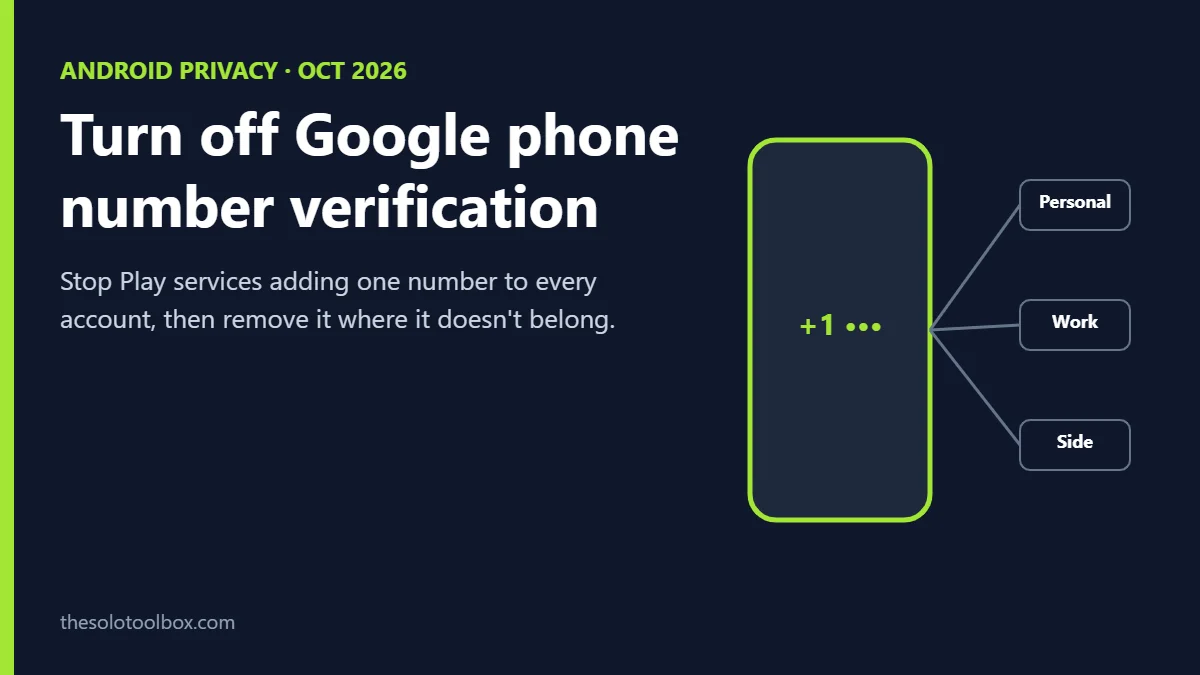
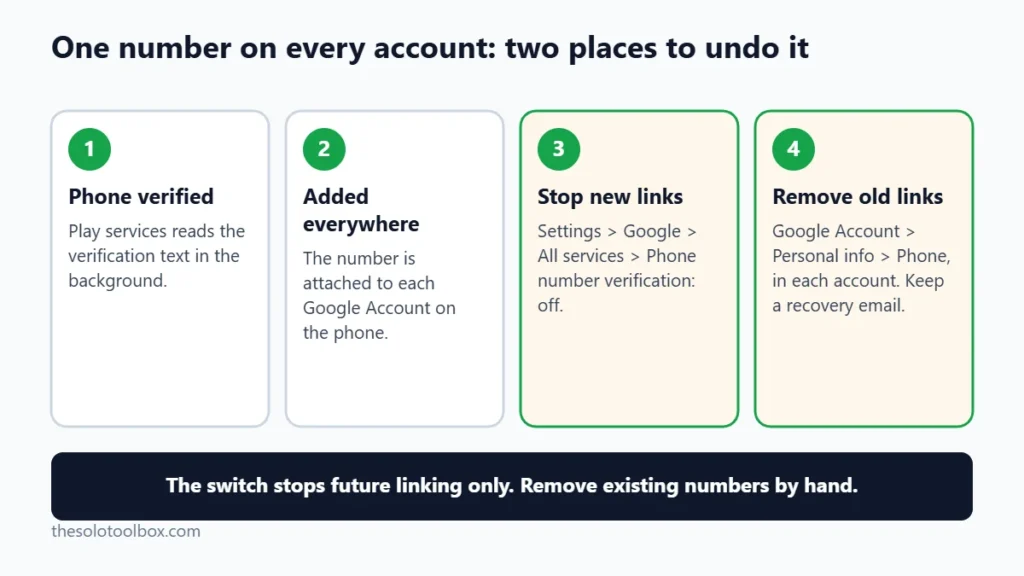
To stop Google from attaching your phone number to every account on your Android phone, open Settings > Google > All services > Phone number verification and turn off Verify phone numbers automatically. That only stops future linking. Numbers already added stay on each Google Account until you remove them under Personal info > Phone.
Below: why it’s happening, how to turn it off, how to remove the number from accounts where it doesn’t belong, and the one thing to check before you delete a number.
Before you start
- You’ll need: An Android phone with Google Play services and at least one Google Account signed in
- Time: About five minutes, plus one minute per extra account
- Before you change anything: Make sure each account has a recovery email or another sign-in method before you remove a phone number
What changed in Google phone number verification
Google Play services can read verification texts in the background to find and confirm the phone number on your device, which Google describes on its Android Help page about SMS access. Since mid-October, users have reported that Google phone number verification now adds the verified number to every Google Account signed in on that phone: personal, work, a side-business account, or one kept separate on purpose.
The reports started on Reddit, and Android Authority picked them up on October 14, followed by gHacks and BGR on October 20. Android Authority found that Google’s support page changed between August and October 2025 to make verification on by default and to add numbers to all signed-in accounts. gHacks reported the same behavior on a GrapheneOS phone, which points to Play services rather than a single phone maker.
Google hadn’t commented publicly as of October 27, 2026, and hasn’t said which Play services versions or devices are affected.
How to tell if Google phone number verification added your number
- Look for an email from noreply-phone-verification@google.com saying a number was verified, in each account’s inbox.
- Go to myaccount.google.com/phone while signed in to each account and see which numbers appear.
The link doesn’t show one account’s data inside another. The privacy issue is that a shared phone number gives Google, and anyone who later gets access to these account records, a common identifier tying accounts together that you may have kept apart on purpose.
How to turn off Google phone number verification
- Open the Settings app on your Android phone.
- Tap Google. Some phones label it Google services and preferences.
- Switch to the All services tab.
- Under Privacy & security, tap Phone number verification.
- Turn off Verify phone numbers automatically.
Some Reddit users, as Android Authority reports, say the switch doesn’t stick and turns itself back on when they return to that screen. We couldn’t confirm it, so leave the screen, come back and check the switch is still off, and check again after the next Play services update. Our guide on checking for a Google Play system update shows where to see when that happened.
How to remove the phone number from a Google Account
Do this for each account that shouldn’t have the number, not for your main account if you use the number for recovery or sign-in.
- Open Settings > Google > All services, tap the account’s profile picture or initial, then Manage your Google Account. On a computer, go to myaccount.google.com/phone instead.
- Open the Personal info tab and tap Phone.
- Select the number. You’ll see where Google uses it, such as account recovery, two-step verification or “Google services.”
- Remove it from the uses you don’t want, or delete the number entirely.
- Repeat while signed in to the next account. Use the account switcher at the top right to change accounts.
Check this before you delete a number
If the phone number is the only recovery option on an account, deleting it can leave you locked out after a forgotten password or a suspicious-sign-in check. Before you remove it:
- Open Security in that Google Account and confirm you’ve set a Recovery email you can still reach.
- If the account uses 2-Step Verification by text, add another method first, such as a passkey, Google prompts or an authenticator app.
- For a work account managed by your employer, ask the admin before removing anything. Their policy may require the number.
| Account type | Keep the number? | Why |
|---|---|---|
| Your main personal account | Usually yes | It’s your strongest recovery option if you lose your password |
| Separate business or client account | Your call | Remove it if you don’t want the accounts tied together; keep a recovery email |
| Employer-managed work account | Ask IT | Admin policy may set or require recovery details |
| Throwaway or test account | Usually no | The link defeats the reason it’s separate |
What it means for you
For most people with one Google Account, nothing changes: the number was probably already there. It matters if you keep a business account separate from a personal one, share a phone with a family member’s account, or use a second account specifically so nobody can tie it to you. Those are the accounts to check today.
If you’re reviewing other Google privacy settings at the same time, our guide to stopping AI training on your chats covers the controls for Gemini and other assistants.
FAQ
Does turning off Google phone number verification remove my number?
No. It only stops Play services from verifying and adding numbers from now on. Numbers already saved stay until you delete them under Personal info > Phone in each account.
Will turning off Google phone number verification break SMS sign-in codes?
Google hasn’t documented any effect on sign-in codes. Codes sent to numbers already on your accounts are ordinary texts, and this switch doesn’t control them, but we couldn’t confirm whether automatic code filling changes when it’s off.
Does this happen on iPhone?
The reports involve Google Play services, which runs only on Android. None of the coverage so far describes the same behavior on iOS.
Can other people see the linked number?
By default, a phone number on a Google Account is private. You can check who can see it under Personal info > Choose what others see in each account.
Do this account by account
Turn off the switch first, then open myaccount.google.com/phone in each secondary account and decide account by account. Set a recovery email on any account before you remove its number.
Related guides
Sources
Checked on October 21, 2026. Setting labels come from Android Authority’s and gHacks’ reports and Google’s Help pages; names can vary slightly by phone maker and Android version. Google has not confirmed the behavior or explained it.
- Android Authority: Google is silently linking your phone number across all signed-in accounts (October 14, updated October 16, 2026)
- gHacks: Google Play Services links phone numbers to every Google account (October 20, 2026)
- BGR: Google is quietly linking your phone number to different accounts
- Android Help: How Google Play services uses SMS and MMS