How to spot AI-generated games on Steam (there’s no filter yet)
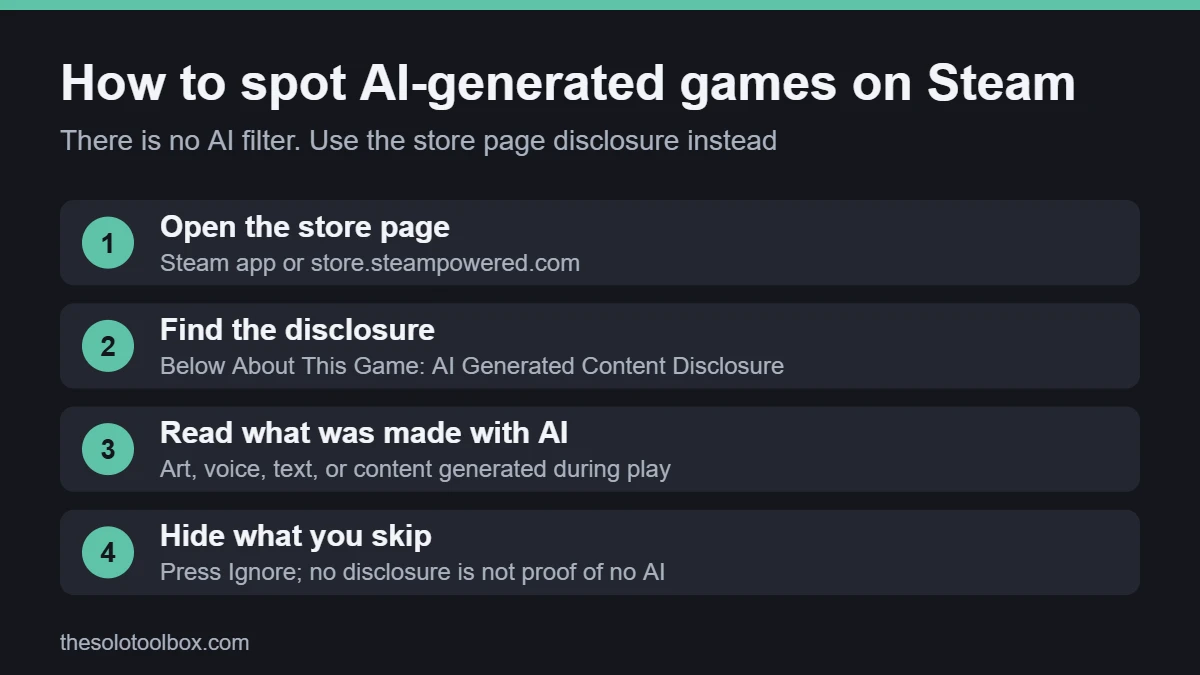
Steam has no filter or tag that hides AI-generated games on Steam’s store. The only built-in signal is the AI Generated Content Disclosure section on each game’s store page, which developers write themselves. To check a game, open its store page, scroll below the description and read that section; if it’s missing, the developer didn’t declare AI use, which doesn’t prove the game has none.
The question came back during Steam Next Fest (October 19 to 26, 2026), when players asked Valve for a “No AI” filter after IGN reported a wave of low-effort AI demos. The festival is over, but the filter still doesn’t exist. This guide shows what Steam’s disclosure covers, how to find it quickly, and how to keep AI-heavy games out of your store and demo lists with the tools available today.
Before you start
- Sign in to Steam in the desktop app or a browser. Ignore only works when you’re signed in.
- Have your wishlist open in another tab, so you can check games you’ve already saved.
- Know what you want to avoid: developers disclose AI art, AI voice acting and AI-written text the same way, so you’ll need to read each disclosure.
Why AI-generated games on Steam made the news
Steam Next Fest October 2026 ran from 10 a.m. PDT on October 19 to 10 a.m. PDT on October 26, with hundreds of free demos. On October 19, IGN reported that players were asking Valve for a way to filter out games with AI-generated content, and that this festival seemed to include more low-effort entries than usual. IGN gave no count of AI demos. As of October 27, we found no statement from Valve about adding a filter, and Push Square also reported there’s still no way to filter these games out on Steam itself.
The complaint isn’t new. Players raised the same request during February’s Next Fest, according to Creative Bloq, which noted that an AI tag never appeared.
What the disclosure covers for AI-generated games on Steam
Valve’s rules date from January 2024, when it said it would release most games that use AI as long as developers disclose it. In January 2026, Valve rewrote the guidance, Video Games Chronicle reported, to make clear that developers don’t need to disclose AI coding helpers and similar tools.
| Type of AI use | Disclosed on the store page? |
|---|---|
| AI-generated art, audio, text or other content in the game | Yes |
| AI-generated images or text on the store page or in marketing | Yes |
| Content generated by AI while you play (for example AI-driven dialogue) | Yes, and the developer must describe the guardrails it uses |
| AI coding assistants and other behind-the-scenes tools | No, since the January 2026 update |
Games that generate content live also let you report illegal content through the Steam Overlay, under the 2024 rules. Valve doesn’t allow adult-only sexual content made with live-generated AI at all.
How to check a game’s AI disclosure
- Open the game’s Steam store page in the Steam app or at store.steampowered.com.
- Scroll down past the About This Game description.
- Look for a section titled AI Generated Content Disclosure. The developer’s text explains what they made with AI, such as character portraits, voice lines or translations.
- If you’re using a browser, press Ctrl+F (or Cmd+F on a Mac) and search for “AI Generated” to jump straight to it.
- If the section isn’t there, the developer hasn’t declared AI use. Look at the screenshots and trailer before deciding.
Read the wording, not just whether the section exists. “AI used for some placeholder background textures” and “all art and dialogue created with AI” both trigger the same section, and many players care about the difference.
How to hide AI-generated games on Steam
- Use Ignore. On any store page, the Ignore button next to Follow hides that game from Steam’s recommendations and most store lists for your account.
- Start from your wishlist and followed developers. During Next Fest, IGN’s suggestion was to wait a couple of days for the most-played demos to rise instead of browsing the full list on day one. The same works for any big sale or festival.
- Use SteamDB’s filter. The third-party site SteamDB has let you filter out games with an AI disclosure since February 2025, GamingOnLinux reported. It reads the same disclosure Valve requires, so it misses games whose developers didn’t fill it in honestly, but it’s the closest thing to a “No AI” switch right now.
- Follow curators you trust. Steam Curators are people and groups who post recommendations. Some note AI use in their reviews, and their picks show on store pages you visit.
- Consider a browser extension, carefully. A Chrome Web Store extension called AI Generated Content Filter for Steam scans store pages and search results for the disclosure text. It had about 1,000 users and a 3.7 rating from three reviews when we checked, and its last update was August 22, 2026. We haven’t tested it, so review its permissions before installing, and remember it only works in a browser, not the Steam app. Our guide to spotting fake apps covers the warning signs that apply to extensions too.
- Tell Valve what you want. Feedback that names a specific request, such as an option to hide games that disclose AI-generated art, is more actionable than a general complaint.
Demos still take up space, so uninstall the ones you’ve finished. Our guide to freeing up disk space on Windows 11 shows where game files pile up.
What a disclosure does and doesn’t tell you
Developers report the disclosure themselves. Valve reviews submitted content, but it relies on developers to describe their own AI use accurately. Video Games Chronicle, citing GameDiscoverCo’s Simon Carless, reported that about 8,000 titles disclosed AI use in the first half of 2025 and that the real number of games using generative AI is likely higher.
If you believe a game uses AI it hasn’t disclosed, use the reporting option on its store page and explain what you saw. Avoid accusing a developer in reviews based on a hunch. People often mistake stylized art and stock assets for AI output.
FAQ
Can you filter out AI-generated games on Steam?
No. As of October 27, 2026, Steam has no tag, filter or setting that hides games with AI-generated content. The disclosure on each store page is the only built-in signal.
Does Valve ban AI-generated games on Steam?
No. Valve allows them if the developer discloses AI use and the content is legal and matches the game’s marketing. However, Valve bans adult-only sexual content generated live by AI.
If a game has no AI disclosure, does that mean the developer used no AI?
No. It means the developer didn’t declare any. Since January 2026, developers also don’t have to declare AI coding tools.
When was the October 2026 Steam Next Fest?
October 19 to October 26, 2026, ending at 10 a.m. PDT (1 p.m. ET, 5 p.m. UTC). Some demos stay up afterward, but that’s each developer’s choice.
How we checked this
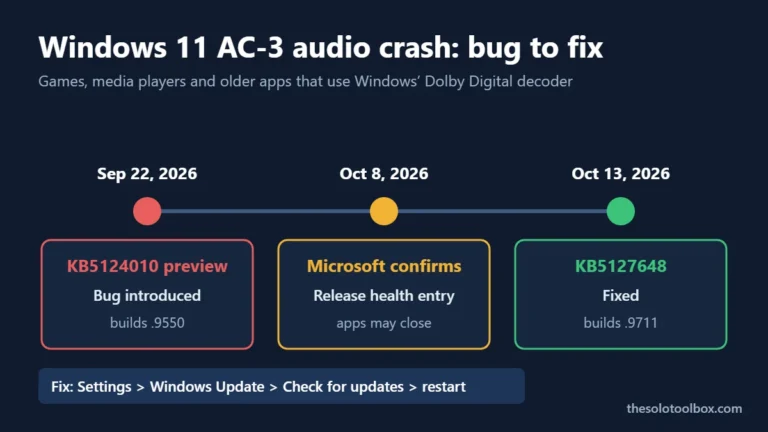
We reviewed Valve’s January 2024 announcement, coverage of the January 2026 rule change, IGN’s October 19 report and Next Fest schedule reports on October 20, 2026, and rechecked for a Valve filter announcement on October 27, 2026. We couldn’t verify the number of AI-disclosed demos in this Next Fest because no one has published a reliable count. If games keep crashing after a recent Windows update while you test demos, see our AC-3 audio crash fix.
Next step: open the store page of the next demo on your list, search for “AI Generated,” and press Ignore on any game whose disclosure covers something you don’t want to support.
Related guides
Sources
- Valve: AI Content on Steam (Jan 9, 2024)
- IGN: Steam fans are begging for a “No AI” filter as Steam Next Fest fills up (Oct 19, 2026)
- Video Games Chronicle: Valve has significantly rewritten Steam’s rules for AI disclosure (Jan 17, 2026)
- Steamworks: Steam Next Fest October 2026
- Creative Bloq: Has AI ruined Steam Next Fest? (Feb 24, 2026)
- Chrome Web Store: AI Generated Content Filter for Steam