NTLM Authentication Fails After November Windows Update: Fix
The Solo Toolbox · Software Help for One-Person Businesses
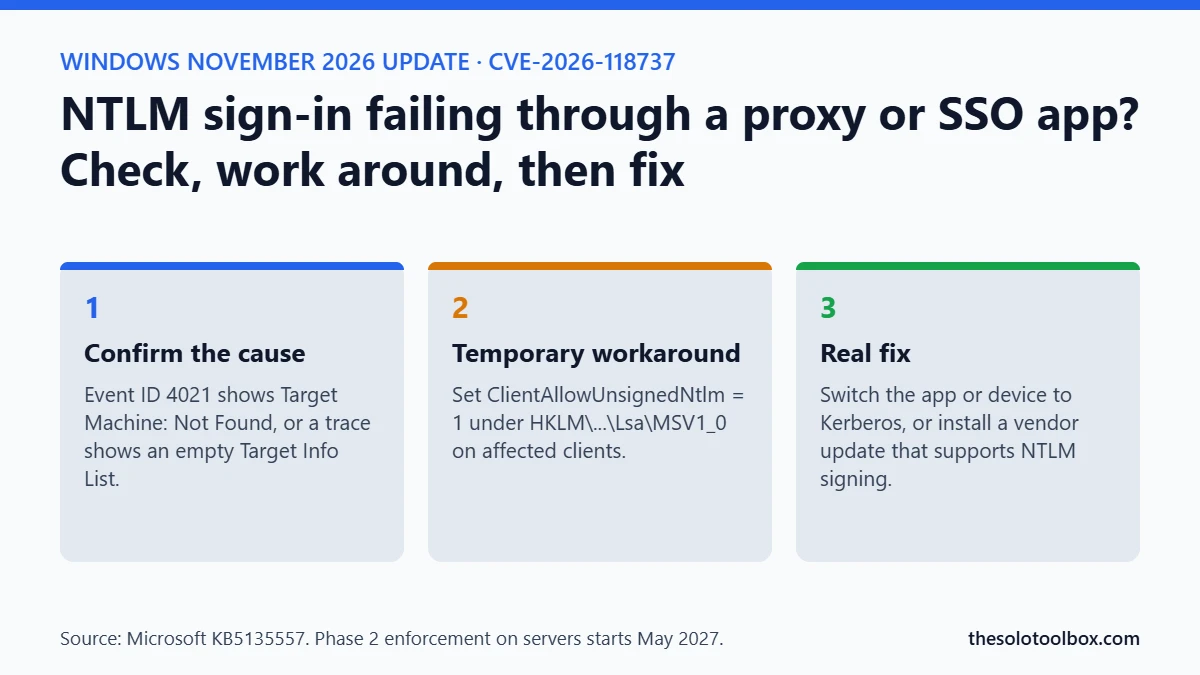
If sign-ins through an authentication proxy, single sign-on (SSO) tool or app-packaging product started failing after you installed the November 10, 2026 Windows security update, the cause is most likely Microsoft’s new NTLM signing behavior for CVE-2026-118737. Microsoft confirmed the problem and gives a temporary workaround: set the ClientAllowUnsignedNtlm registry value to 1 on affected Windows clients. The lasting fix is moving that app or device to Kerberos or installing a vendor update that handles NTLM signing correctly.
This guide shows how to confirm that NTLM signing is the cause, apply and later remove the workaround, and get ready for May 2027, when Windows servers start rejecting unsigned NTLM by default.
Before you start
- Who this is for: IT admins and anyone running a small office network where users authenticate through a proxy server, SSO appliance or packaged app that uses NTLM.
- What you need: administrator rights on the affected Windows PCs, and access to Event Viewer or a network capture tool.
- How we checked this: on November 25, 2026 we read Microsoft’s support article KB5135557 (known issue section added November 20) and BleepingComputer’s November 25 report. Microsoft has not released a fix for third-party devices; that depends on each vendor.
What changed in the November 2026 update
CVE-2026-118737 is a remote code execution flaw in the Windows Remote Procedure Call (RPC) runtime. BleepingComputer describes it as a timing-dependent authentication weakness that an unauthenticated attacker could exploit without any user interaction. Microsoft’s fix includes the first phase of changes to how NTLM sessions are signed.
Before November, many apps got what Microsoft calls an ALWAYS_SIGN placeholder: a flag that looks like signing but provides no cryptographic protection. Now Windows clients offer real signing, with a session key, on every non-anonymous NTLM connection. That makes NTLM relay attacks harder.
| Phase | Date | What happens |
|---|---|---|
| Phase 1 | November 10, 2026 | Windows clients offer NTLM signing on all connections by default. Servers still accept signed and unsigned clients. Audit events show who isn’t signing. |
| Phase 2 | May 2027 | Windows servers require NTLM signing by default. Clients that don’t offer it are rejected. |
Who is affected
Microsoft lists three kinds of products that can break: authentication proxy servers, SSO solutions, and application packaging solutions that use NTLM. The problem is on the device or app side. When Windows now asks for signing, NTLMv2 requires the server’s challenge message to include two pieces of information, the server’s NetBIOS computer name and NetBIOS domain name. Some products set the flag that says this information is included, then send an empty or incomplete list. Windows rejects that with STATUS_LOGON_FAILURE.
Users usually see this as a sign-in prompt that keeps coming back, a proxy that refuses to let them browse, or an app that says authentication failed. Kerberos sign-ins are not affected, and Microsoft says anonymous and guest connections are exempt.
How to confirm NTLM signing is the cause
Check one of these on an affected PC before changing anything.
Option 1: Event Viewer
- Open Event Viewer.
- Go to Applications and Services Logs > Microsoft > Windows > NTLM > Operational.
- Look for Event ID 4021 around the time a sign-in failed.
- In the event text, check the Target Information section. Target Machine: Not Found and Target Domain: Not Found point to an affected device. The Target Resource line names the server or proxy involved.
Microsoft’s example also shows Session Key Status: Missing and an AvFlags String of “Target unverified” on the same event.
Option 2: Network capture
Capture the authentication with Wireshark or a similar tool and open the NTLMSSP_CHALLENGE message from the proxy or server. If Negotiate Target Info is set but Target Info List is empty, you have found the problem device. A working server lists its NetBIOS computer name and NetBIOS domain name there.
Temporary workaround: ClientAllowUnsignedNtlm
This tells the Windows client to stop offering NTLM signing, which is how it behaved before November. Apply it only to the PCs that need to authenticate through the affected product.
- Open Command Prompt or Windows Terminal as administrator.
- Run the command below.
- Try the failing sign-in again. If it still fails, restart the PC and test once more.
reg add "HKLM\SYSTEM\CurrentControlSet\Control\Lsa\MSV1_0" /v ClientAllowUnsignedNtlm /t REG_DWORD /d 1 /fThe value lives at HKEY_LOCAL_MACHINE\SYSTEM\CurrentControlSet\Control\Lsa\MSV1_0. A value of 0 is the default (offer signing); 1 stops offering it. For many machines, push the same value with Group Policy Preferences or your device management tool instead of editing each PC.
To undo it later, set the value back to 0:
reg add "HKLM\SYSTEM\CurrentControlSet\Control\Lsa\MSV1_0" /v ClientAllowUnsignedNtlm /t REG_DWORD /d 0 /fKeep a list of every machine you change. Microsoft calls the setting short-term and says the registry keys might be removed in a future update, at which point those PCs would break again.
Don’t uninstall the November update instead
Removing the update brings back the RPC remote code execution flaw it closes, and it also removes every other fix in that month’s cumulative update. The registry workaround is narrower: it only changes NTLM signing on the machines where you set it.
The real fix: Kerberos or a vendor update
Microsoft’s recommended order:
- Check whether the proxy, SSO product or packaging tool can use Kerberos. Kerberos is not affected by this change, and moving to it also prepares you for Microsoft’s longer-term plan to turn NTLM off by default.
- Check the vendor’s site for a software or firmware update that supports the NTLM signing requirements introduced for CVE-2026-118737.
- If neither exists, open a ticket with the vendor. Ask them to comply with section 3.1.5.1.2 of the MS-NLMP specification (“Client Receives a CHALLENGE_MESSAGE from the Server”) and to include the
MsvAvNbComputerNameandMsvAvNbDomainNameAV pairs in their challenge message. Quoting those names saves a round of back-and-forth with support.
Once the vendor fix is in, set ClientAllowUnsignedNtlm back to 0 and test again. If you have already set the override and want to know whether it’s safe to remove, Microsoft suggests checking for Event ID 4021 entries with “Not Found” in the Target Information field.
Get ready for Phase 2 in May 2027
From May 2027, Windows servers will reject clients that don’t offer NTLM signing. A rejected client gets SEC_E_UNSUPPORTED_FUNCTION (0x80090302), and the server logs Event ID 4023. Any PC still running with ClientAllowUnsignedNtlm set to 1 will be one of those clients.
- Audit now. On servers, Event ID 4023 (server side) and 4022 (client side) in the NTLM Operational log record the negotiated flags for each NTLM sign-in. A connection is signed when the flags include
0x10(SIGN) and0x40000000(KEY_EXCH) and the session key is present. Microsoft’s KB5135557 includes a PowerShell script that lists clients not sending SIGN. These events need Windows Server 2019 or later with NTLM enhanced auditing. - Don’t filter by event level. Microsoft notes that signed and unsigned connections both log at Warning level, so check the flags.
- Enforce early if you can. When the audit shows no unsigned connections, you can set
ServerRequireNtlmSignto 1 in the same registry path. Microsoft says this one doesn’t need a restart.
Other known issues from the November 2026 updates
If the NTLM checks above come up clean, these are the other problems Microsoft has acknowledged this month:
- Activation and licensing errors (0x80041008) for organizations that use slmgr commands. Microsoft released out-of-band fixes on November 13, including KB5136483 for Windows 11 version 23H2.
- Printing failures for documents containing images with zero height or width, often from Word documents with hidden watermark or layout images.
- SQL Server linked server connections that stay open and build up, from updates released since October 13.
Frequently asked questions
Does this change affect Kerberos?
No. Microsoft says the changes apply only to NTLM authentication.
Will guest and anonymous connections still work?
Yes. Both are exempt in Phase 1 and Phase 2 because they carry no real session key.
What if a client connects to an older server that doesn’t support signing?
If the server doesn’t echo SIGN back, the client falls back to the old behavior without failing. Microsoft says all supported Windows servers echo SIGN by default.
Is ClientAllowUnsignedNtlm safe to leave on?
It brings back the relay exposure the update was meant to reduce, and it will stop working for connections to Windows servers once Phase 2 starts in May 2027. Use it only until the vendor update or Kerberos change is in place.
What to do next
Check Event ID 4021 on one affected PC today. If it shows “Not Found” targets, apply the registry workaround to those machines only, record where you set it, and send the vendor the MS-NLMP section reference. For more on Microsoft’s authentication changes, see our guide to Wi-Fi and VPN problems from the NTLMv1 changes, and if you’re scripting these checks, how to install PowerShell 7.
Related guides
Sources
- Microsoft Support: NTLM signing security improvements in Windows (KB5135557)
- BleepingComputer: Microsoft confirms authentication issues after November updates (November 25, 2026)
- BleepingComputer: Microsoft pushes Windows emergency updates to fix activation failures (November 16, 2026)
- BleepingComputer: Microsoft says November security updates cause printing issues (November 13, 2026)
- Microsoft Learn: Windows 11, version 26H2 known issues and notifications
Last checked: November 25, 2026. If something here is out of date, let us know.