ChatGPT “Device limit reached”? What OpenAI’s new card and device limits mean
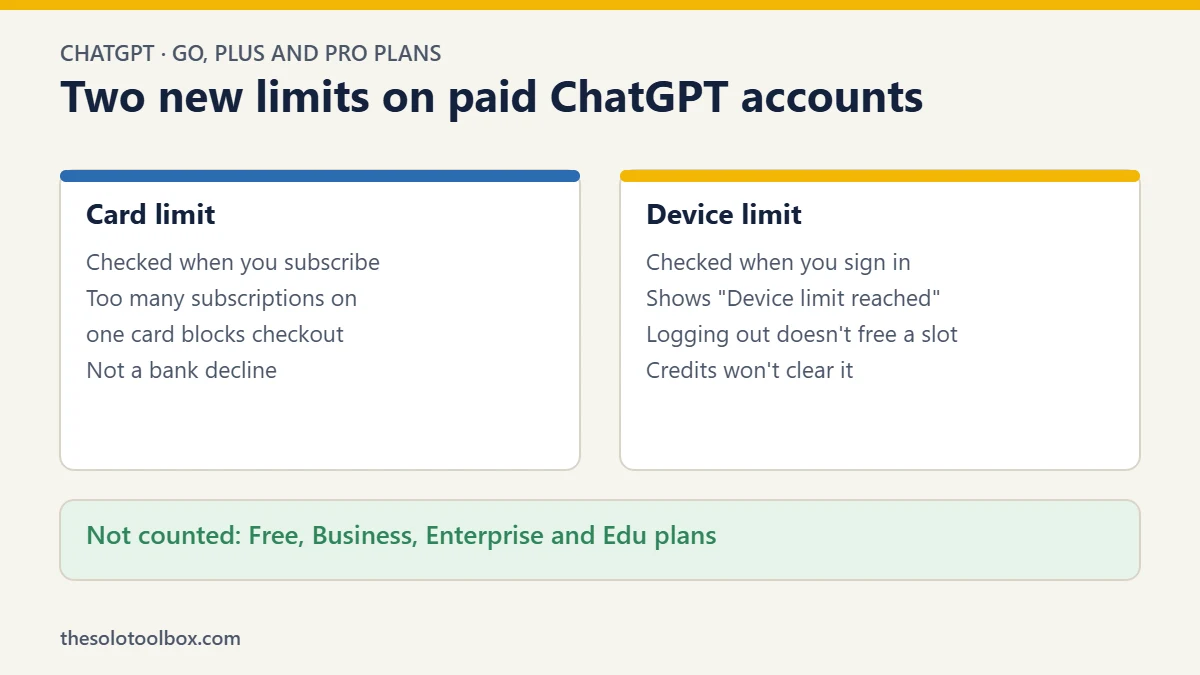
If ChatGPT shows Device limit reached when you sign in, or checkout says there are too many subscriptions on your card or device, it isn’t a bug and your bank didn’t decline anything. OpenAI now limits how many paid ChatGPT accounts can be used on one device and how many paid subscriptions one payment card can hold. The limits cover Go, Plus, Pro 100, Pro 200 and Pro 500. Free accounts and Business, Enterprise and Edu workspaces don’t count.
OpenAI explains the rules in a Help Center article updated in late October 2026, and describes them as privacy and security protections. What it doesn’t publish is the actual number of accounts or subscriptions allowed. Below: how the two limits work, who’s likely to hit them by accident, and what you can do about it.
Before you start
- Who this affects: people with more than one paid ChatGPT account on the same computer or phone, or several subscriptions on one card
- Plans covered: Go, Plus, Pro 100, Pro 200, Pro 500
- Not covered: Free, plus Business, Enterprise and Edu workspace plans
- What won’t fix it: logging out, buying credits or paying for a usage reset
The two limits, explained
OpenAI’s article describes two separate checks.
The card limit applies when you buy a subscription. If too many paid ChatGPT subscriptions are already linked to the card you’re using, checkout stops with a message saying there are too many subscriptions associated with your card or device. OpenAI’s FAQ is explicit that this is ChatGPT blocking the purchase, not your bank turning it down, so calling your bank won’t help.
The device limit applies when you sign in. ChatGPT counts how many paid accounts have been used on a device. Once that number is reached, any further paid account sees Device limit reached, and that account can’t be used on that device.
| Card limit | Device limit | |
|---|---|---|
| When it happens | At checkout | At sign-in, or later in a session |
| What you see | Too many subscriptions on this card or device | Device limit reached |
| Plans it counts | Go, Plus, Pro 100, Pro 200, Pro 500 | Go, Plus, Pro 100, Pro 200, Pro 500 |
| Fixed by logging out? | No | No |
| Fixed by buying credits? | No | No |
OpenAI hasn’t said how many accounts or subscriptions each limit allows. Treat any article quoting an exact number as guessing unless it links to OpenAI.
Why logging out doesn’t free up a slot
This is the part that catches people out. The device limit isn’t the same as the number of accounts you’re signed in to right now. ChatGPT already lets you switch between a small number of signed-in accounts, but that switching feature is a separate system. OpenAI’s article says signing out of one paid account doesn’t guarantee another paid account becomes eligible on that device.
In other words, the device remembers which paid accounts have used it. Logging out of one to make room for another won’t work.
Who’s most likely to hit it by accident
OpenAI’s own FAQ points to two everyday situations that have nothing to do with gaming the system:
- Families sharing one card. If several people in a household each pay for their own Plus account with the same credit card, the card can reach its checkout limit even though everyone uses a different phone or laptop.
- Shared computers. A family computer, an office machine that several freelancers use, or a library or coworking PC can reach the device limit when different people sign in to their own paid accounts.
The people OpenAI is clearly aiming at are those who stack several cheap paid accounts on one machine to get more usage than one subscription allows, often for heavy coding work. Reporting from The Decoder made the same point: OpenAI’s suggested alternatives, credits and paid usage resets, generally cost more than another subscription would. The limits arrive just before OpenAI merges ChatGPT and Codex into one shared usage allowance in December, which will make running out of usage a more common experience for heavy users.
What to do if you see “Device limit reached”
- Check which account you’re using. If you have one personal account and one paid account through work or a client, sign in with the one that should be on this device.
- Use a different device for the second account. If a family member or colleague needs their own paid account, they should use it on their own phone or computer.
- Don’t buy credits to fix it. OpenAI’s article says credits and usage resets don’t clear a card or device restriction. You’d be paying for something that won’t help.
- Contact OpenAI support if you think it’s wrong. For example, if you bought a second-hand laptop and it already counts other people’s accounts, explain that through the help chat at help.openai.com.
What to do if checkout says your card has too many subscriptions
- Use a different card in the account holder’s own name. For a family, that usually means each adult pays for their own plan.
- Check for forgotten subscriptions. An old Plus account you stopped using may still be billing the same card. Cancel what you don’t need under Settings > Account in that account.
- Consider a workspace plan for teams. If you pay for ChatGPT for staff or regular collaborators, Business workspace plans don’t count toward these limits, and they give you one bill and central control over who has a seat.
Is OpenAI allowed to do this?
Nothing here changes what you pay for your own subscription, and it doesn’t affect a normal user with one account on a few devices. OpenAI’s terms already said accounts are for the individual who owns them, and these limits enforce that more strictly.
The fair criticism is transparency. A limit you can’t see until you hit it, with no published number, is frustrating, especially for families who’ve done nothing wrong. If you run into it legitimately, contacting support is the only route OpenAI offers for now.
While you’re checking your ChatGPT accounts, it’s a good time to log out of devices you no longer use and, if you share a computer, to lock sensitive chats with a PIN.
FAQ
How many paid ChatGPT accounts can I use on one device?
OpenAI hasn’t published a number. Its Help Center only says that ChatGPT limits how many paid accounts can be used on one device.
Does the limit apply to ChatGPT Free?
No. Free accounts don’t count toward the device limit, and neither do Business, Enterprise or Edu workspace plans.
Will logging out of one account let me use another?
Not necessarily. OpenAI says signing out of one paid account doesn’t guarantee that another paid account becomes eligible on that device.
Did my bank decline my ChatGPT payment?
If the message says there are too many subscriptions on your card or device, no. ChatGPT blocked the purchase before it reached your bank.
Can buying credits remove the restriction?
No. OpenAI says credits and usage resets don’t clear a card or device limit.
How we checked this: details come from OpenAI’s Help Center article “Understanding card and device limits in ChatGPT” and reporting by The Decoder, read on November 2, 2026. OpenAI may change these rules; if a message you see differs from what’s described here, follow the on-screen instructions.
Sources
- OpenAI Help Center: Understanding card and device limits in ChatGPT
- The Decoder: OpenAI is steering ChatGPT users toward more paid usage
- OpenAI Help Center: Understanding ChatGPT and Codex usage limits