Can’t Log In to Spotify? What to Check After the Nov 24 Outage
The Solo Toolbox · Software Help for One-Person Businesses
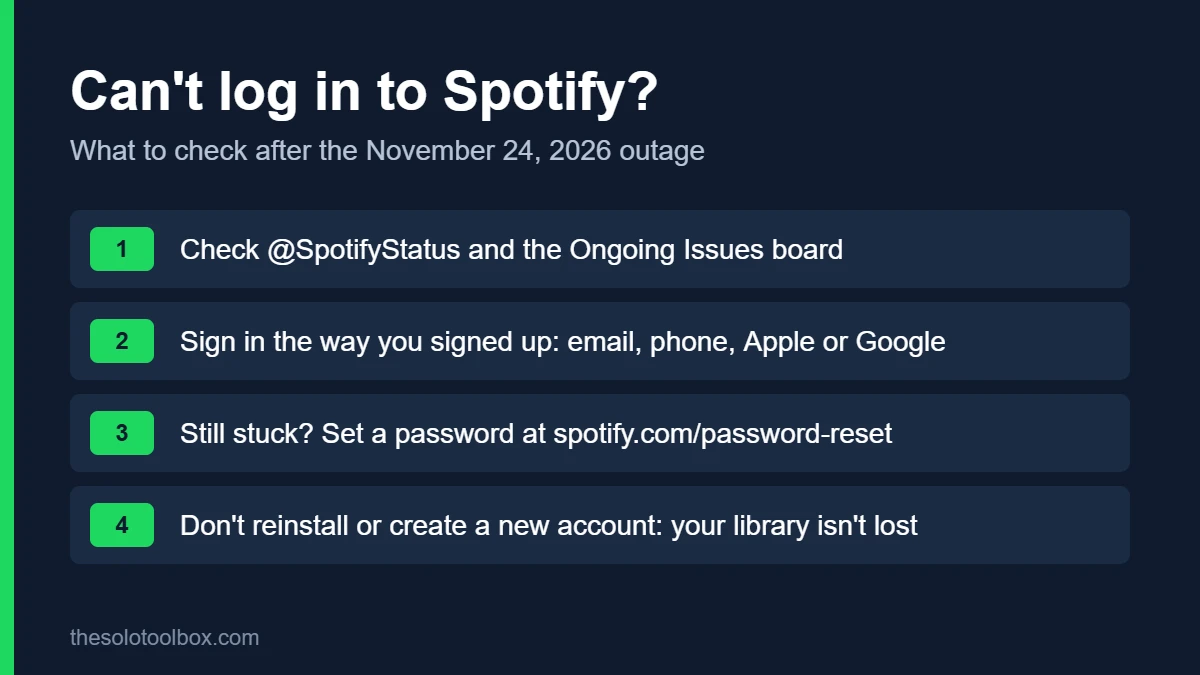
If you can’t log in to Spotify after the November 24, 2026 outage, first check whether Spotify still lists a problem on @SpotifyStatus or its Community Ongoing Issues board, then sign in with the exact method you used to create the account: email, phone number, Apple or Google. Most “incorrect password” errors after an outage come from one of those two things, and neither requires reinstalling the app or making a new account.
Below: what happened on November 24, a table that matches each error to its likely cause, the steps Spotify’s own help pages give for each login method, and when a login problem points to a compromised account instead.
Before you start
- Who this is for: Spotify Free and Premium users who were signed out on November 24 or still see login errors.
- What you need: access to the email inbox tied to your Spotify account, and ideally one device where Spotify is still signed in.
- How we checked this: on November 25, 2026 we read Tom’s Guide’s and TechRadar’s live coverage of the outage and Spotify’s support articles on login problems, Apple and Google login, and ongoing issues. Spotify has not published a cause, and the two outlets give different start times and report counts, so we show both.
What happened on November 24
Spotify users in the US and UK began reporting problems on the morning of Tuesday, November 24, 2026. Tom’s Guide put the first wave at around 5:30 am ET; TechRadar’s timeline starts closer to 6:15 am ET. The problems were mostly about access rather than playback: Tom’s Guide said about 70% of Downdetector reports were about getting into the platform.
| Tom’s Guide | TechRadar | |
|---|---|---|
| First reports | About 5:30 am ET | About 6:15 am ET |
| Peak Downdetector reports | Over 15,000 | Over 16,500 (US) and over 8,000 (UK) |
| What users saw | Login failures | Login failures, “incorrect password” messages, sign-outs, prompts to create a new account, offline music not playing |
| Recovery | Fixed in a little over an hour | Largely resolved; author watching for aftershocks |
Both outlets quoted a support post, attributed to Spotify, saying things were looking much better at roughly 7:15 to 7:30 am ET. Spotify did not give a cause, and there is no evidence in the coverage that accounts were breached. It wasn’t the first login outage of this kind: on December 15, 2025, Android Central reported more than 27,000 Downdetector reports and users being logged out automatically.
Match your error to the fix
| What you see now | Likely cause | What to do |
|---|---|---|
| Login spins or fails for everyone you know | Outage still in progress or a second wave | Wait. Check @SpotifyStatus and the Ongoing Issues board before changing anything |
| “Incorrect password” but you’re sure it’s right | You signed up with Apple, Google, Facebook or a phone number, not email and password | Use the same button you used originally, or set a Spotify password (steps below) |
| Spotify asks you to create an account | You used a login method not linked to your existing account | Stop. Don’t create it. Try your other login methods first |
| Logged in, but it’s a free account with no playlists | You created or opened a second account | Log out, sign in with your original method, and check spotify.com/account/overview |
| Password reset email never arrives | The address isn’t the one registered with Spotify | Try every address you own on the reset form; check spam |
| Emails about a changed email or password you didn’t make | Possible account takeover | Treat it as a hacked account (see the last section) |
Step 1: Confirm the outage is over
Spotify’s Ongoing Issues article says app problems are tracked on the Ongoing Issues board in the Spotify Community, and that you can also check @SpotifyStatus on X. If a thread for your problem shows the status “Under Investigation”, Spotify asks you to add yourself with +VOTE instead of opening a new thread.
Downdetector is useful for spotting a spike, but it counts user reports, not confirmed failures. A flat Downdetector graph and an all-clear from @SpotifyStatus together mean the problem is probably on your side.
Step 2: Use the login method you signed up with
Spotify’s help page notes that an account can be created with an email address, a phone number, Apple or Google, and suggests trying each method to find yours. This matters because each method can lead to a different account:
- Google: Spotify warns that signing in with Google creates a new Spotify account if your Google email doesn’t match your Spotify email. If you normally use Google, tap Continue with Google, not the email field.
- Apple: Apple login needs iOS 14 or later, an Apple ID with two-factor authentication, and the same Apple ID signed in to iCloud. If you chose Hide My Email when you signed up, your Spotify email is an Apple relay address, which is why typing your normal address fails.
- Email or phone: if you’ve always used a password, enter the full email address (not a username) and try the phone-number option if you registered with one.
If a device is still signed in, open spotify.com/account/overview in a browser on it to see the exact email on the account. On an iPhone you can also check which address Apple shared: Spotify’s Apple help page points to Settings > [your name] > Password & Security > Apps Using Your Apple ID. Apple has renamed this menu across iOS versions, so the label on your phone may differ slightly.
Step 3: Set or reset your Spotify password
- Go to the password reset form at spotify.com/password-reset.
- Enter the email address on the account. If you used Apple’s Hide My Email, enter the Apple relay address; if you used Google, enter your Google email.
- Open the reset email and choose a new password. Spotify only sends it to an address registered with Spotify, so no email usually means the wrong address.
- Sign in with the email and new password. Once you’re in, you can add Apple or Google back as login methods from Edit login methods at spotify.com/account/login-methods/.
This is the same route Spotify gives for “Can’t log in with Apple?” and “Can’t log in with Google?”: creating a Spotify password gives you a fallback that doesn’t depend on a third-party sign-in.
Step 4: Don’t reinstall to fix an outage
Deleting and reinstalling Spotify won’t help with a server-side login failure, and it removes the music and podcasts you downloaded for offline listening, which then have to download again. TechRadar noted that some users couldn’t play offline music during the November 24 problems, so missing downloads during an outage don’t mean they’re gone. Reinstall only if Spotify is confirmed working for others and a fresh sign-in on your device still fails.
Your playlists, Liked Songs and library are stored with your account, not on the phone. If they look empty after signing in, the most likely explanation is that you’re in a different account, not that they were deleted.
When it’s not the outage: signs your account was taken over
Outages are noisy, and that makes them a good cover for account theft. Treat it as a security problem rather than a glitch if you see any of these: Spotify emails confirming an email or password change you didn’t make, unfamiliar devices or playlists, music playing that you didn’t start, or a family or Duo plan member you don’t recognize.
In that case, reset your password from a device you trust, then contact Spotify Support at support.spotify.com. If you reuse that password elsewhere, change it on those services too. If several of your accounts were affected around the same time, malware on your computer is more likely than a Spotify problem; our guide on what to do when an infostealer steals your passwords covers that order of work. Also be wary of emails that use the outage as a hook, a pattern we covered in Microsoft 365 outage phishing: if an email offers to “restore” your Spotify account, don’t use its link. Type spotify.com into your browser and sign in there.
FAQ
Was Spotify hacked on November 24, 2026?
Spotify has not given a cause, and neither Tom’s Guide nor TechRadar reported evidence of a breach. The pattern of login failures across the US and UK that cleared in about an hour fits a service problem. Check your account for unfamiliar changes anyway.
Why does Spotify say my password is incorrect?
During the outage, the login service itself was failing. Now that it’s back, the usual reason is that the account was created with Apple, Google, Facebook or a phone number, so there’s no email password to match. Use the original button or set a password with spotify.com/password-reset.
Will I lose my playlists if I get logged out?
No. Playlists and your library are tied to your account on Spotify’s servers. Logging out of the app doesn’t delete them. If they’re missing after you sign in, you’re probably in a second account.
Should I create a new Spotify account if the app asks?
No. That creates a separate account without your Premium plan or library. Try each login method first, then use the password reset form.
What to do next
If you’re signed back in, set a Spotify password now even if you use Apple or Google login, so the next outage of a third-party sign-in doesn’t lock you out. If you rely on several cloud services for work, our ChatGPT outage guide shows how to keep working when a service goes down.
Related guides
Sources
- Tom’s Guide: Spotify down live coverage (November 24, 2026)
- TechRadar: Spotify was down for millions (November 24, 2026)
- Spotify Support: Can’t log in to Spotify
- Spotify Support: Logging in to Spotify with Apple
- Spotify Support: Logging in to Spotify with Google
- Spotify Support: Ongoing issues
- Android Central: December 15, 2025 Spotify outage
Last checked: November 25, 2026. If something here is out of date, let us know.