Google Search Button Gone? 3 Ways to Get Plain Web Results
The Solo Toolbox · Software Help for One-Person Businesses
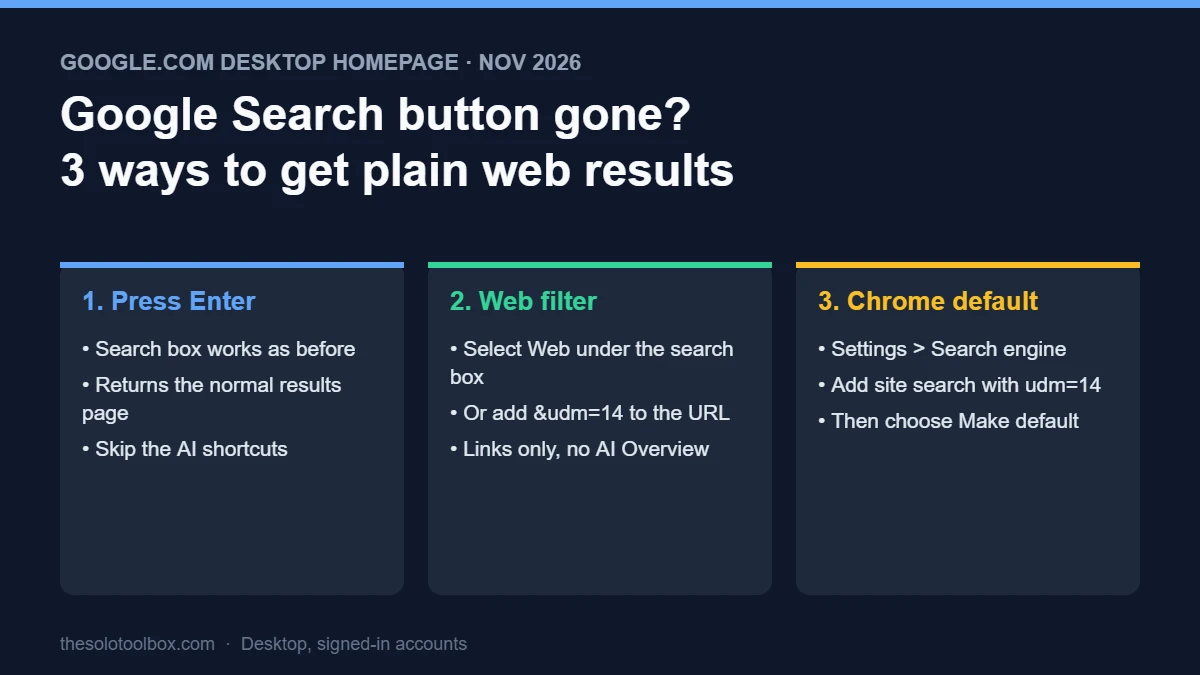
If the Google Search button has disappeared from google.com, you can still run an ordinary search: type your query in the box and press Enter. Google has replaced the button on its desktop homepage, for signed-in users, with three AI shortcuts called Create images, Ask about files and Brainstorm. The search box itself works as before, and the Web filter still gives you a page of plain links with no AI Overview.
This guide covers what changed, who sees it, and three ways to get classic results every time, including making Chrome search Google’s Web results by default.
Before you start
- Applies to: the google.com homepage in a desktop browser. Google says phones and the Google app aren’t part of this change.
- You’ll need: any desktop browser. The Chrome steps need Chrome on Windows, macOS, Linux or ChromeOS.
- How we checked this: on November 23, 2026 we read reporting from The Next Web (November 23), EffectStory (November 21) and Tom’s Guide (August 11), which cite Google Search VP Robby Stein’s November 19 post on X. In a signed-out desktop browser on November 23 the homepage still showed the Google Search button, consistent with reports that the change targets signed-in accounts. We tested the Web filter URL below in that browser. We could not see the new signed-in layout ourselves.
What replaced the Google Search button
Google tested an AI-first homepage on some accounts in August 2026. On November 19, Stein announced a collapsible sidebar of recent AI searches rolling out “globally” on the desktop homepage, and reports from November 20 onward describe the button change reaching signed-in users with it.
| Homepage control | What it does |
|---|---|
| Create images | Opens Google’s image generator (Nano Banana) with your prompt |
| Ask about files | Lets you upload a document and ask questions about it |
| Brainstorm | Asks you to describe a goal and starts an AI conversation |
| I’m Feeling Lucky | Unchanged: jumps to the first result |
| AI Mode (in the box) | Sends your query to AI Mode instead of regular results |
The three new buttons were previously tucked inside the + menu in the search box. Moving them to where the Search button was makes them the obvious thing to click, which is why people are asking where search went.
Fix 1: press Enter
Typing a query and pressing Enter still returns the normal results page. When Google first tested the layout in August, Stein said there was “no impact to how the core search box works”. The change only removed the clickable button. If you were used to clicking it, press Enter instead, or click a suggestion in the drop-down list.
Avoid clicking AI Mode or one of the three shortcuts unless you want an AI answer. Those start a conversation that is saved to your AI Mode history and shows in the new sidebar.
Fix 2: use the Web filter for links only
Regular results still include an AI Overview at the top for many queries. The Web filter removes it and shows a list of links.
- Run your search by pressing Enter.
- Under the search box, select Web. If you don’t see it, open More and choose Web.
- To go straight there, add
&udm=14to the end of the results URL, for examplehttps://www.google.com/search?q=weather+radar&udm=14. We confirmed on November 23 that this opens the Web results view.
Fix 3: make Chrome search Web results by default
If you search from the address bar, the homepage doesn’t matter at all. You can make Chrome send every address-bar search to Google’s Web results:
- In Chrome, open the three-dot menu and choose Settings > Search engine > Manage search engines and site search.
- Next to Site search, click Add.
- Enter a name such as Google Web, a shortcut such as gw, and this URL:
https://www.google.com/search?q=%s&udm=14. Click Add. - Find the new entry, open its three-dot menu and choose Make default.
To undo it, go back to the same page and make Google the default again. Chrome may label menu items slightly differently by version; the page address is chrome://settings/searchEngines.
Can you get the old homepage back?
Not through a setting. None of the reports we read, and no Google page we found, mentions a toggle to restore the button. Signing out of your Google Account on the homepage shows the older layout in our test, but you lose personalized results and your search history while signed out. For most people, pressing Enter or using the address bar is the simplest answer.
What the change means for your history and privacy
Searches you send through the new buttons are AI conversations. They appear in the homepage sidebar, so anyone using your signed-in browser can see them. Our guide to deleting AI Mode history from the sidebar shows how to remove entries and stop new ones being saved.
CNET reported that AI searches, uploaded files and generated images may be used to train Google’s models. If you upload client documents through Ask about files, check your activity settings first; our guide to stopping AI training on your chats covers where those switches are.
Frequently asked questions
Is the Google Search button gone on my phone too?
No. Reports on the November rollout say it applies to the desktop homepage; phones and the Google app aren’t included, and Google hasn’t given a mobile timeline.
Does pressing Enter use AI Mode now?
No. Enter still runs a regular search. You only get AI Mode if you select it or one of the AI shortcuts.
Why do I still see the Search button?
The rollout is gradual and, in our test, the signed-out homepage still had it. Google has run versions of this layout as tests that vary by account and browser.
Does udm=14 work in other browsers?
Yes. It’s a parameter in Google’s own results URL, so it works in Edge, Firefox and Safari. Each browser has its own way to add a custom search engine.
What to do next
Set up the Chrome search engine in Fix 3 if you search from the address bar, and bookmark a Web-filter search if you prefer starting on google.com. While you’re in Chrome’s settings, our guide to checking Chrome extension permissions is a quick next step.
Related guides
Sources
- The Next Web: Google.com swaps its Search button for three AI buttons and a sidebar (November 23, 2026)
- EffectStory: Google removes the Search button from its desktop homepage (November 21, 2026)
- Tom’s Guide: Google’s Search button is disappearing for some users (August 11, 2026)
- Robby Stein on X: AI search sidebar on the Google homepage (November 19, 2026)
Last checked: November 23, 2026. If something here is out of date, let us know.