nginx2root (CVE-2026-123007): How to Check and Patch nginx
The Solo Toolbox · Software Help for One-Person Businesses
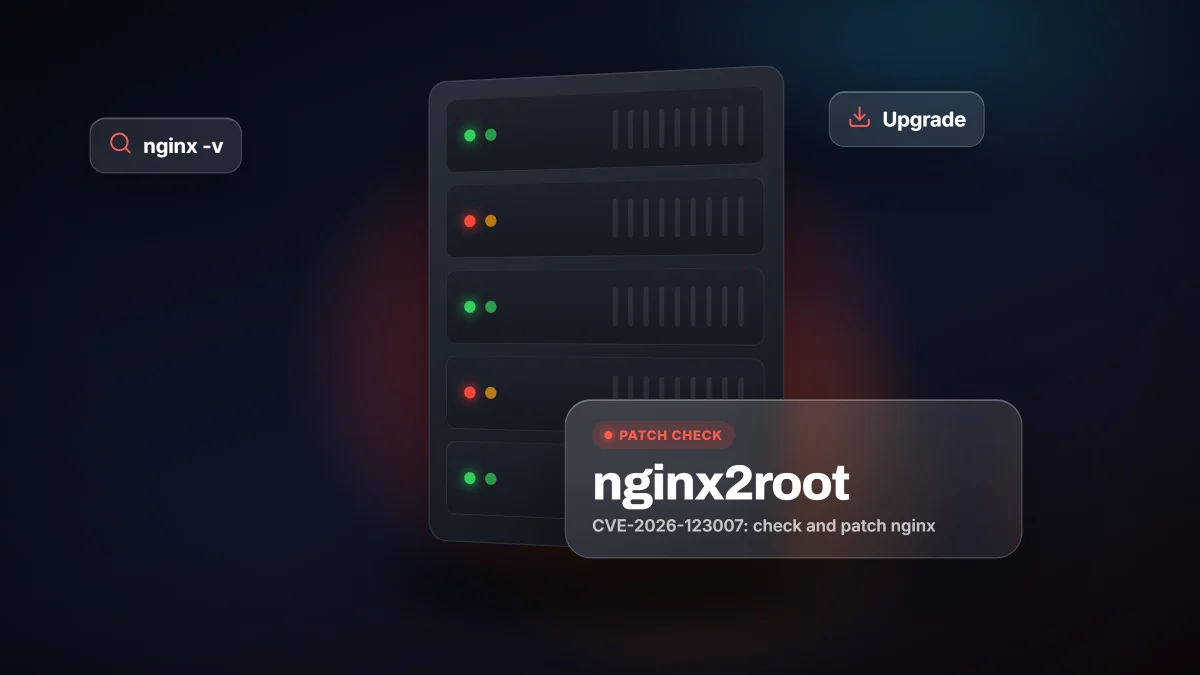
nginx2root is the nickname for CVE-2026-123007, a heap buffer overflow in nginx’s HTTP/2 code that can let an attacker who can reach your server run code on it without logging in. Every open-source nginx release from 1.9.5 (2015) through 1.31.8 is affected if HTTP/2 is turned on. To fix it, upgrade to nginx 1.30.7 or 1.31.9, or install your Linux distribution’s patched package, and then fully restart nginx.
This guide shows how to check your version, confirm whether HTTP/2 is on, patch on Ubuntu, Debian and Docker, and what to do if you can’t update right away.
Before you start
- You’ll need: SSH access with sudo on a server or VPS that runs nginx.
- Applies to: NGINX Open Source and NGINX Plus. If you’re on shared or fully managed hosting, the host controls the web server; ask its support whether nginx is in use and patched.
- How we checked this: on November 23, 2026 we read the nginx.org security advisories page, the Ubuntu CVE page (last updated November 19) and the Debian security tracker for CVE-2026-123007, plus The Hacker News’ November 18 report. As of November 18, no attacks using the flaw had been reported and it wasn’t in CISA’s Known Exploited Vulnerabilities catalog; we couldn’t confirm whether that has changed since.
What nginx2root is
F5, which develops nginx, released fixes on November 18, 2026 for five flaws. CVE-2026-123007 is the one that got the nginx2root name. nginx.org rates it “major”; on CVSS 4.0 all five score 9.2 out of 10, according to The Hacker News.
- The flaw is in HTTP/2 flow control. Specially crafted traffic can push a window value past its limit and overflow memory in an nginx worker process.
- F5 says code execution is possible where ASLR is off or can be bypassed. Researchers at Wiz and Xint said they ran code in their tests, Xint with nothing more than a reachable HTTP/2 port.
- Code runs with the worker process’s permissions. Xint chained it with a separate Linux kernel bug in the SCTP module to get root, even inside a Docker container.
- Public proof-of-concept code exists on GitHub, though its notes say it only demonstrates the attack against a freshly started local Docker container.
The five flaws fixed on November 18
| CVE | Only reachable if | Affected upstream versions |
|---|---|---|
| CVE-2026-123007 (nginx2root) | HTTP/2 is on | 1.9.5–1.31.8 |
| CVE-2026-123633 | HTTP/2 is on, requests are proxied, and the worker runs low on worker_connections | 1.19.7–1.31.8 |
| CVE-2026-123634 | A proxied server name built from variables, plus an SSI or mirror subrequest | 0.6.18–1.31.8 |
| CVE-2026-121810 | HTTP/3 is on | 1.25.0–1.31.8 |
| CVE-2026-113425 | nginx is used as a mail proxy | 0.5.33–1.31.8 |
All five are fixed in 1.31.9 (mainline) and 1.30.7 (stable). On NGINX Plus, F5 lists 37.3.0.1 and 37.0.8.1 as fixed builds and no fix for R34 to R36.
Step 1: Check your nginx version
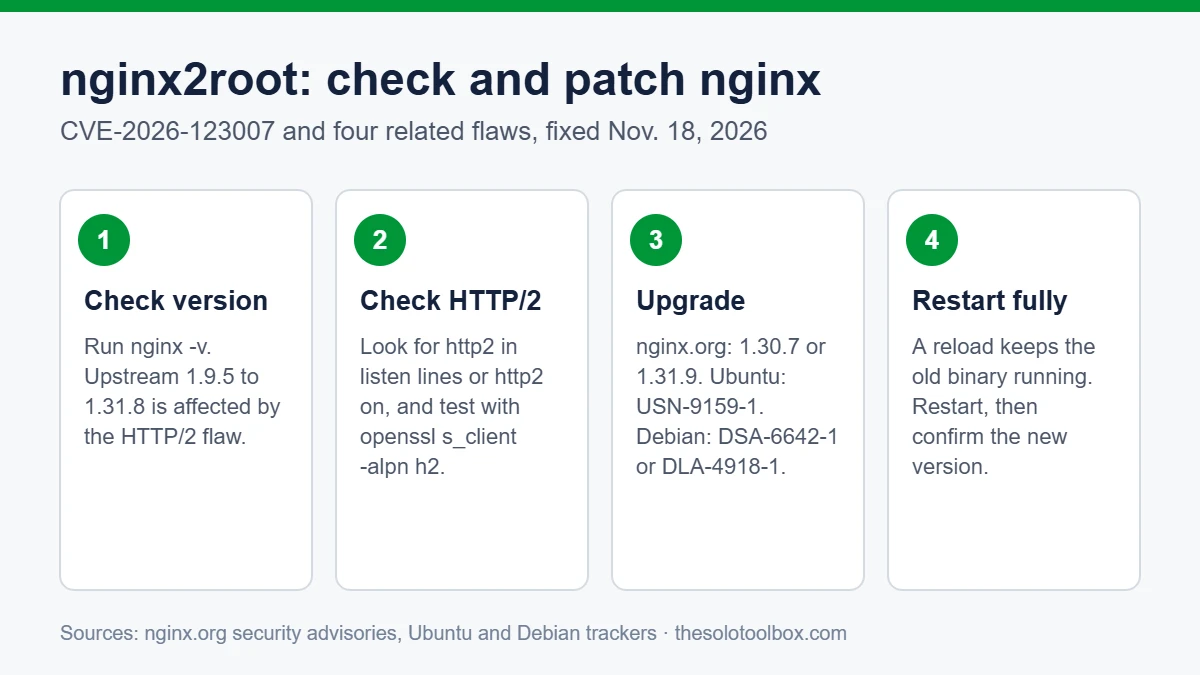
nginx -vUpstream versions below 1.30.7, or 1.31.0 to 1.31.8, are vulnerable. If you installed nginx from your distribution, the version number alone can mislead: Ubuntu and Debian backport the fix without changing the number nginx -v shows. Check the full package version instead:
# Ubuntu and Debian
apt-cache policy nginx

# RHEL, Rocky, Alma, Fedora
rpm -q nginx
Compare the “Installed” line with the fixed package versions in Step 3.
Step 2: Check whether HTTP/2 is turned on
nginx2root only works if HTTP/2 is enabled. Search your configuration:
grep -rn "http2" /etc/nginx/HTTP/2 is on if a listen line includes http2 (for example listen 443 ssl http2;) or a server block has http2 on;. Then test from outside, replacing example.com with your domain:
openssl s_client -connect example.com:443 -alpn h2 </dev/null 2>/dev/null | grep ALPNIf the output says ALPN protocol: h2, the server accepts HTTP/2. If your site sits behind a CDN, run the test against the origin server’s own address, because that’s what an attacker would target. Many HTTPS sites have HTTP/2 on, so assume yours does until the check says otherwise.
Step 3: Install the patched version
| Platform | Fixed version |
|---|---|
| nginx.org stable | 1.30.7 |
| nginx.org mainline | 1.31.9 |
| Ubuntu 26.04 LTS | 1.28.3-2ubuntu1.13 (USN-9159-1) |
| Ubuntu 24.04 LTS | 1.24.0-2ubuntu7.20 |
| Ubuntu 22.04 LTS | 1.18.0-6ubuntu14.23 |
| Ubuntu 20.04, 18.04, 16.04 | Fixed through Ubuntu Pro (ESM) only |
| Debian 13 (trixie) | 1.26.3-3+deb13u11 (DSA-6642-1) |
| Debian 12 (bookworm) | 1.22.1-9+deb12u11 (DLA-4918-1) |
| Official Docker image | 1.31.9 and 1.30.7 tags, including Alpine |
On Ubuntu or Debian:
sudo apt update
sudo apt install --only-upgrade nginx
apt-cache policy nginx
If you use the nginx.org repository, the same command pulls 1.30.7 or 1.31.9. For Docker, change the image tag to nginx:1.31.9 or nginx:1.30.7 (or the matching Alpine tag), pull it and recreate the container. On RHEL-family systems, check Red Hat’s or your distribution’s page for CVE-2026-123007 before relying on the version number.
Debian and Ubuntu servers that haven’t been updated in a while may also be missing other fixes; our guide to the APT vulnerability CVE-2026-109518 covers updating APT itself safely.
Step 4: Restart nginx fully
A reload isn’t enough. It leaves the old executable running, and existing connections can stay on old worker processes. Restart instead:
sudo nginx -t
sudo systemctl restart nginx
nginx -v
nginx -t checks the configuration first, so a typo doesn’t take the site down. On a busy server, nginx’s live binary upgrade is the alternative to a restart.
If you can’t patch today
Turning off HTTP/2 blocks nginx2root and CVE-2026-123633, but not the other three flaws. Visitors will fall back to HTTP/1.1, which is slower on pages with many files but works.
- nginx 1.25.1 and later: add http2 off; to each affected server block and remove http2 from its listen lines.
- nginx 1.9.5 to 1.25.0: remove http2 from the listen line, so listen 443 ssl http2; becomes listen 443 ssl;.
- HTTP/3: if you enabled it, turn it off to remove the setup CVE-2026-121810 needs.
- Mail proxy: limit mail listeners to trusted networks.
- SSI and mirror: avoid SSI and mirror subrequests, and don’t build a proxied server name from variables.
Restart nginx and rerun the openssl check; it should no longer report h2. CIRCL’s guidance also suggests blocking the kernel’s SCTP module on hosts that don’t use it, to cut off the privilege-escalation step Xint used:
echo "install sctp /bin/false" | sudo tee /etc/modprobe.d/disable-sctp.confThat stops the module loading in future but doesn’t unload one that’s already loaded or disable SCTP built into the kernel. Kernel patching is covered in our Linux server kernel patch guide.
Signs your server was attacked
A clean access log doesn’t prove much here, because HTTP/2 control frames don’t appear there as requests. CIRCL suggests looking for:
- nginx workers starting unexpected programs (check ps -ef –forest for children of nginx).
- Workers exiting abnormally or leaving core dumps; look for “worker process exited on signal” in the nginx error log.
- Long-lived HTTP/2 connections with heavy incoming traffic but few logged requests. Rapid7’s version of the attack needs about 128 GB of HTTP/2 traffic.
- Unusual outbound connections or DNS lookups from the server.
None of these proves an attack on its own. If you find several, treat the server as compromised: take a snapshot, rebuild from a clean image, and rotate any passwords, API keys and database credentials stored on it. If the server hosts WordPress, also run the checks in our WordPress version and log check guide.
FAQ
Is my website vulnerable to nginx2root?
Only if it runs on nginx 1.9.5 through 1.31.8 without a distribution backport and has HTTP/2 enabled. Check nginx -v, your package version, and whether openssl s_client -alpn h2 reports ALPN protocol: h2.
Is nginx2root being exploited?
As of November 18, 2026, F5, Wiz and Rapid7 had not reported attacks and CISA had not listed it as exploited. Public proof-of-concept code exists, so patch without waiting.
Does reloading nginx apply the fix?
No. A reload keeps the old executable running. Restart nginx with systemctl restart nginx, or use the live binary upgrade.
Why does nginx -v still show an old version after updating on Ubuntu?
Ubuntu and Debian backport security fixes without changing the upstream version number. Check the full package version with apt-cache policy nginx and compare it with the distribution’s advisory.
What to do next
Run apt-cache policy nginx (or rpm -q nginx) on each server now. If the installed package is older than the fixed version for your release, update and restart today. If you can’t, turn off HTTP/2 as a stopgap and put the upgrade on tomorrow’s list.
Related guides
Sources
- nginx.org: nginx security advisories (accessed November 23, 2026)
- Ubuntu: CVE-2026-123007 (last updated November 19, 2026)
- Debian security tracker: CVE-2026-123007
- The Hacker News: 10-year-old NGINX HTTP/2 flaw (November 18, 2026)
Last checked: November 23, 2026. If something here is out of date, let us know.