WhatsApp for Windows Using Too Much RAM? 4 Ways to Cut It
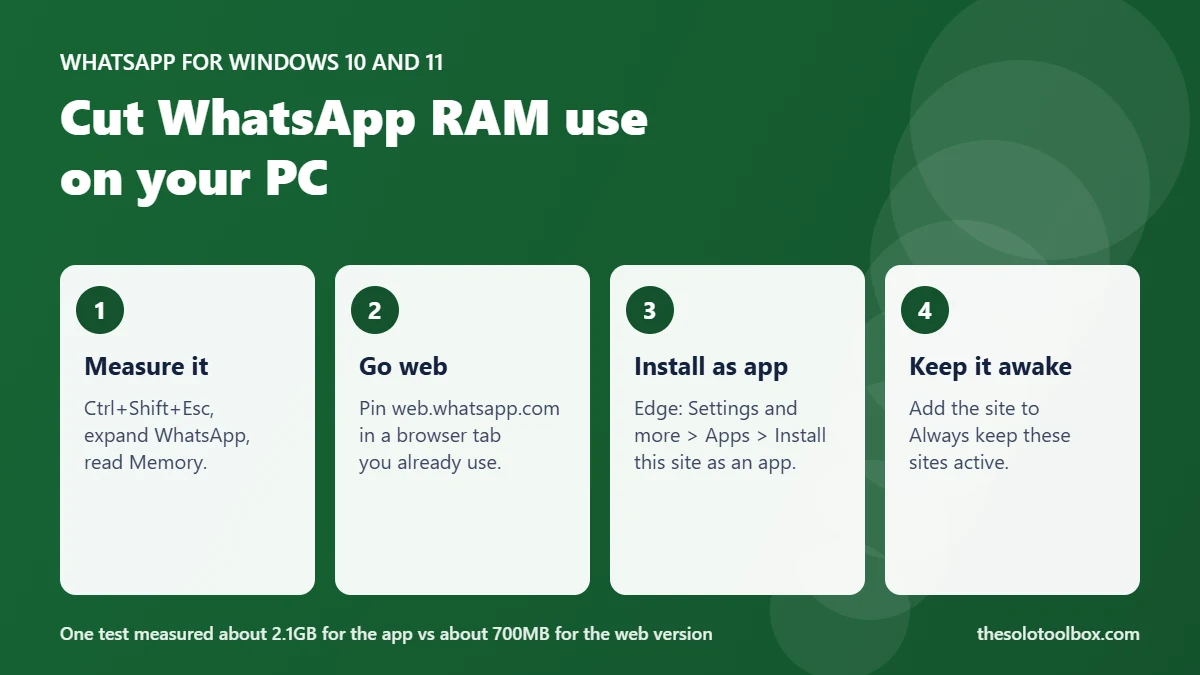
WhatsApp for Windows uses a lot of RAM because the current app is a wrapper that loads web.whatsapp.com inside Microsoft Edge WebView2, not a native program. In one test published by Windows Latest on November 2, 2026, the app reached about 2.1GB while scrolling chats. Running WhatsApp Web in a browser tab you already have open used roughly 600–700MB in the same tests, so that’s the simplest way to cut memory use.
Below: how to measure what WhatsApp uses on your own PC, four ways to reduce it, and what you give up with each.
Before you start
- Applies to: the WhatsApp app for Windows 10 and 11 (the WebView2-based version)
- You need: your phone with WhatsApp to link a new browser session
- Time: about 10 minutes
- Numbers here: from one outlet’s tests on one PC; your figures will differ
- Checked: November 3, 2026
Why WhatsApp for Windows uses so much RAM
Meta replaced the older native WhatsApp app for Windows in November 2025. According to Windows Latest, the replacement “simply loads web.whatsapp.com inside Microsoft Edge WebView2,” which means it runs a full browser engine in the background with its own tab, GPU and manager processes.
Windows Latest’s Task Manager breakdown while scrolling chats showed 10 processes adding up to 2,157.8MB:
| Process | Memory (one test) |
|---|---|
| WebView2 tab | 1,234.7MB |
| WebView2 GPU process | 521.3MB |
| WhatsApp.Root | 245.1MB |
| WebView2 Manager | 88.6MB |
| Total, 10 processes | 2,157.8MB |
The same author’s earlier tests put the old native app under 100MB idle and around 250MB while scrolling. Meta hasn’t published memory figures for either version, and we couldn’t reach WhatsApp’s Help Center to confirm any official guidance.
Check how much memory WhatsApp uses on your PC
- Press Ctrl + Shift + Esc to open Task Manager.
- On the Processes page, find WhatsApp and click the arrow to expand it.
- Read the Memory column for the group and each WebView2 process.
- Check it twice: once idle, once while scrolling a busy chat or on a video call. Windows Latest measured about 900MB during calls.
If WhatsApp sits at a few hundred megabytes and your PC has 16GB or more, you may not need to change anything. On an 8GB laptop, 2GB for a chat app is a quarter of your memory.
Option 1: use WhatsApp Web in a browser tab
- Open web.whatsapp.com in Edge, Chrome or Firefox.
- On your phone, open WhatsApp and go to Linked devices, then Link a device, and scan the QR code on screen.
- Pin the tab so it stays open: right-click the tab and choose Pin tab.
- Uninstall the Windows app if you no longer need it: Settings > Apps > Installed apps, find WhatsApp, click the ••• menu and choose Uninstall.
Windows Latest measured about 700MB for WhatsApp Web in Edge. The saving comes from sharing the browser engine you already run instead of loading a second copy. Windows Latest notes that WhatsApp brought voice and video calls to WhatsApp Web in July, so you don’t lose calling.
If you keep many tabs open, Chrome’s newer tab strip can help you keep the pinned tab in view; see how to scroll tabs in Chrome.
Option 2: install WhatsApp Web as an Edge app
If you want WhatsApp in its own window with a taskbar icon, open web.whatsapp.com in Edge, then open Settings and more (…) > Apps > Install this site as an app. Windows Latest measured the installed web app at 579.6MB, listed under Edge’s processes.
This looks and behaves almost like the desktop app, but still shares Edge’s engine.
Option 3: stop Edge from sleeping the WhatsApp tab
Edge puts inactive tabs to sleep to save memory, which can delay WhatsApp notifications. Microsoft’s performance features page lists the setting under Settings and more > Settings > System and performance > Performance:
- Leave Automatically put tabs to sleep on, so other tabs still free up memory.
- Under Always keep these sites active, click Add site and enter web.whatsapp.com.
- Edge sleeps tabs after two hours of inactivity by default; you can change that with Put inactive tabs to sleep after a set time.
Older Microsoft pages call the main toggle Save resources with sleeping tabs, so your Edge version may show that label instead.
Option 4: stop the WhatsApp app starting with Windows
If you want to keep the desktop app but only use it now and then, stop it loading at sign-in so it isn’t holding memory all day: open Settings > Apps > Startup and turn off WhatsApp. You can also find it on the Startup apps page in Task Manager.
Compare your options
| Option | Memory in Windows Latest’s tests | Trade-off |
|---|---|---|
| WhatsApp app for Windows | About 2.1GB scrolling, 600MB idle | Own window, most RAM |
| WhatsApp Web in Edge tab | About 700MB | Lives in a tab; tab sleep can delay alerts |
| WhatsApp Web installed as Edge app | 579.6MB | Own window, needs Edge |
| Phone-to-PC apps (e.g. Lenovo Smart Connect) | 83.5MB | Depends on your phone and PC brand |
Windows Latest also mentioned an unofficial open-source client. We don’t recommend it: third-party WhatsApp clients can break WhatsApp’s terms and handle your messages outside Meta’s apps.
FAQ
Is WhatsApp Web as secure as the Windows app?
Both are linked devices that use the same WhatsApp account and end-to-end encryption, and both load the same web.whatsapp.com code. Log out of WhatsApp Web on shared computers when you’re done.
Can I make video calls on WhatsApp Web?
Yes. Windows Latest reports that WhatsApp brought voice and video calling to WhatsApp Web in July.
Will uninstalling the WhatsApp app delete my chats?
Your chats live on your phone and in your WhatsApp backup, not only on the PC. After uninstalling, link WhatsApp Web and your recent chats sync back. Check your phone backup first if you’re unsure.
Why does the Mac app use less memory?
Windows Latest says Mac users still get a native app, while the Windows version is a WebView2 wrapper. Meta hasn’t explained the difference.
Limitations
The memory figures come from Windows Latest’s tests on a single PC; we haven’t run our own benchmark. We couldn’t access WhatsApp’s Help Center on November 3, 2026, so the linking steps use WhatsApp’s long-standing Linked devices labels, which may vary slightly between Android and iPhone.
Next step
Open Task Manager now and note WhatsApp’s memory while you scroll. If it’s over 1GB, try WhatsApp Web in a pinned tab for a day before uninstalling. While you’re cleaning up, make sure you have a free Windows 11 backup in place.
Sources
- Windows Latest: WhatsApp for Windows 11 RAM usage test (November 2, 2026)
- Microsoft Support: Learn about performance features in Microsoft Edge
- Microsoft Edge Learning Center: How to enable or disable sleeping tabs