How to Scroll Tabs in Chrome: Try the New Scrollable Tab Strip
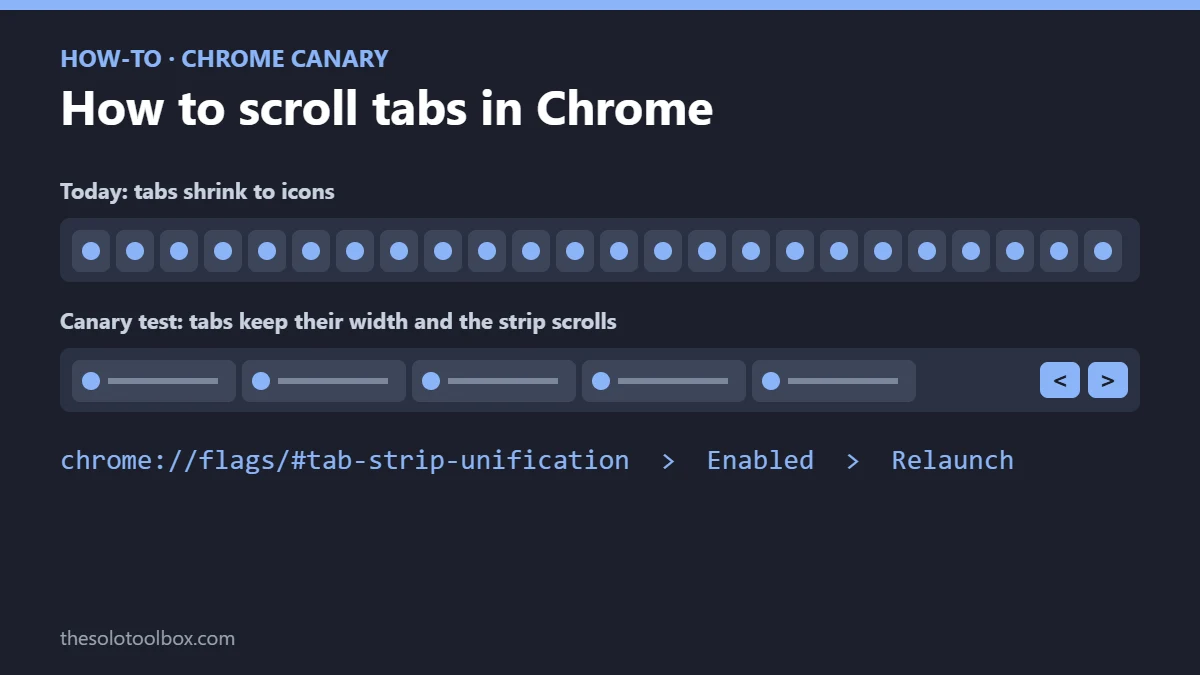
To scroll tabs in Chrome right now, install Chrome Canary, open chrome://flags, set #tab-strip-unification to Enabled and relaunch. Once the tab strip fills up, you can move along it with your mouse wheel, trackpad gestures or the scroll arrows at the end of the strip. Google announced the test on November 2, 2026; it isn’t in stable Chrome yet.
This guide covers what the new scrollable tab strip does, the exact steps to try it, why the old scrolling flag stopped working, and the built-in options that handle 50+ tabs in regular Chrome today.
Before you start
- Works in: Chrome Canary for desktop, as of November 2, 2026
- Flag name: #tab-strip-unification
- Not yet in: stable Chrome; Google lists Canary as the only public build with it
- Old flag: #scrollable-tabstrip no longer exists, so guides that mention it are out of date
What Google is testing
In a Chrome Community announcement posted November 2, 2026, Google described a horizontal scrolling tab strip for Chrome on desktop. Today, Chrome squeezes tabs narrower as you open more until only icons remain. With the new strip, tabs keep a usable width and the strip scrolls instead of hiding tabs out of view.
- Ways to scroll: trackpad gestures, the mouse wheel, or a cluster of scroll arrows at the end of the tab strip.
- Arrow control: you can turn the scroll buttons on or off in Appearance settings or by right-clicking them.
- Pinned tabs: they sit in a fixed area that can expand up to 50% of the available width.
- Status: still in development. Google is asking testers about tab size and whether the scroll buttons should be on by default, with feedback tagged #horizontal.
Why Chrome’s old tab scrolling flag disappeared
Chrome used to offer tab scrolling behind a flag called #scrollable-tabstrip. The Verge reports that Google removed it earlier in 2026, and by January 15, 2026, users in the Chrome Help Community were asking for it back, saying it was the only practical way to move through 100+ tabs. The feature now returns in Canary under the new flag.
How to turn on scrollable tabs in Chrome Canary
- Download and install Chrome Canary. It installs as a separate browser and won’t replace your regular Chrome.
- Open Canary, type chrome://flags in the address bar and press Enter.
- In the search box at the top, type tab-strip-unification.
- Change the setting next to the flag from Default to Enabled.
- Click Relaunch at the bottom of the page.
- Open enough tabs to fill the tab strip, then scroll with your mouse wheel or trackpad, or click the arrows at the end of the strip.
Canary builds change daily, so a flag can be renamed or removed without notice. If the search returns nothing, update Canary from Help > About Google Chrome and check Google’s announcement thread for changes.
How to handle lots of tabs in stable Chrome today
You don’t need Canary to tame a crowded tab bar. These options are documented in Google’s Manage tabs in Chrome help page:
| Option | How to use it | Best for |
|---|---|---|
| Vertical tabs | Right-click blank space on the tab strip and select Show Tabs Vertically, or go to Settings > Appearance and set Tab position to Vertical | Reading full page titles and scrolling a long list |
| Tab Search | Click the Tab Search button in the tab strip, or press Ctrl + Shift + A (Windows, Linux) or Command + Shift + A (Mac) | Jumping to one tab by name |
| @tabs in the address bar | Type @tabs, press Tab or Space, then type part of the page name | Searching tabs without leaving the keyboard |
| Tab groups | Right-click a tab and add it to a new group; click the group name to collapse it | Parking a project’s tabs in one chip |
Google’s help page says vertical tabs let you scroll through the list of tabs and resize the strip’s width, so for most people this already solves the problem that scrollable tabs target. To switch back, right-click the strip and select Show Tabs Horizontally.
Keyboard shortcuts for moving between tabs
From Google’s Chrome keyboard shortcuts list for Windows and Linux:
- Ctrl + Tab or Ctrl + PgDn: next tab
- Ctrl + Shift + Tab or Ctrl + PgUp: previous tab
- Ctrl + 1 through Ctrl + 8: jump to that tab position
- Ctrl + 9: jump to the rightmost tab
- Ctrl + Shift + T: reopen closed tabs in the order they were closed
On a Mac, use Command in place of Ctrl for the number shortcuts. If you collect shortcuts like these, Windows’ own clipboard history is another one worth learning.
A note on tab manager extensions
Extensions that add tab scrolling or tab lists usually ask to read and change data on every site you visit. Check the publisher and recent reviews before installing one, and remove any you stop using. Our guide to Chrome’s ClickFix protection covers other ways attackers target Chrome users.
When will scrollable tabs reach stable Chrome?
Google hasn’t given a date. Its announcement calls the feature still in development and available publicly only in Canary. Features usually move through the Dev and Beta channels before stable, and some Canary experiments never ship, so treat any release-date prediction as a guess.
What we could not verify
- We didn’t install today’s Canary build, so the steps follow Google’s announcement rather than our own test.
- Google’s announcement says Chrome Desktop without naming each operating system; we couldn’t confirm the flag behaves the same on Windows, Mac and Linux.
- Vertical tabs are documented in Google’s help center, but menu labels can vary by Chrome version and rollout.
FAQ
Can I scroll tabs in regular Chrome?
Not on the horizontal tab strip as of November 2, 2026; the scrollable strip is only in Chrome Canary. In stable Chrome, switch to vertical tabs, which Google says let you scroll through the list of tabs, or use Tab Search.
Is Chrome Canary safe to install?
It’s an official Google build, but it updates daily and isn’t fully tested, so expect crashes and broken features. It installs alongside regular Chrome with its own profile, so it doesn’t change your main browser.
Will pinned tabs scroll with the rest?
No. Google says pinned tabs get their own fixed area that can grow to half the width of the tab strip, while the rest of your tabs scroll.
Can I hide the scroll arrows?
Yes. Google says you can turn the scroll buttons off in Chrome’s Appearance settings or by right-clicking them, and still scroll with the mouse wheel or trackpad.
Next step
If you live with dozens of tabs, try vertical tabs in your regular Chrome first; it takes one right-click. Install Canary only if you specifically want the horizontal scrolling strip, and leave feedback in Google’s thread with the #horizontal tag if you have opinions on tab size or the scroll arrows.
Related guides
- YouTube Subscriptions tab gone? Where to find it now
- How to check if a website is down for everyone
- Reddit Login Required? What Changes for Logged-Out Users
Sources
- Google Chrome Community: Desktop Horizontal Scrolling Tab Strip Feedback (November 2, 2026)
- The Verge: Google is testing scrollable tabs in Chrome (again) (November 2, 2026)
- Google Chrome Community: Bring back chrome://flags/#scrollable-tabstrip (January 15, 2026)
- Google Chrome Help: Manage tabs in Chrome (checked November 2, 2026)
- Google Chrome Help: Chrome keyboard shortcuts (checked November 2, 2026)