Talkie Removed From the App Store: What Parents Should Do
The Solo Toolbox · Software Help for One-Person Businesses
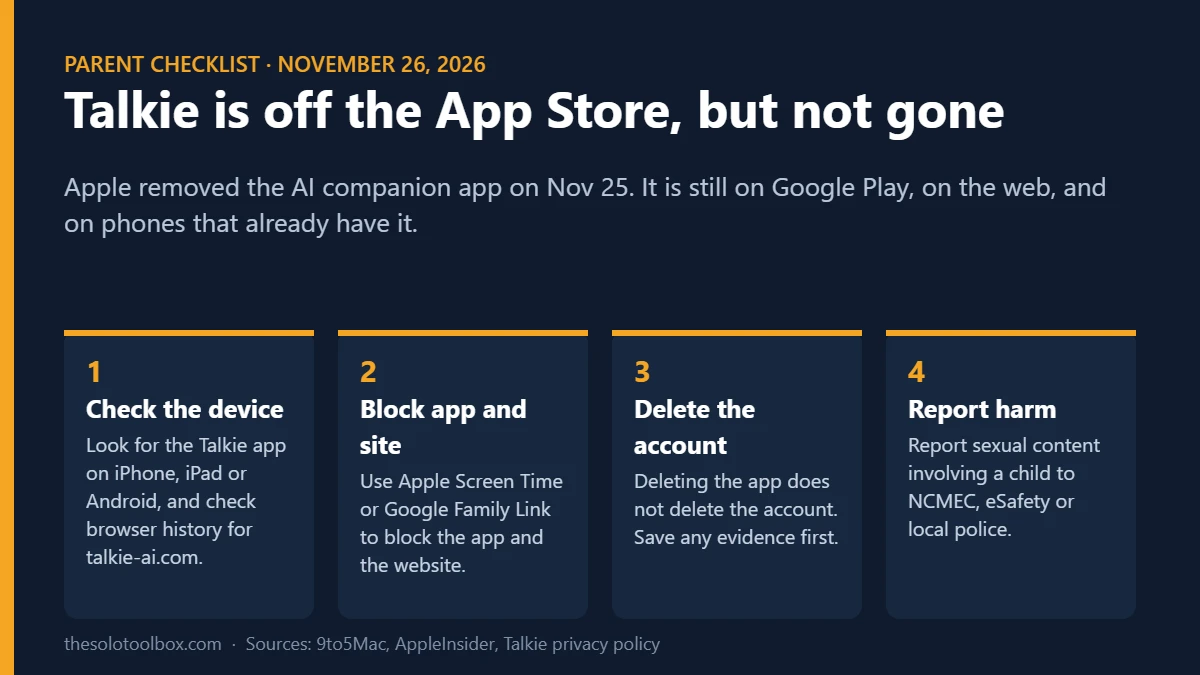
Apple removed Talkie, the AI companion app from Chinese AI company MiniMax, from the App Store worldwide on Wednesday, November 25, 2026, citing sexual content. The removal stops new iPhone downloads, but Talkie is still listed on Google Play, still works in a browser at talkie-ai.com, and copies already installed on a phone don’t vanish. If your child used it, you need to block it and delete the account yourself.
Below: why Apple pulled the app, where children can still reach it, how to find and block it with Screen Time or Family Link, and how to delete a Talkie account.
Before you start
- Who this is for: parents and carers of children or teens with a phone, tablet or computer, whether or not you know they’ve used Talkie.
- What you need: your child’s device, plus your Screen Time passcode (iPhone and iPad) or the Google Family Link app (Android and Chromebook).
- How we checked this: on November 26, 2026 we read reporting from 9to5Mac and AppleInsider, Talkie’s privacy policy (updated November 5, 2026), its Google Play listing, and Apple’s and Google’s parental-control help pages. Apple has not published its own statement; what it said comes from the South China Morning Post’s reporting.
Why Apple removed Talkie
The removal followed a joint investigation by the UK-based Bureau of Investigative Journalism and Australia’s ABC News, published November 25. Reporters documented Talkie characters engaging children in romantic role-play, using degrading and abusive language, and showing possessive, controlling behaviour. One case involved two sisters aged 10 and 13 whose mother found more than 40 such conversations. The investigation also raised questions about how Talkie handles users’ chat data.
According to the South China Morning Post, Apple confirmed it pulled the app for sexual content, without saying whether that related to minors. AppleInsider reported that MiniMax declined to comment. Talkie had almost 11 million monthly active users across web and app as of October, according to Chinese research firm Unique Research.
Where Talkie is still available
App Store removal is narrower than it sounds. Here is where things stood when we checked on November 26:
| Where | Status on November 26, 2026 | What it means for parents |
|---|---|---|
| Apple App Store | Removed worldwide on November 25 | No new iPhone or iPad downloads |
| iPhones and iPads that already have it | Not removed from devices by the delisting | The installed app can keep working until you delete or block it |
| Google Play | Still listed (Talkie: Creative AI Community, by SUBSUP), 50M+ downloads, rated Teen with Sexual Themes and Users Interact labels | Android users can still install it unless you restrict ratings |
| Web | talkie-ai.com still loads with a sign-in page | Any browser on any device can reach it |
Talkie’s own privacy policy says the service isn’t intended for anyone under 14, or under the minimum age set by local law. The policy says Talkie will restrict access and delete an account if it learns the user is underage.
How to check whether your child uses Talkie
- Home screen and App Library: on iPhone, swipe down on the Home Screen and search for Talkie, or scroll right to App Library. On Android, search the app drawer.
- Screen Time activity (iPhone): if you manage the child through Family Sharing, the activity view in Screen Time lists apps and websites they’ve used.
- Family Link activity (Android): open the Family Link app, select your child, tap Screen time, then tap the first card to see per-app usage.
- Browser history: look for talkie-ai.com, since the web version needs no app at all.
How to block Talkie on iPhone and iPad
Apple’s current parental-control steps run through the Family section of Settings. On a child’s device managed with Family Sharing:
- Open the Settings app, tap Family, then tap your child’s name.
- Tap Apps & Websites and enter your Screen Time passcode if asked.
- If Talkie is already installed, select it and tap Block App, then tap again to confirm. Apple says a blocked app isn’t deleted; it’s dimmed on the Home Screen.
- To block the web version, select or add talkie-ai.com and tap Block Website.
- For tighter browsing, tap Restrictions, then Filtering under Websites, and choose Approved Websites Only so every new site needs your approval.
Apple says Ask to Browse is on by default for children under 13, and Limit Adult Websites is on by default for under-18s. Labels can differ slightly depending on your iOS version.
How to block Talkie on Android with Family Link
- Open the Family Link app and select your child.
- Tap Screen time, then Time limits, then App limits. Find Talkie in the list and block it. Google says the block applies within about five minutes, across your child’s Android devices and Chromebooks.
- To stop reinstalls, tap Controls, then Google Play, and under Apps & games pick a maximum rating below Teen. Because Talkie is rated Teen, it won’t be available to download.
- Block the website in Chrome through the Family Link controls for Google Chrome, adding talkie-ai.com as a blocked site.
A rating filter blocks every Teen-rated app, not just Talkie. If that’s too broad for an older child, block Talkie individually and turn on approval for new app downloads instead.
How to delete a Talkie account
Deleting the app leaves the account and its chat history on Talkie’s servers. Talkie’s privacy policy says you can delete your account in account settings, inside the app or after signing in at talkie-ai.com.
- Save evidence first if anything harmful happened. Take screenshots of the conversations, character names and dates. Once the account is gone, you can’t get them back.
- Sign in and delete the account from the account settings.
- If your child is under 14, or under your country’s minimum age, email Talkie’s operator at feedback@subsup.com and ask for the account and data to be deleted. The privacy policy says it will take reasonable steps to delete underage users’ information.
- If you paid for a subscription, cancel it in Google Play or Apple’s subscription settings. Deleting an account doesn’t always stop billing.
Where to report harmful chats
If an AI character sent sexual content to a child, report it. In the US, use the NCMEC CyberTipline. In Australia, report to eSafety. Elsewhere, contact your local police. On Android you can also flag the app in Google Play: open the listing, tap the menu, then Flag as inappropriate.
It also helps to ask your child, calmly, which characters they talk to and what those chats are like. The investigation found parents often didn’t know their child had access to the app at all.
Frequently asked questions
Why was Talkie removed from the App Store?
Apple removed Talkie on November 25, 2026 for sexual content, according to the South China Morning Post. It followed an investigation by the Bureau of Investigative Journalism and ABC News that documented Talkie characters engaging children in romantic role-play and abusive conversations.
Can you still download Talkie on iPhone?
No. Talkie can no longer be downloaded from the App Store. Copies already installed on an iPhone or iPad aren’t removed by the delisting, and the web version at talkie-ai.com still works in Safari.
Is Talkie still on Google Play?
Yes, as of November 26, 2026. The listing, Talkie: Creative AI Community by SUBSUP, is rated Teen with Sexual Themes and Users Interact labels.
Does deleting the Talkie app delete the account?
No. The account and chat history stay on Talkie’s servers. Delete the account from its account settings, or email feedback@subsup.com if the user was underage.
Who owns Talkie?
Talkie is run by SUBSUP PTE. LTD., a Singapore company that 9to5Mac and the South China Morning Post describe as a subsidiary of MiniMax, a Chinese AI developer.
What to do next
Check your child’s devices today, block both the app and talkie-ai.com, and delete the account after saving any evidence. Talkie isn’t the only companion app under scrutiny: read our explainer on what Character.AI’s bankruptcy means for your chats, and see Pinterest’s new controls for limiting AI content for teens.
Related guides
Sources
- 9to5Mac: Apple pulls popular Chinese AI chatbot from the App Store (November 25, 2026)
- AppleInsider: Talkie pulled from Apple App Store after investigation (November 25, 2026)
- South China Morning Post: MiniMax chatbot Talkie removed from Apple App Store
- ABC News: Inside the Chinese AI app Talkie (November 25, 2026)
- Talkie privacy policy (updated November 5, 2026)
- Google Play: Talkie: Creative AI Community
- Apple Support: Set up parental controls to manage your child’s iPhone or iPad
- Google For Families Help: Manage your child’s Google Play apps
Last checked: November 26, 2026. If something here is out of date, let us know.