How to Schedule a Message on WhatsApp (and Cancel It)
The Solo Toolbox · Software Help for One-Person Businesses
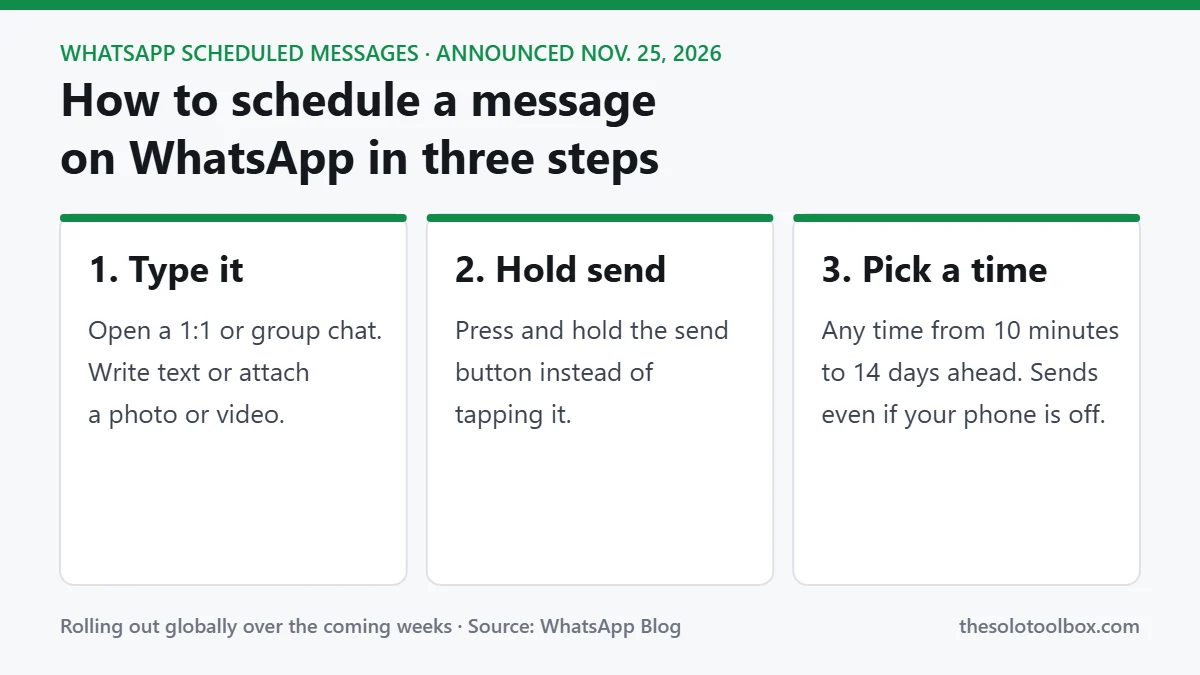
To schedule a message on WhatsApp, type your message in a chat, then press and hold the send button and choose the date and time you want it delivered. You can schedule anywhere from 10 minutes to 14 days ahead, in one-to-one and group chats, and the message still goes out if your phone is off at that time.
WhatsApp announced scheduled messages on November 25, 2026, and is rolling the feature out over the next few weeks, so it may not appear on your account yet. Here is how it works, what it can’t do, and how to cancel a message you’ve lined up.
Before you start
- What you need: the latest WhatsApp from the App Store or Google Play. The feature reaches accounts gradually, so updating may not make it appear straight away.
- Works with: text, photos and videos, in individual and group chats.
- How we checked this: on November 25, 2026 we read WhatsApp’s announcement on its official blog and TechCrunch’s report from the same day. WhatsApp’s Help Center had no scheduled-messages article yet, so exact button labels may differ slightly on your phone.
How to schedule a message on WhatsApp
- Open the individual or group chat you want to send to.
- Type your message, or attach a photo or video and add a caption.
- Press and hold the send button (the arrow icon) instead of tapping it.
- Pick the date and time you want the message to arrive. The earliest is 10 minutes from now and the latest is 14 days ahead.
- Confirm. The message waits on WhatsApp’s side until the time you chose.
A quick tap on send still sends immediately, so a long press is the only difference. If holding the button opens nothing or starts a voice note instead, the feature hasn’t reached your account yet.
How to see or cancel a scheduled message
WhatsApp says you can see every future message you’ve lined up and delete any of them before it goes out. Its announcement doesn’t name the exact screen, so check the chat you scheduled in first. If you change your mind about the wording, delete the scheduled message and create a new one; WhatsApp hasn’t said whether you can edit a scheduled message, and neither its blog nor TechCrunch mentions editing.
Deleting a message before its send time means the other person never receives it. After it’s delivered, it behaves like any normal message, so the usual Delete for everyone rules apply.
What scheduled messages can and can’t do
| Question | Answer |
|---|---|
| How far ahead? | 10 minutes to 14 days |
| Which chats? | One-to-one and group chats |
| What can I schedule? | Text, photos and videos |
| Does my phone need to be on? | No. WhatsApp says it arrives even if your phone is off or out of battery |
| Is it encrypted? | Yes, end-to-end encrypted like other personal messages |
| Will the recipient know it was scheduled? | No. WhatsApp says it looks like any other message |
| Voice notes, documents, stickers? | Not mentioned by WhatsApp |
| WhatsApp Web, Windows and Mac apps? | Not mentioned; the announcement and TechCrunch only confirm iPhone and Android |
Time zones: pick the time carefully
WhatsApp’s announcement uses the example of a birthday message landing at midnight in a friend’s time zone, but it doesn’t say the picker shows the recipient’s time. Assume the time you choose is in your phone’s time zone. For a friend in London when you’re in New York, midnight for them is 7:00 p.m. for you (five hours earlier, outside daylight saving changes).
Don’t have it yet?
- Update WhatsApp: App Store on iPhone, Google Play on Android.
- Force-close the app and open it again.
- If long-pressing send still does nothing, wait. WhatsApp says the rollout is global but will take weeks.
Avoid third-party “WhatsApp scheduler” apps that ask for Accessibility permission on Android. That permission lets an app read your screen and act for you, including inside your chats. With the built-in feature on its way, the risk isn’t worth it.
Frequently asked questions
Can I schedule a WhatsApp message for more than 14 days ahead?
No. The limit is 14 days. For something further away, such as an anniversary next month, set a phone reminder and schedule the message once you’re within the 14-day window.
Will a scheduled message send if I lose signal?
Yes. WhatsApp says scheduled messages are delivered at the chosen time even if your phone is off, out of battery or outside network coverage.
Can I schedule messages in a WhatsApp group?
Yes. Group chats are supported alongside one-to-one chats.
Does WhatsApp Business have scheduling too?
The announcement covers WhatsApp generally and doesn’t say whether the WhatsApp Business app gets the same feature at the same time.
What to do next
Update WhatsApp today so the feature appears as soon as your account gets it, and try scheduling a short test message to yourself or a family group. While you’re in the app, it’s worth checking you’re on a patched version; our WhatsApp security update guide shows how. If you like controlling when messages land, WhatsApp’s newer view once text messages let a text disappear after it’s opened once, and Gmail has a similar safety net in undo send.
Related guides
Sources
- WhatsApp Blog: Say it at the right time with scheduled messages (November 25, 2026)
- TechCrunch: WhatsApp now lets you schedule messages in group and individual chats (November 25, 2026)
Last checked: November 25, 2026. If something here is out of date, let us know.