iCloud “Anyone with the link” in iOS 27.3: what changes

Starting with iOS 27.3, iPadOS 27.3, macOS 27.3 and visionOS 27.3, Apple will check anything you share through an iCloud “Anyone with the link” link for harmful content. Items shared only with “People you choose,” or sent as a copy, are not part of that change. Public links also drop end-to-end encryption, even if you use Advanced Data Protection.
Below: what Apple’s new support document says, how to find the iCloud Drive files and photo links you have shared publicly, and how to switch them to private sharing or stop sharing.
Before you start
- Applies to: iCloud Drive files and folders, and iCloud Photos links, shared from iPhone, iPad, Mac or iCloud.com
- When it starts: version 27.3 of Apple’s operating systems. iOS 27.3 is in developer beta (beta 1 arrived November 3, 2026); Apple has said the public release is coming in December.
- You’ll need: the Files app or iCloud.com, signed in to the Apple Account that owns the shared items
- How we checked this: Apple’s support document 149168 (published November 3, 2026) and the iPhone and iCloud.com user guides, read on November 4, 2026. Menu names may shift slightly in later betas.
What Apple is changing in iOS 27.3
Apple’s support document describes the two ways to share something stored in iCloud with a link: “People you choose,” which only works for people you invite or approve, and “Anyone with the link,” which works for anyone holding the URL. Apple says a public link has always made the item accessible to “anyone who has the link, including Apple.” What’s new in 27.3 is that Apple will actively check those public items for harmful content.
If Apple flags an item, the document says it may move, refuse, modify, remove or delete the content, block or disable the Apple Account, block new accounts tied to the same email or phone number, or involve law enforcement. Apple hasn’t said how the checks work, which content categories it looks for, or whether there’s an appeal process.
| Sharing method | Checked by Apple in 27.3? | End-to-end encrypted with Advanced Data Protection? |
|---|---|---|
| Share a Link > Anyone with the link | Yes | No |
| Share a Link > People you choose | Not mentioned by Apple | Yes |
| Send a Copy (AirDrop, Messages, Mail attachment) | Not part of this change | Depends on how you send it |
| iCloud Photos “Copy iCloud Link” | Apple’s doc names photos in iCloud Photos; anyone with the link can view | No, it is a public link |
The last row is our reading of Apple’s wording, which says the change covers content stored in iCloud “such as a photo in iCloud Photos or a file in iCloud Drive.” Apple hasn’t listed every app or sharing surface it covers, so we couldn’t confirm Shared Albums or Notes, for example.
How to find files you shared with “Anyone with the link”
The Files app gathers everything you’ve shared in one place. On iPhone or iPad:
- Open the Files app.
- Tap Shared to see items you’ve shared and items shared with you.
- Touch and hold an item, then tap Manage Shared File or Manage Shared Folder.
- Tap Sharing Options to see whether access is set to Anyone with the link or People you choose.
On a Mac, open iCloud Drive in Finder and Control-click a shared item to find its sharing options; we couldn’t confirm the exact macOS 27 menu labels, so follow what Finder shows. Keep in mind that sharing a folder publicly also shares every file inside it, including ones added later.
How to switch a link to “People you choose”
From Apple’s iPhone User Guide for iOS 27:
- In Files, touch and hold the shared file or folder.
- Tap Manage Shared File or Manage Shared Folder, then tap Sharing Options.
- Under who can access, choose People you choose.
- Re-invite the people who still need access. Apple notes that the original link stops working for everyone when you make this switch, and only people who get a new invitation can open the item.
If you want people to request access instead of being invited one by one, Apple’s guide says you can turn on Access Requests after choosing “People you choose.”
How to stop sharing completely
- In Files, go to the item’s location and touch and hold it.
- Tap Manage Shared File or Manage Shared Folder.
- Tap Stop Sharing.
Anyone with the file open sees an alert, the item disappears from their iCloud Drive, and the link stops working. If you later share it again with “Anyone with the link,” Apple says the original link works again, so don’t rely on an old URL staying dead.
How to stop iCloud Photos links
Photo links created with Copy iCloud Link expire after 30 days on their own. To end them sooner, use iCloud.com:
- Go to icloud.com/photos and sign in.
- Select iCloud Links in the sidebar.
- Select Edit, choose the collection you want to remove, then Stop Sharing and Done.
For family photos or client files you’d rather keep encrypted, share with specific people instead. If you also use Google Drive for work, the same logic applies: our guide to sharing a Google Drive folder with a client covers restricted links there.
What it means for you
- Most people won’t notice. Public links still work the same way for recipients.
- Public links are now the weak spot for privacy. Anything you want covered by end-to-end encryption needs to be shared with named people.
- False positives are possible but undocumented. Apple hasn’t said whether you’ll be notified before an item is removed. Keep your own copy of anything important you share publicly.
- No change before 27.3. Devices on iOS 27.2 or earlier aren’t named in Apple’s document. What’s coming in the rest of the update is in our iOS 27.3 beta 1 roundup.
Frequently asked questions
Does Apple scan all my iCloud photos now?
No. Apple’s document only covers items shared with “Anyone with the link.” It says nothing about private libraries or files you haven’t shared.
Can I opt out of the check?
Not while using public links. The only way to avoid it is to share with “People you choose” or send a copy.
When does iOS 27.3 come out?
Apple has said December 2026, with no exact date. The first developer beta came out on November 3.
Does this affect Advanced Data Protection?
Only for publicly shared items. Apple says those are no longer end-to-end encrypted, which was already true of public links. The rest of your ADP-protected data is unaffected.
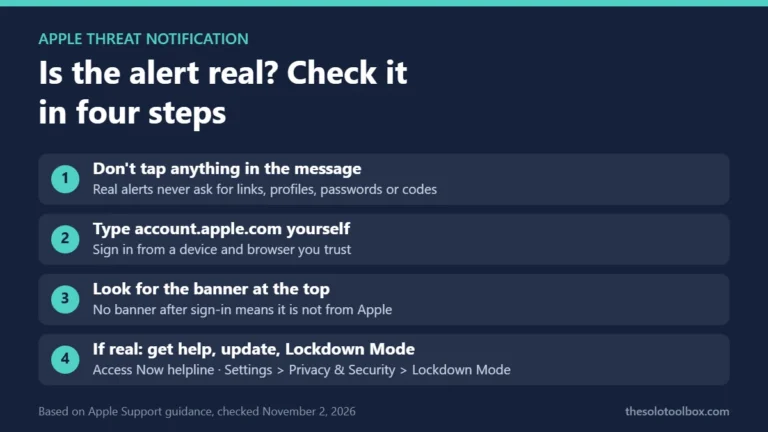
Next step: open Files > Shared tonight and switch anything sensitive to “People you choose.” If you get an unexpected Apple security alert while you’re at it, see how to tell if an Apple threat notification is real.
Sources
- Apple Support: Learn more about sharing content that can be accessed by Anyone with the Link (published November 3, 2026)
- Apple: Share files and folders in iCloud Drive on iPhone (iOS 27 user guide)
- Apple: Share photos and videos with an iCloud Link on iCloud.com
- 9to5Mac: With iOS 27.3, Apple will start checking iCloud public links for harmful content (November 4, 2026)
- Apple: iCloud data security overview