iOS 27.2 is out: what’s new, what’s missing and should you update
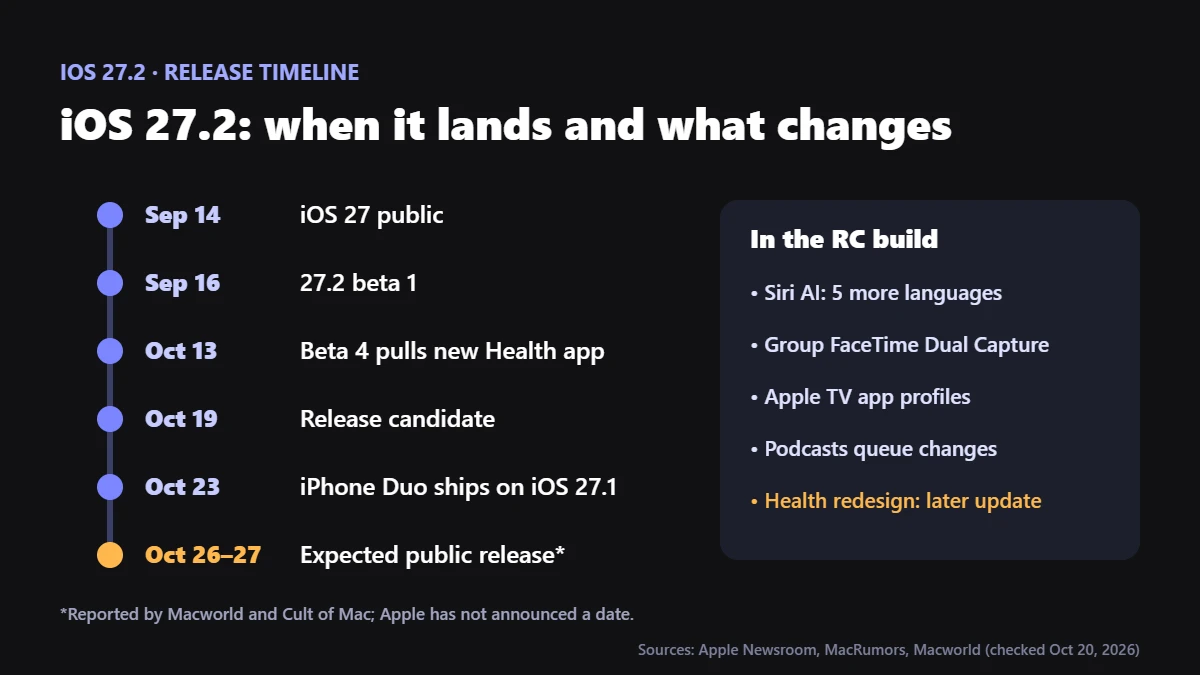
iOS 27.2 is out. Apple released it to everyone on Monday, October 26, 2026, a week after the release candidate. Open Settings > General > Software Update to install it. The headline changes are a Siri that remembers your past conversations, Siri AI in French, Japanese, Korean, Portuguese and Spanish, and Dual Capture in Group FaceTime. The redesigned Health app that appeared in early betas didn’t make it.
It’s also a big security update: MacRumors reports that iOS 27.2 fixes more than 160 vulnerabilities, and Apple doesn’t flag any of them as actively exploited. That makes this an update to install soon, but not necessarily tonight.
What’s new in iOS 27.2
In short, here’s what actually shipped, from Apple’s release notes as reported by 9to5Mac and MacRumors. The first five are the ones most people will notice.
| Feature | What it does |
|---|---|
| Siri memory | Siri AI can recall earlier conversations with you, and draws on more of your data: photos in Messages, Calendar attendees, voicemails, Safari history and Reading List. |
| Five new Siri AI languages | French, Japanese, Korean, Portuguese and Spanish. Still not available in the EU or mainland China. |
| Excluded Apps | A redesigned setting for choosing which apps Siri, Search and suggestions can read from. |
| Group FaceTime Dual Capture | Show your front and rear cameras at once in group calls. Flipping the camera turns it on. |
| Messages Suggested Actions | Tappable shortcuts in a conversation, such as tracking a package or adding a dinner plan to Calendar, with settings to choose which suggestions appear. |
| Apple TV profiles | Separate profiles with their own history and recommendations; child profiles default to PG. |
| Multiview on iPhone | Up to four live sports streams for eligible events. |
| Podcasts | The Home tab splits New Episodes from Continue Playing, replacing Up Next. |
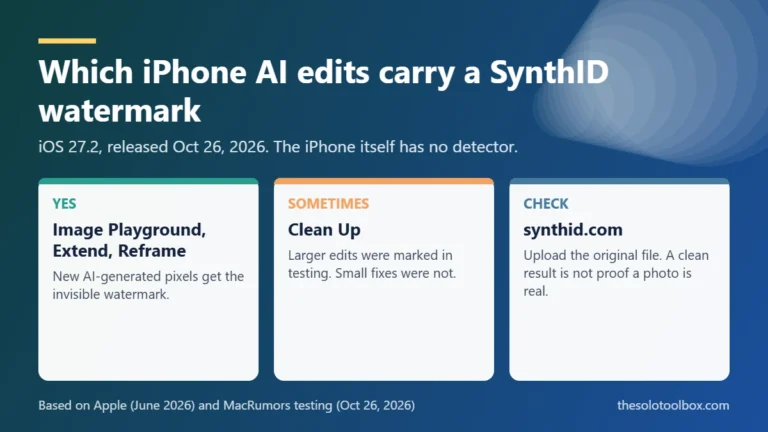
| Photos | Shared Albums get caption and comment editing, duplicate avoidance and expiry reminders. Images from Image Playground and big AI edits carry a SynthID watermark. |
| Apple Music | New black-and-white icon, and blue replaces red inside the app. |
| Phone | Call Context reminds you of a contact’s saved anniversary when you call. |
| Home and HomePod | Lock After Closing and Door Left Open for compatible smart locks; a Lock Controls setting on HomePod once both devices run 27.2. |
| iPhone Duo | Apple Pencil (USB-C) support (not Pencil Pro) and Edge Light for video calls. |
| EU only | An expanded App Tracking Transparency prompt that asks again each year. |
What didn’t ship: the new Health app
The redesigned Health app was in the early iOS 27.2 betas, then Apple pulled it in beta 4 on October 13. It isn’t in the final release. Apple had already said the redesign would arrive late in 2026, so it should come in a later update. If you tested the beta, MacRumors reports that health data recorded during testing is still there, so you shouldn’t lose anything.
Should you update to iOS 27.2 now?
For most people, yes, within the next few days, because the 160-plus security fixes are the strongest reason. However, since Apple doesn’t flag any as actively exploited, there’s no harm in waiting a day or two if your iPhone is your work phone. That way, early reports of battery drain or broken apps have time to surface.
On the other hand, two cases are worth waiting longer for: you rely on a specialist app (banking, medical device, work VPN or mobile device management) that hasn’t confirmed iOS 27.2 support, or you’re about to travel and can’t afford a problem. Still, if Apple ever marks a later update as fixing an actively exploited flaw, stop waiting and install it.
How to install iOS 27.2
- Back up first: Settings > [your name] > iCloud > iCloud Backup > Back Up Now, or back up to a computer.
- Plug in and connect to Wi-Fi.
- Open Settings > General > Software Update.
- Tap Update Now and enter your passcode. The phone restarts to finish.
If you’d rather not think about it, tap Automatic Updates on the same screen and turn on downloading and installing, and your iPhone will update overnight while charging.
iOS 27.2 not showing up?
- You’re still on iOS 26. Software Update may offer iOS 27.0.1 first, which 9to5Mac reported is now Apple’s recommended update for iOS 26 users. Install that first, then check again. If you only see a further iOS 26 update, look for an “Also available” option below it. Not sure which to pick? See iOS 26.7.2 or iOS 27.2: which update to install.
- You’re enrolled in betas. In Software Update > Beta Updates, turn betas off to get the public release.
- It’s a work phone. Phones managed by an employer can have updates held back for a while. Ask whoever manages it.
- Not enough space. Check Settings > General > iPhone Storage; in most cases, offloading a few large apps is enough.
- It’s still rolling out. After all, Apple’s servers are busy on release day. Waiting a few hours often fixes “Unable to check for update”.
Which iPhones get Siri AI and Siri memory?
Every iPhone that runs iOS 27 can install 27.2. However, the Siri AI features need iPhone 15 Pro or 15 Pro Max, any iPhone 16 or later, iPhone Air or iPhone Duo. By contrast, on a standard iPhone 15 or older, you get the rest of the update without the new Siri.
Also note that Siri memory means Siri keeps more context about you. Neither 9to5Mac nor MacRumors explains how to switch memory off on its own. Instead, the control that exists is the redesigned Excluded Apps setting, which limits which apps Siri can read from, so it’s worth a look after you update. For the bigger picture on what AI assistants keep, see our guide to keeping your chats out of AI training.
What happened to iOS 27.1?
Apple shipped the iPhone Duo with iOS 27.1 on October 23, but it hasn’t offered 27.1 to other iPhones. As a result, reports on release day say other models go straight from iOS 27.0.x to 27.2, which is why 27.2 was in beta as early as September.
FAQ
When was iOS 27.2 released?
Monday, October 26, 2026. The release candidate went to developers on October 19.
Does iOS 27.2 include the new Health app?
No. Apple removed it during the beta, so expect it in a later update.
Is iOS 27.2 a security update?
Yes. MacRumors reports it fixes more than 160 vulnerabilities, none of them reported as actively exploited. Apple lists the details on its security releases page.
Is Siri AI available in the EU with iOS 27.2?
No. The new languages include French, Spanish and Portuguese, but Siri AI is still unavailable on iPhone in the EU, and in mainland China.
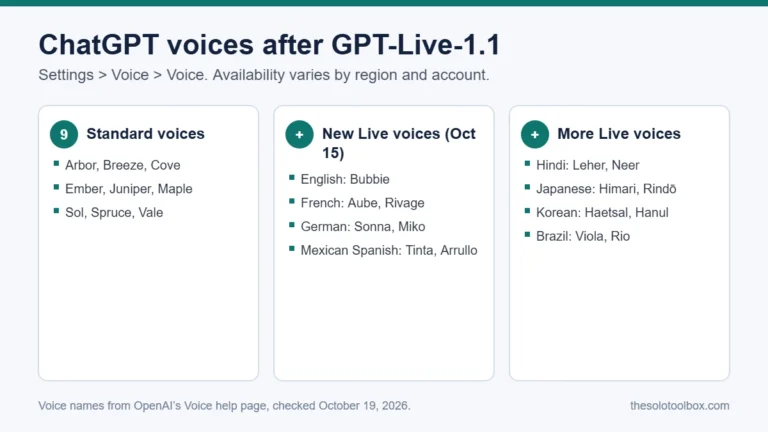
Next step: back up your iPhone and install iOS 27.2 in the next few days. Once it’s on, open the Excluded Apps setting and decide what Siri can see. If you also use ChatGPT’s voice mode, here’s how to change ChatGPT’s voice.
Related guides
Sources
- 9to5Mac: Apple releases iOS 27.2, here’s what’s new (Oct 26, 2026)
- MacRumors: iOS 27.2 features, everything new (Oct 26, 2026)
- MacRumors: Apple releases iOS 27.2 release candidate (Oct 19, 2026)
- MacRumors: iOS 27.2 beta 4 removes new Health app (Oct 13, 2026)
- 9to5Mac: iOS 27.0.1 is now Apple’s recommended update for users still on iOS 26 (Oct 9, 2026)
- Apple: Security releases
Update, October 26, 2026: rewritten after release with the final feature list, security fixes, update advice and troubleshooting. The original pre-release version was published on October 20.
Last checked: October 27, 2026. If something here no longer matches what you see, let us know.