Zyxel GS1900 CVE-2026-107441: Check and Patch Your Switch
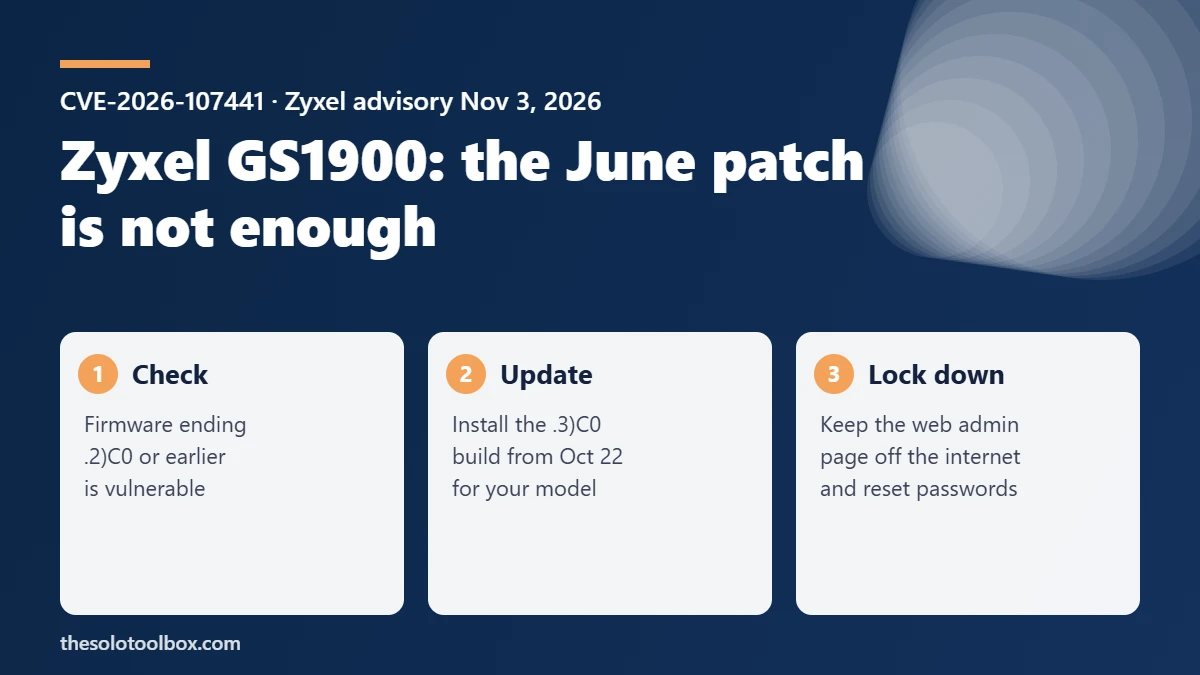
If you run a Zyxel GS1900 switch, the June 2026 firmware does not protect it. CVE-2026-107441 lets an attacker who can reach the switch’s web management page run commands as root without logging in, and the exploit used against nearly 1,000 switches since August works on the June builds. Install the firmware ending in .3)C0 for your model, released October 22, and keep the management page off the internet.
This guide lists the fixed build for all ten affected models, shows how to check and update your switch, and covers what to do if the switch was reachable from outside your network.
Before you start
- Who this is for: anyone with a Zyxel GS1900-series smart switch in a home lab, office or small business network.
- What you need: the switch’s admin password, a computer wired to the switch, and about 15 minutes including the reboot.
- Plan for downtime: the switch reboots after a firmware upgrade, so every device plugged into it drops off the network for a few minutes.
What happened with the GS1900 zero-day
On June 16, 2026, Zyxel patched CVE-2026-7273, a pre-authentication buffer overflow in the GS1900 web interface, and shipped firmware versions ending in .2)C0. From around August 17, GreyNoise saw a group it tracks as Kapibala compromising GS1900 switches and counted 996 hacked devices in 48 countries. The attackers pulled switch configurations, hashed root credentials and network details, according to BleepingComputer’s November 4 report. CISA added CVE-2026-7273 to its Known Exploited Vulnerabilities catalog on September 21.
Firmware researchers at Binarly then found that the exploit in those attacks still worked on all ten “fixed” June builds. The June patch added a parameter count check, but the check runs after an unbounded copy that can overwrite the counter itself. Binarly reported this to Zyxel on September 29. Zyxel assigned a new identifier, CVE-2026-107441, shipped new firmware on October 22 and published its advisory on November 3.
The two vendors describe the reach differently. Zyxel says a “LAN-based” unauthenticated attacker can exploit it. Binarly rates it CVSS 9.8 because the attack runs over plain HTTP and only needs network access to the management service. If your switch’s web page is reachable from the internet, treat it as exposed.
Affected models and the firmware that fixes them
Zyxel lists ten models. Every version up to and including the June .2)C0 build is vulnerable. Models not listed are, according to Zyxel, unaffected.
| Model | Vulnerable (and earlier) | Fixed firmware |
|---|---|---|
| GS1900-8 | 2.90(AAHH.2)C0 | 2.90(AAHH.3)C0 |
| GS1900-8HP | 2.90(AAHI.2)C0 | 2.90(AAHI.3)C0 |
| GS1900-10HP | 2.90(AAZI.2)C0 | 2.90(AAZI.3)C0 |
| GS1900-16 | 2.90(AAHJ.2)C0 | 2.90(AAHJ.3)C0 |
| GS1900-24 | 2.90(AAHL.2)C0 | 2.90(AAHL.3)C0 |
| GS1900-24E | 2.90(AAHK.2)C0 | 2.90(AAHK.3)C0 |
| GS1900-24EP | 2.90(ABTO.2)C0 | 2.90(ABTO.3)C0 |
| GS1900-24HPv2 | 2.90(ABTP.2)C0 | 2.90(ABTP.3)C0 |
| GS1900-48 | 2.90(AAHN.2)C0 | 2.90(AAHN.3)C0 |
| GS1900-48HPv2 | 2.90(ABTQ.2)C0 | 2.90(ABTQ.3)C0 |
The four-letter code in brackets identifies the hardware model. Only install a file whose code matches your switch: Zyxel’s user guide warns that loading firmware built for another model can damage the device.
How to check your firmware version and update
- Sign in to the switch’s web configurator from a computer on the same network. The address is the switch’s management IP in your browser.
- Note the firmware version shown on the switch’s status or system information page and compare it with the table. If it ends in .2)C0 or lower, you need the update.
- Download the firmware for your exact model from Zyxel’s support or download library page. Check that the file name or release notes show the .3)C0 build.
- In the web configurator, go to Maintenance > Firmware > Upload, choose HTTP as the method, select the file and start the upload.
- Let the switch reboot without unplugging it. When it comes back, sign in again and confirm the version now ends in .3)C0.
The menu labels above come from Zyxel’s GS1900 Series user guide. If your switch runs much older firmware, Zyxel’s community forum has model-specific notes on upgrading in steps; read them before jumping several versions.
If the switch was reachable from the internet
The attack chain stole configurations and hashed root credentials, so patching alone does not undo a past compromise. If the management page was ever open to the internet, or you can’t rule it out, do the following after updating:
- Change the switch’s admin password, and any other password that was the same.
- Check the configuration for accounts, VLANs, port mirroring or management access rules you didn’t create.
- Remove any router port-forwarding rule that points at the switch’s web interface (port 80 or 443).
- If anything looks wrong, reset the switch to factory defaults, install the .3)C0 firmware and rebuild the configuration by hand instead of restoring an old backup that may include the attacker’s changes.
- Restrict web management to a dedicated management VLAN or a short list of admin IP addresses.
The same rule applies to any network box with a web admin page. Our guides on the refrigeration controller hacks and Synology C3RB3R ransomware show how often internet-facing admin pages are the way in.
FAQ
I installed the June 2026 Zyxel update. Am I safe?
No. Binarly confirmed the exploit works against all ten June .2)C0 builds. You need the October 22 .3)C0 release.
Is CVE-2026-107441 the same as CVE-2026-7273?
Zyxel treats them as separate flaws in the same parameter parser. The attacks GreyNoise reported in September were first attributed to CVE-2026-7273; Binarly’s analysis shows the captured exploit targets the bug now tracked as CVE-2026-107441.
My switch is only on my home or office LAN. Do I still need to update?
Yes. Zyxel’s own advisory describes a LAN-based attacker, so a single infected computer on the same network could reach the switch. The risk is lower than an internet-exposed switch, but the fix is the same.
Who discovered the bypass?
Zyxel credits Yegor Vasilenko and Fernando Mercês of Binarly.
Related guides
- Tailscale SSH vulnerability (Tailworm): what to do now
- GitLab CVE-2026-97229: Check If Your Server Is Patched
- Synology C3RB3R Ransomware: Update DSM and Lock Down Your NAS
Sources
How we checked: on November 5, 2026 we read Zyxel’s November 3 advisory for the model and firmware table, Binarly’s BRLY-2026-057 advisory for the technical details and timeline, and BleepingComputer’s report for the GreyNoise exploitation figures. Menu labels come from Zyxel’s GS1900 Series user guide. We did not test firmware on a physical switch.
- Zyxel: security advisory for out-of-bounds write vulnerability in GS1900 series switches (Nov 3, 2026)
- Binarly: BRLY-2026-057, CVE-2026-107441
- Zyxel: advisory for CVE-2026-7273 (June 16, 2026)
- BleepingComputer: Zyxel fixes zero-day exploited to hack nearly 1,000 network switches (Nov 4, 2026)
Next step: sign in to your GS1900 now and check whether the firmware version ends in .3)C0. If it doesn’t, download the matching build before you do anything else.