M6 MacBook Pro 16GB vs 24GB: which memory should you buy?
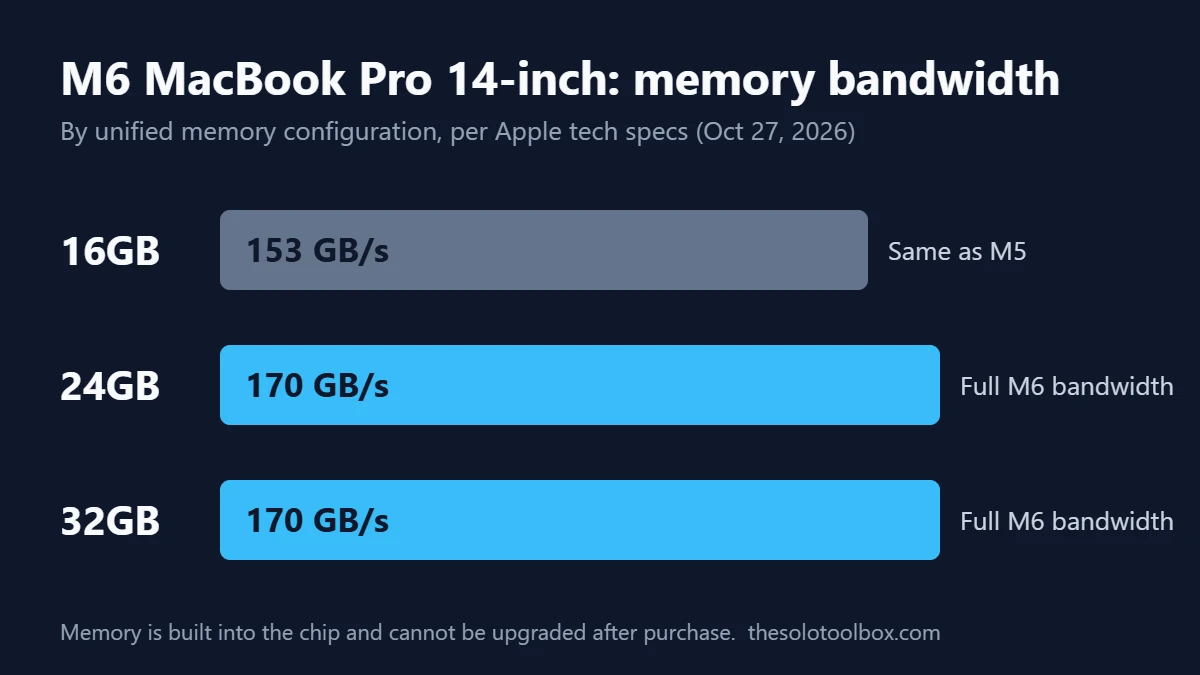
For most buyers, the 24GB M6 MacBook Pro is the safer pick. Apple’s specs page, checked on October 27, 2026, shows the base 16GB model runs at 153GB/s of memory bandwidth, the same as last year’s M5, while only the 24GB and 32GB configurations get the full 170GB/s. Memory can’t be added later, so the extra RAM and the faster bandwidth both have to be bought on day one.
Below: what Apple announced, how the three memory options differ, who can safely stay at 16GB, and what to check before pre-orders open on Wednesday, October 28. Facts come from Apple’s press release and tech specs page, plus MacRumors’ coverage of the bandwidth split. Apple had not published configure-to-order prices on its specs page when we checked, so upgrade costs below are left for you to confirm in the Apple Store.
Before you start
- Pre-orders: Wednesday, October 28, 2026, at apple.com/store and in the Apple Store app
- In stores and shipping: Friday, November 6, 2026
- Starting price: $1,999 (US), $1,899 with education pricing, with 16GB memory and 1TB storage
- Watch out: Unified memory is soldered to the chip. Whatever you order is what the Mac has for its whole life
What Apple announced on October 27
Apple refreshed only the 14-inch MacBook Pro with the base M6 chip. According to Apple’s newsroom post, the M6 has a 12-core CPU (two more cores than the M5), a 12-core GPU with Neural Accelerators in each core, and a dual 16-core Neural Engine. Apple claims up to 30% faster graphics and 25% faster on-device AI work than the M5 model.
Other changes from Apple’s announcement and specs page:
- Wi-Fi 7 and Bluetooth 6
- Up to two external displays, including two 4K displays at up to 165Hz
- Up to 24 hours of video streaming and 16 hours of wireless web browsing from a 72.4Wh battery
- A 70W USB-C adapter in the box; fast charging to 50% in 30 minutes needs a 96W or higher adapter, sold separately
- Storage options of 1TB, 2TB or 4TB, and memory options of 16GB, 24GB or 32GB
- Space black and silver finishes, with macOS 27 preinstalled
Bloomberg has reported that Apple will also show touchscreen MacBook Pro models with M5 Pro and M5 Max chips this week. That is a report, not an Apple announcement, so treat it as unconfirmed until Apple says otherwise.
The 16GB bandwidth catch
Memory bandwidth is how fast the chip can move data in and out of unified memory. The CPU, GPU and Neural Engine all share that pool, so bandwidth affects graphics work, video exports and local AI models more than it affects web browsing.
Apple’s specs page lists the bandwidth by memory size:
| Memory | Bandwidth | Compared with M5 (14-inch) |
|---|---|---|
| 16GB | 153GB/s | Same as M5 |
| 24GB | 170GB/s | About 11% higher |
| 32GB | 170GB/s | About 11% higher |
The 11% figure is our own arithmetic from Apple’s numbers (170 divided by 153). It is a ceiling, not a benchmark. Real-world gains depend on the app, and no independent tests of M6 hardware were published when we checked.
For context, MacRumors notes that the M5 Pro and M5 Max MacBook Pro models reach 307GB/s and up to 614GB/s. If your work leans on bandwidth, such as large local language models or heavy 8K editing, the base M6 isn’t the right tier at any memory size.
Who can stay at 16GB
16GB is still a workable amount for a lot of people. It makes sense if you:
- Mostly use a browser, email, Office or Google Workspace, Slack and video calls
- Edit photos in Lightroom or Affinity at normal sizes
- Edit 4K video occasionally rather than daily
- Plan to replace the laptop in three or four years anyway
If that’s you, the money may be better spent on 2TB of storage, AppleCare, or a 96W adapter for faster charging.
Who should buy 24GB or 32GB
Pay for more memory if any of these apply:
- You run local AI models. Apps like LM Studio or Ollama load the whole model into unified memory. More memory lets you run larger models, and the 170GB/s bandwidth affects how fast they generate text.
- You keep many apps open at once. Xcode with a simulator, Docker containers, a browser with dozens of tabs and a design app can push past 16GB and into swap.
- You edit video or 3D regularly. Final Cut Pro, DaVinci Resolve and Blender use the GPU and memory heavily.
- You keep laptops for five years or more. Apps and macOS releases tend to need more memory over time, and the RAM can’t be upgraded.
Choose 32GB over 24GB only if you already know 24GB is tight. For example, if you routinely see memory pressure in yellow or red on your current Mac.
How to check what your current Mac uses
Before you choose, check your real usage on the Mac you have now:
- Open Activity Monitor (Applications > Utilities, or search with Spotlight).
- Click the Memory tab.
- Work normally for a day with your usual apps open.
- Check the Memory Pressure graph at the bottom and the Swap Used value.
If the graph stays green and Swap Used is near zero, 16GB will likely be enough. If it often turns yellow or Swap Used climbs into several gigabytes, buy 24GB.
Before you pre-order on October 28
- Confirm the upgrade price. Apple’s specs page didn’t list configure-to-order prices on October 27. Compare the 24GB price in the Apple Store configurator against what you’d pay to step up storage instead.
- Decide on storage separately. Every M6 model starts at 1TB, so many people won’t need 2TB if they use iCloud or an external drive.
- Wait a day if you’re unsure about touch. If the reported touchscreen MacBook Pro is announced, compare it before ordering. Delivery dates may slip for later orders, but Apple’s standard return policy still applies after delivery if you change your mind.
- Check education pricing. The education price starts $100 lower at $1,899.
If you’re weighing a smaller Apple device instead, our iPad mini 2026 vs iPad mini (A17 Pro) comparison covers the other big Apple launch this week. Moving files to a new Mac is also a good moment to clean up old accounts; our guide to backing up your Google account with Takeout covers that side.
FAQ
Is 16GB enough for the M6 MacBook Pro?
For browsing, office apps, video calls and light photo editing, yes. It’s the configuration with lower bandwidth (153GB/s), so heavier GPU, video or local AI work benefits from 24GB.
Can I upgrade the RAM later?
No. Apple silicon Macs use unified memory built into the chip package. You must pick the amount when you order.
Does the 1TB SSD speed depend on the configuration?
Apple’s specs page didn’t list SSD speeds by capacity when we checked, and no independent tests were available yet. We’ll know more once review units ship.
When does the M6 MacBook Pro ship?
Pre-orders open October 28, 2026, and Apple says the laptop arrives in customers’ hands and in stores starting Friday, November 6.
Is it worth upgrading from an M5 MacBook Pro?
Probably not for most people. The jump is two extra CPU cores, two extra GPU cores and Wi-Fi 7, and the 16GB model keeps the same bandwidth as the M5. Owners of M1 or Intel models will see a much larger difference.
Your next step
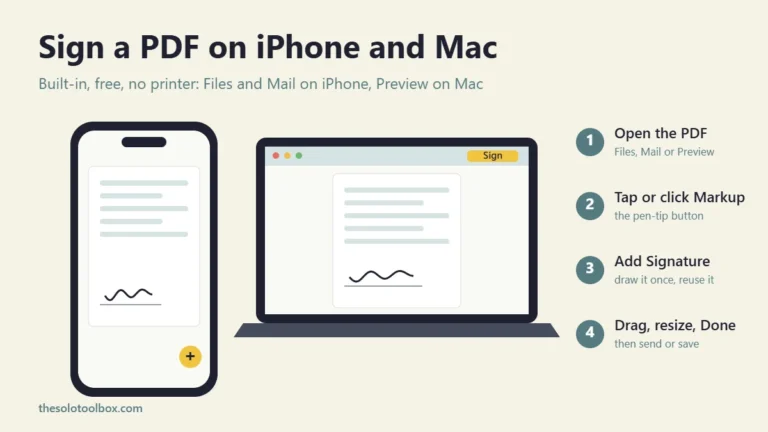
Open Activity Monitor on your current Mac today, note your memory pressure, then pick 16GB or 24GB when the Apple Store opens pre-orders on October 28. If you sign contracts or invoices on your Mac, our guide on how to sign a PDF on iPhone and Mac works the same way on the new model.
Sources
- Apple Newsroom: Apple introduces the new 14-inch MacBook Pro with M6 (October 27, 2026)
- Apple: MacBook Pro tech specs (checked October 27, 2026)
- MacRumors: M6 MacBook Pro’s 170GB/s memory bandwidth skips base 16GB model (October 27, 2026)
- MacRumors: Apple expected to announce MacBook Pro with touchscreen (October 27, 2026)